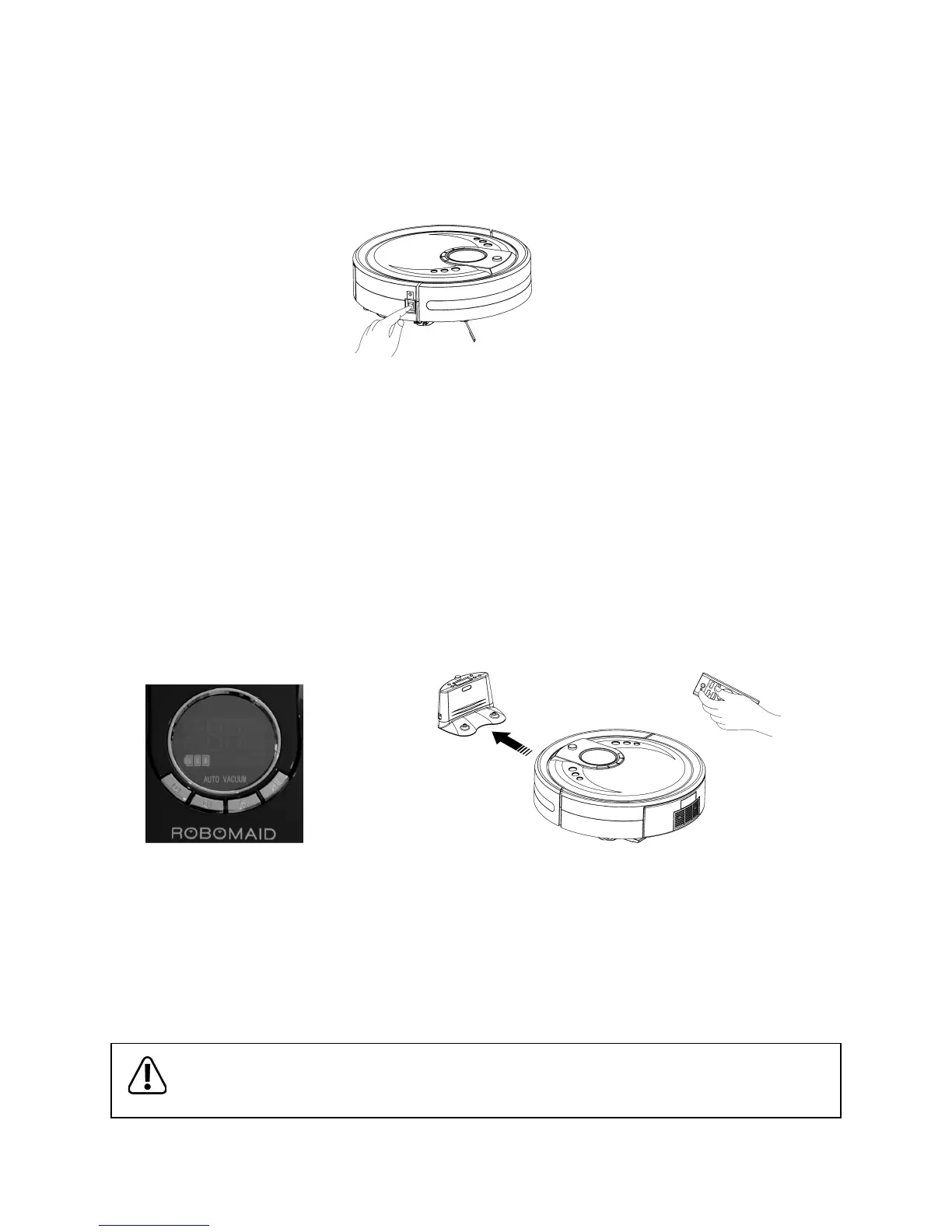
Standby Mode
- Switching the power switch to ON (see the gure below) switches the Robomaid ON and into Standby Mode.
- In Standby Mode, the current mode will be displayed (the default is “AUTO 1” ).
- To turn the RM-770 o, just switch the power switch to the OFF position.
- While the RM-770 is switched OFF, the remote control, timer, or control panel will not work.
Docking Mode
- If the Robomaid is left in Standby Mode for more than 3-5 minutes, it will start chirping every 30 seconds until the
Robomaid is activated, switched OFF, or recharging.
- In Docking Mode, the Robomaid RM-770 will automatically begin to search for the Docking Station to recharge
when the battery level is lower than 15%.
- Pressing the DOCKING button on the Control Panel of the Robomaid RM-770 or on the Remote Control, will
manually activate the search for the Docking Station to recharge.
- While the Robomaid RM-770 searches for the Docking Station, pressing any other button on Control Panel or
Remote Control will stop the RM-770 searching and enter Standby Mode. The directional buttons
on the Remote Control can also be used to manually assist the searching function.
- The Robomaid will search for the Docking Station and once within range of the Docking Station signal will attempt to
line up and dock. The Robomaid may turn away from the Docking Station and move about 2-3 meters away from the
Docking Station before turning back in line and docking.
- If the docking is not successful and the recharging does not begin, the Robomaid will reverse o the Docking Station and
attempt to dock again. The Robomaid can also be picked up and placed on the Docking Station physically if needed.
- When the Robomaid is in Docking Mode, the display will show the three red battery bars (see Figure 1) and
the sound of the Robomaid will be almost silent as the brushes and vacuum do not work in Docking Mode.
- Once the Robomaid docks successfully, it will go into Charging Mode.
- If the Robomaid cannot nd the Docking Station and the battery power becomes lower than 8% of the capacity,
it will stop searching and stop in a clear and bright place, and will chirp every 30 seconds until the battery is completely at.
It will then need to be charged by plugging in the Power Adaptor directly in the Robomaid.
If the Robomaid runs completely empty, it may not charge from the Docking Station and must be charged by
the Power Adaptor connected directly to the Robomaid.
Figure 1 - Docking Mode


 To Next Page