EasyManua.ls Logo

Robomaid RM-770 - User Manual

Robomaid RM-770
16 pages
Print Icon
To Next Page IconTo Next Page
Loading...
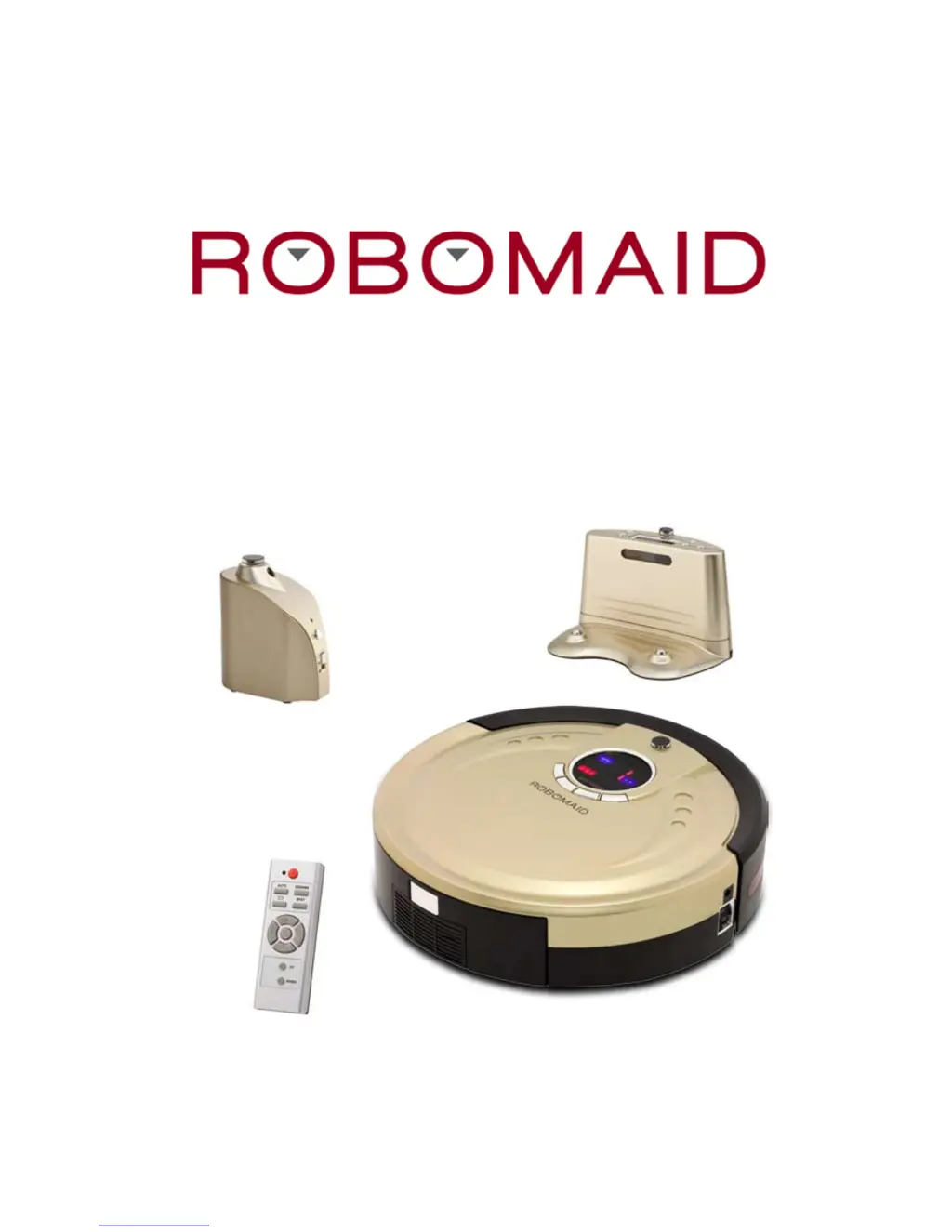
RM-770 ROBOT VACUUM CLEANER

Questions and Answers

  • A
    Andrew BuckleyAug 17, 2025
    Why does my Robomaid Vacuum Cleaner stop while working?
    • S
      Sarah WillisAug 17, 2025
      If your Robomaid Vacuum Cleaner stops while working, there might be several reasons. First, check if the selected cleaning time is over. Then, inspect the wheels for any obstructions. Also, clean out the main brush and the front wheel, removing any hair or obstacles. Ensure the floor and wall sensors are clean and that the Robomaid isn't operating in direct sunlight or on dark surfaces. Clear any obstacles from the front bumper. Finally, reinstall the main brush and dustbin after cleaning them, ensuring the dustbin contact points are clean.
  • D
    Dr. Christine Jones DDSAug 20, 2025
    Why is my Robomaid RM-770 so loud?
    • C
      Cindy BrownAug 20, 2025
      If your Robomaid Vacuum Cleaner's noise level has increased dramatically, try the following: Clean the main brush to remove any hair or obstacles. Also, clean the dustbin and the filters. Check the brushes for excessive dirt and ensure both ends of the main brush are free from hair.
  • C
    Charles BrownAug 22, 2025
    What to do if my Robomaid RM-770 Vacuum Cleaner keeps getting stuck?
    • D
      delacruzdanielAug 22, 2025
      If your Robomaid Vacuum Cleaner keeps getting stuck, there are several things you can check. Ensure the mopping attachment is removed. Make sure the area is tidy and free from obstacles. If the Robomaid is getting stuck on furniture with a gap of 10-11cm, try sectioning off the area or raising the furniture by 1cm. You can also use a Virtual Wall to avoid problematic areas.
  • S
    Suzanne Stewart MDAug 25, 2025
    Why doesn't my Robomaid RM-770 Vacuum Cleaner return to the docking station?
    • H
      Heather BuckleyAug 26, 2025
      If the Robomaid RM-770 Vacuum Cleaner fails to return to the docking station, check the following: Ensure the power supply is properly connected between the adapter and the docking station. If the battery power is low, charge it directly with the power adapter. Try relocating the docking station to avoid interference from wireless devices. Ensure there is adequate space around and in front of the docking station, and that it is placed on a flat floor.
  • M
    Mrs. Shannon KingAug 27, 2025
    Why is my Robomaid RM-770 Vacuum Cleaner not working as well as it used to?
    • H
      halljoannaAug 28, 2025
      If your Robomaid Vacuum Cleaner isn't working as well as it used to, check the battery status and ensure it's not in Docking Mode. Verify that the dustbin, filter, and suction inlet are clean, and that the side brush is working. Also, make sure the cleaner is turned on. Remove and inspect the main brush, including both ends, for any buildup of hair that may cause damage or malfunction.
  • B
    Bradley ParkerAug 30, 2025
    Why doesn’t my Robomaid Vacuum Cleaner detect stairs?
    • S
      Shannon BurnsAug 30, 2025
      If the Robomaid Vacuum Cleaner doesn’t detect stairs or ledges, remember that it detects stairs that are 10cm or higher. It is recommended to use a Virtual Wall near stairs. Always supervise the Robomaid near staircases and never place the docking station or objects that might cause the Robomaid to reverse near the top of stairs or ledges.
  • A
    Angela JenkinsSep 1, 2025
    How to fix a Robomaid RM-770 remote control that is not working?
    • A
      arellanojulieSep 1, 2025
      If the remote control for your Robomaid Vacuum Cleaner isn't working, first check the battery status. Then, clean the infrared or beam sensor with a clean, dry cloth. Ensure you are within 2-3 meters of the cleaner and pressing the buttons slowly with clear commands.
  • J
    john14Sep 4, 2025
    Why did my Robomaid Vacuum Cleaner suddenly become extremely noisy?
    • I
      Isaac DavisSep 4, 2025
      If your Robomaid suddenly became extremely noisy, the main brush must be removed and cleaned thoroughly, especially the ends of the brush, to prevent damage.
  • U
    ucochranSep 6, 2025
    How do I remove the dustbin from my Robomaid Vacuum Cleaner?
    • Z
      Zachary RodriguezSep 7, 2025
      To remove the dustbin from your Robomaid Vacuum Cleaner, use one hand to push the top of the silver button with your thumb. Simultaneously, use your fingers underneath the dustbin to slide it out if needed.
  • J
    Joshua BennettSep 9, 2025
    Why does the dustbin keep coming out of my Robomaid RM-770 Vacuum Cleaner?
    • M
      Mrs. Marissa BeltranSep 9, 2025
      If the dustbin keeps coming out of your Robomaid Vacuum Cleaner, check that the filters are installed correctly. Also, inspect the latch on the top of the dustbin to ensure it's operating correctly.

Summary

Safety Precautions

General Warnings

Essential safety warnings and precautions for operating the robot vacuum cleaner.

General Cautions

Important cautions to prevent damage and ensure proper usage of the robot vacuum cleaner.

Setting Up the Docking Station

Docking Station Placement and Setup

Instructions for correctly positioning and connecting the docking station for optimal performance.

Operating Modes

Charging and Battery Management

Operating the Robot Vacuum

Control Panel Overview and Functions

Explains the buttons, indicators, and general functions of the robot vacuum's control panel.

Robot Cleaning Modes Explained

Details on the different cleaning modes like AUTO, SPOT, and DOCKING.

Remote Control Operation

Remote Control Functions and Buttons

Guide to using the remote control for operating the robot vacuum.

Docking Station Features

Filter and Sensor Maintenance

Main Brush Maintenance

Cleaning the Main Brush

How to effectively clean the main brush from debris and hair.

Troubleshooting Common Issues

Robomaid Stops While Working

Solutions for when the robot vacuum ceases operation during cleaning.

Robomaid Performance Issues

Addressing problems related to reduced cleaning effectiveness or malfunctions.

Docking Station Return Failures

Solutions for when the robot vacuum cannot return to its docking station.

Advanced Troubleshooting and Tips

Robomaid Getting Stuck Solutions

How to resolve issues where the robot vacuum frequently gets stuck.

Robomaid RM-770 Specifications

General IconGeneral
BrandRobomaid
ModelRM-770
CategoryVacuum Cleaner
LanguageEnglish