24
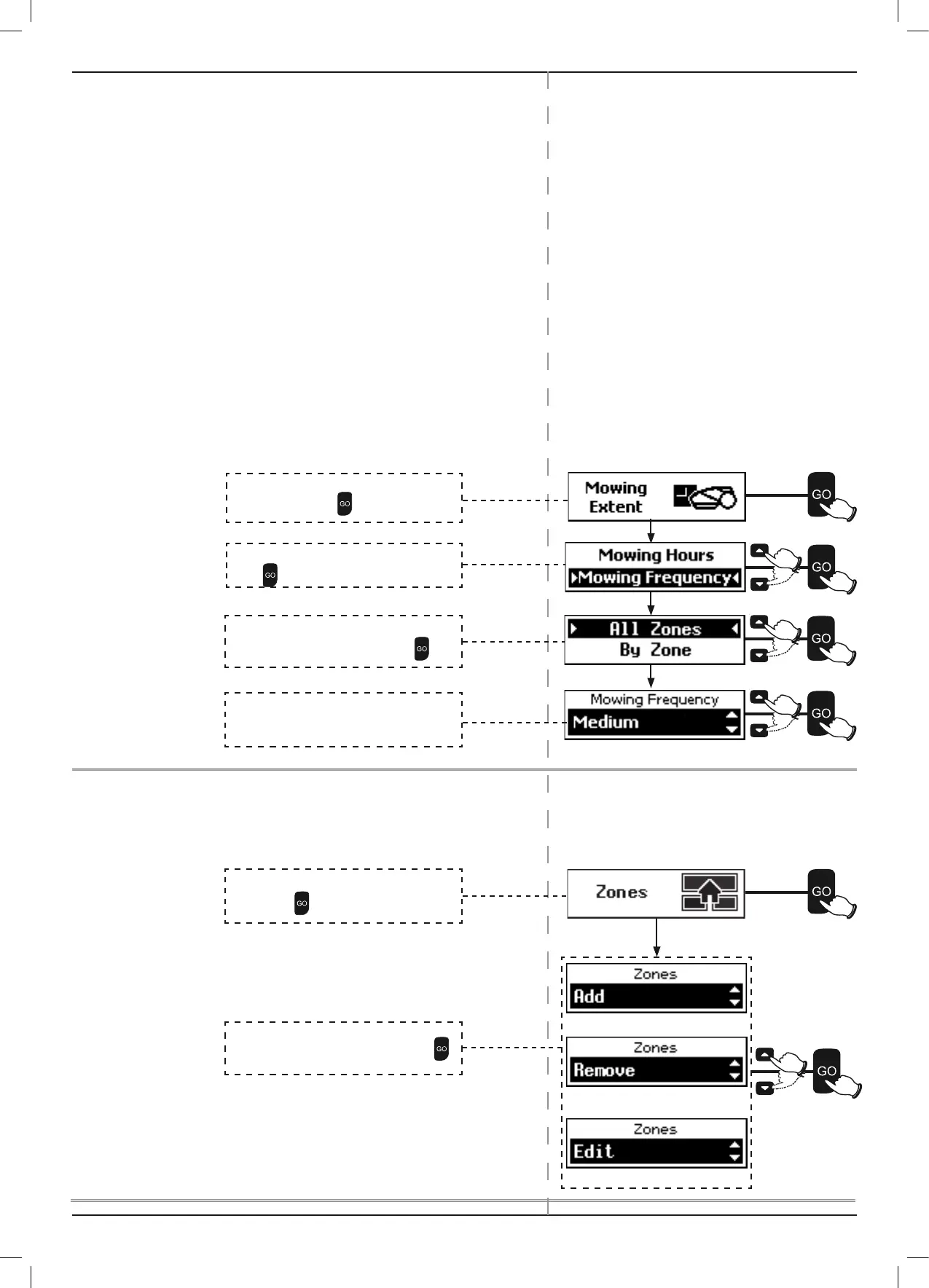
4.3.2.2 Mowing Frequency
P The Mowing Frequency option controls the interval
(frequency) between mowing cycles. Higher frequency creates
shorter growth periods. Lower frequency allows for longer
grass growth periods.
P Grass growth rate changes during the year (depending on
temperature, grass type, fertilizing and etc.).
P The default mowing frequency is Medium (equivalent to two
mowing cycles in a week).
P During off-season, when growth rate of the grass is slower, it
is recommended to change the frequency to Low (equivalent
to one mowing cycle in a week). This resting period helps the
grass and prolongs the lifetime of the mower.
P High fertilization and favorable weather conditions may cause
the grass to grow faster. In such cases set the ‘Mowing
Frequency’ option to High (equivalent to daily mowing).
P The ‘Mowing Frequency’ option is only available for zones
where a base station is installed:
4.3.3 Zones – To Add / Remove / Edit Zone(s)
Use the Zones option to add, remove or edit preset zones.
Note: Sub-Zones are marked by numbers (1, 2, 3, and 4).
Separated Zones are marked by letters (A, and B).
(
Section
4.3.3)
(
Section
4.3.3.1)
(
Section
4.3.3.2)
(
Section
4.3.3.3)
Scroll to select Mowing Extent from the Lawn
Options menu. Press
.
Scroll to select Mowing Frequency.
Press
.
Scroll to select All Zones / By Zone. If By Zone
is selected scroll to select Zone. Press
Scroll to change Mowing Frequency.
The default frequency is Medium.
Scroll
to select Zones from the Lawn Options
menu.
Press .
Scroll to select Add / Remove / Edit. Press
.


 To Next Page