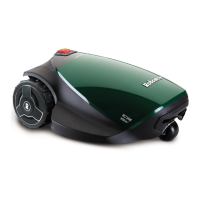
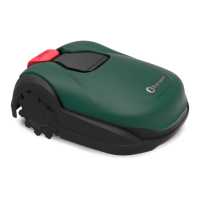
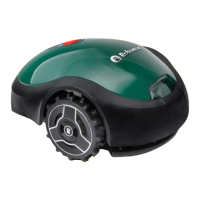
EasyManua.ls Logo

Robomow RC308u - User Manual

Robomow RC308u
79 pages
Print Icon
To Next Page IconTo Next Page
Loading...
Robotic Mower
RC312 Pro S, RC308u, RC304 Pro, RC304u
EN
User Guide
See how
to install
Original Operating Instructions

Table of Contents

Other manuals for Robomow RC308u

Questions and Answers

  • M
    melissalongAug 13, 2025
    Why is my Robomow RC308u Lawn Mower showing 'No Wire Signal'?
    • J
      Jodi HernandezAug 14, 2025
      The 'No Wire Signal' error on your Robomow Lawn Mower can occur for several reasons: * The Power Box/Perimeter Switch might not be turned on or properly connected. Ensure the Base Station is connected to the mains supply. * The Power Box may need a restart. Disconnect it from the mains power and reconnect after 10 seconds. * The Perimeter Wire might not be correctly connected to the Base Station/Perimeter Switch. Verify the low voltage cable between the Power Box and the Base Station is connected. * The Perimeter Wire might be cut. Inspect the installation for any cuts and repair the broken cable using the waterproofed connector supplied in the box.
  • M
    marialarsenAug 17, 2025
    What to do if my Robomow RC308u is stuck in place?
    • A
      Andrew YoungAug 17, 2025
      If your Robomow Lawn Mower is stuck, here's what you can do: * Move the mower from its current location and restart it. * If the drive wheel motors have been working under a severe load, determine and fix the reason it got stuck. * If the front wheel is blocked by a ditch or uneven ground, check the area around the mower. Fill any ditches or level the ground. * Check that the drive wheels can rotate freely and nothing is blocking them. If needed, increase the cutting height if it's too low for the grass.
  • K
    Kevin HarrisAug 21, 2025
    What to do if my Robomow Lawn Mower is outside the designated area?
    • C
      crodriguezAug 21, 2025
      If your Robomow Lawn Mower is operating outside the designated area, consider these potential causes: * The Perimeter Wire might be too close to the lawn's edge. Move the wire towards the inner side of the lawn. * The Perimeter Wire might have been laid incorrectly around a perimeter island. Ensure it is laid according to the manual's instructions. * The lawn slope might be too steep along the edge. Avoid including areas with very steep slopes. * The cutting height might be set too low, preventing the mower from turning correctly. Increase the cutting height. * Automatic operation might have started while the robot was outside the Perimeter Wire loop. Place the mower inside the lawn and restart operation.
  • T
    Tiffany TurnerAug 25, 2025
    Why does my Robomow RC308u say 'Check Power'?
    • H
      Heidi AllenAug 26, 2025
      If your Robomow Lawn Mower displays a 'Check Power' message, here are a few things to investigate: * Ensure the Power Box is properly plugged into the power outlet. * Verify that there is power at the outlet and the main power is on. * Check the mower or Base Station contacts for dirt and clean them with a brush or cloth. * Confirm a good connection of the Power Box to the Base Station if charging isn't detected despite physical contact.
  • K
    Kenneth DunnAug 28, 2025
    Why does my Robomow RC308u Lawn Mower display 'Check Blade / Cutting Height'?
    • K
      Karen RussellAug 28, 2025
      The 'Check Blade / Cutting Height' message on your Robomow Lawn Mower indicates: * The mowing motor has faced over-current conditions for too long due to high grass or an obstacle stuck around the blade. Switch off the Safety Switch before checking the blade. * Something is preventing a blade from rotating freely, such as accumulated grass clippings or a rope wrapped around it. Inspect the blade for foreign material or debris and clean out any accumulated grass clippings using a wooden stick.
  • D
    David HarrisSep 1, 2025
    Why does my Robomow Lawn Mower display 'Check Drive'?
    • R
      ryanhutchinsonSep 1, 2025
      If your Robomow Lawn Mower shows a 'Check Drive' error, it could be due to: * Grass or other objects wrapped around the drive wheel. Inspect the drive wheels and remove any obstructions. * The drive motors working under severe load for an extended period. Check the drive wheels and clear any grass or objects.
  • F
    fmirandaSep 5, 2025
    What to do if my Robomow Lawn Mower has a 'Front Wheel Problem'?
    • S
      Stephanie MitchellSep 5, 2025
      If your Robomow Lawn Mower indicates a 'Front Wheel Problem', it may be because: The Front Wheel has left the ground for too long during operation. If Robomow has driven onto an obstacle, switch off the Safety Switch, raise the front end, and remove the object from the mowing area.
  • D
    Derek CaseySep 9, 2025
    How to fix 'Decrease Inactive Time' message on my Robomow RC308u Lawn Mower?
    • K
      Kiara RogersSep 9, 2025
      The 'Decrease Inactive Time' message on your Robomow Lawn Mower appears when: * Too many Inactive Days and/or Hours have been set for your lawn area. Decrease the number of Inactive Days and/or the number of Inactive Hours to allow Robomow to complete mowing your lawn. * Mowing Frequency is too high for current settings of Inactive Time. Decrease Mowing Frequency. * Area setting is too high for current settings of Inactive Time. Decrease Area setting.

Summary

Safety First

Warning Decal Definitions

Explains warning symbols and their meanings for safe operation.

Safety Warnings and Precautions

Essential safety advice before and during operation.

Operation Safety Guidelines

Crucial safety instructions for operating the mower.

Transportation Safety

Guidance on safely moving the mower for transport.

Installation Guide

Know Your Lawn Types

Understanding lawn configurations for optimal setup.

Base Station Placement

Selecting and positioning the base station and power supply.

Laying the Perimeter Wire

Step-by-step guide to defining the mowing area with wire.

Completing Wire Setup

Instructions for joining and connecting perimeter wire ends.

Power Up and Testing

Install and Connect Base Station

Placing and connecting the base station to the perimeter wire.

Connect Power Supply Unit

Connecting the power supply to the base station and outlet.

Ready, Set, Test Procedures

Initial startup, basic settings, and mower testing.

Perimeter Wire Position Test

Verifying perimeter wire installation for proper mower operation.

Mower Operations and Features

Advanced Zone Configuration

Setting up sub-zones and separated zones for complex lawns.

Operating Panel and Menu Structure

Understanding mower interface, controls, and settings menus.

Automatic and Manual Operation Modes

Configuring automatic cycles and initiating manual mowing.

Key Mower Features

Adjusting cutting height, child lock, and anti-theft features.

Maintenance, Troubleshooting & FAQs

Periodic Maintenance

Guidelines for regular inspection and cleaning of the mower.

Troubleshooting Common Issues

Solutions for error messages, overload, and signal problems.

Frequently Asked Questions

Answers to common user queries about mower performance.

Robomow RC308u Specifications

General IconGeneral
TypeRobotic lawn mower
Noise level69 dB
Cutting width280 mm
Grass catcher-
Product colorGreen
Cutting systemRotary blades
Number of wheels3 wheel(s)
Maximum working climb36 %
Recommended lawn area800 m²
Maximum cutting height60 mm
Minimum cutting height15 mm
Grass collecting volume- L
Cutting clearance adjustment6
Battery typeBuilt-in
Power sourceBattery
Charging time1.5 h
Battery voltage26 V
Battery capacity3 Ah
Battery life (max)70 min
Battery technologyLithium
Power consumption per month (max)18 kWh
Weight and Dimensions IconWeight and Dimensions
Depth460 mm
Width630 mm
Height210 mm
Weight11400 g

Related product manuals