45
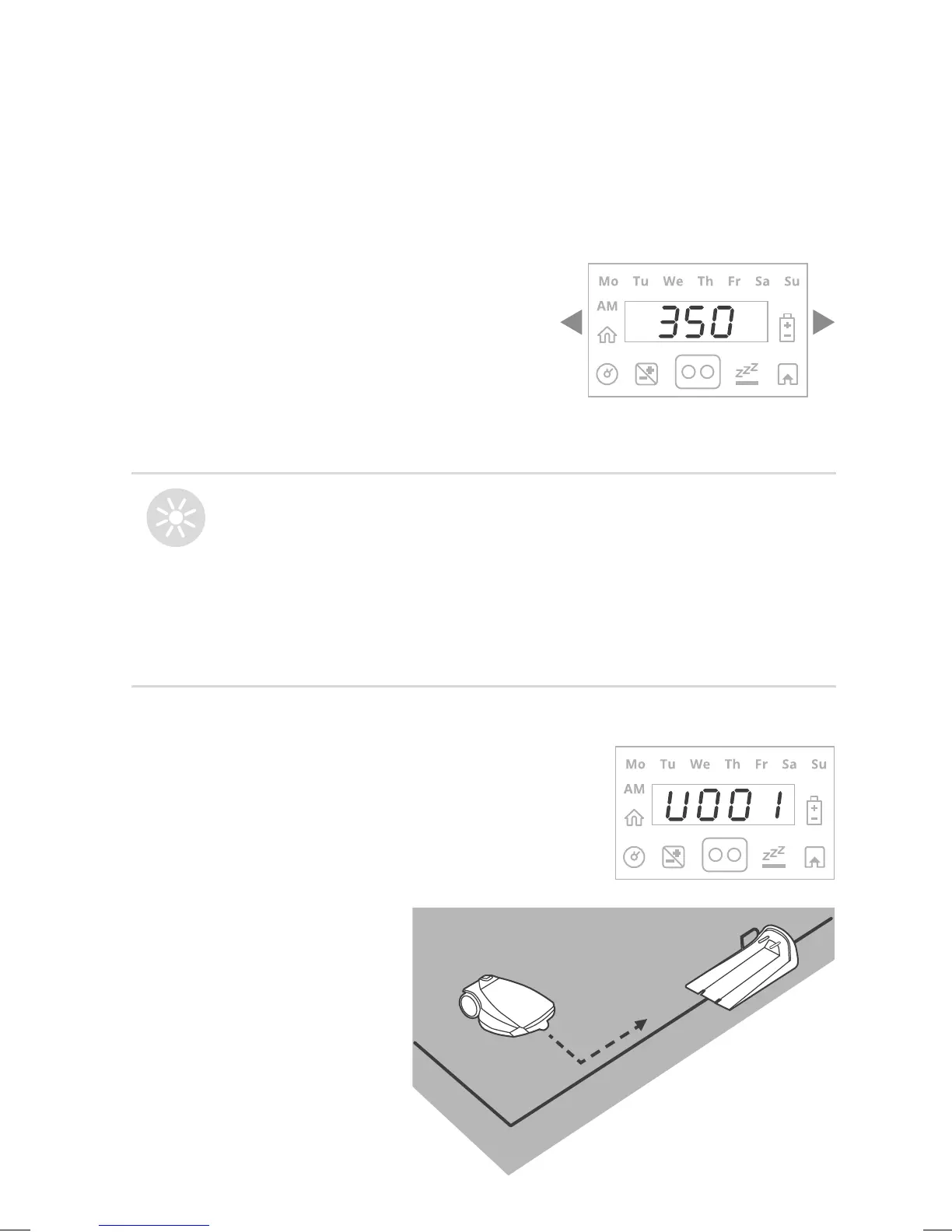
Set Main Zone Area:
TIPS
To restart the One-Time Setup
process press and hold
STOP + Settings + Left arrow
together for more than 4 seconds.
This will invoke Factory Defaults
(out-of-the-box settings).
C. Test Base Station Position
After setting the area, U001 (“Test
Base Station Position”) is displayed:
Scroll to select an approximate area
(EU-m
2
/US-ft
2
) for the Main Zone, where
the Base Station is installed.
If an additional zone (Sub-Zone or
Separated Zone) exists, do not include it in
main zone’s area (it will be set separately).
Place the mower on the
lawn, 3 m (10 ft) in front
of the entrance to the
Base Station, facing the
Perimeter Wire, and press
OK to start the test.



 To Next Page