42 43
Starting a mowing operation
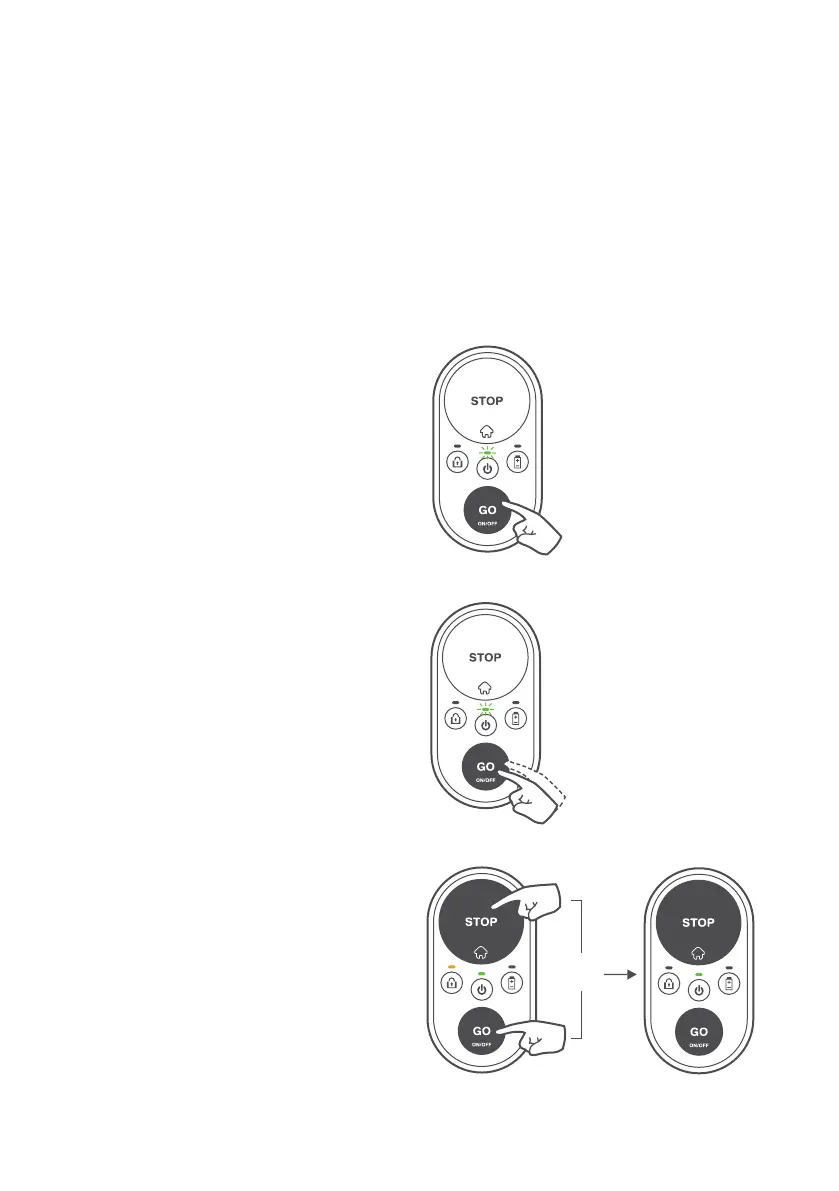
Starting a mowing operation is super easy!
If you wish to start a regular
mowing operation, all you need to
do is to press the GO button once.
If the regular mowing duration
(depends on a particular model of
your mower) is too long for your
lawn, you can initiate half-time
mowing operation by pressing the
GO button twice.
When child protection is enabled,
a special combination of keys
is required to start a mowing
operation. Hold down the STOP
button and press the GO button
once to unlock the child protection
for 30 seconds. The Lock indication
will be temporarily switched off.
Now you can start a mowing
operation as described above. As
soon as the mowing operation is
started, the child protection will
automatically relock itself.
X 1
X 2
X 1



 To Next Page