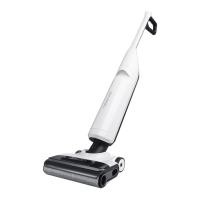
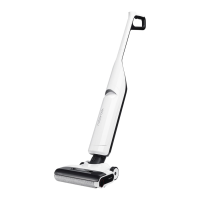
11
C1-1—Grip the clean tank handle, press the
release button, and gently pull the
clean tank upwards at a slight angle.
C1
Filling the Clean Tank
C1-2—Open the cap of the clean tank refill
port, add tap water, and then close
the cap.
Notes:
•
To avoid deforming the clean tank, only use cold water.
•
To prevent corrosion or damage, do not use
any disinfectant and only use cleaning solutions
recommended by Roborock such as Roborock Floor
Cleaning Solution.
•
To improve cleaning performance, we recommend
that you add 1/4 bottle cap of the recommended
cleaning solution to the filled clean tank.
C1-3—Place the clean tank back to the
cleaner head. Push it down gently
until it clicks into place.
Pull the handle to unlock the vacuum
cleaner, and press the button to start it.
Always lay the vacuum cleaner flat with the
buttons on the handle facing up.
Note:
C3
Starting the Vacuum Cleaner
C4
Lay-Flat Cleaning
Press the button to switch between AUTO,
MAX, ECO, and Sponge modes. The screen
will display the icon of the current mode.
C5
Mode Switching
C2
Locking and Unlocking
The vacuum cleaner can be laid flat to
1. Press the button during cleaning to
pause the vacuum cleaner. It is now on
standby.
Standby and Power off
C2-1—Locked
C2-2—Unlocked
Lightly step on the cleaner head and hold the
handle. Push it to lock the vacuum cleaner,
and pull it to unlock the vacuum cleaner.
C6-1—
Light stripe in red: Error
When the dirty tank is full or the clean tank
is empty during use, the vacuum cleaner
will provide audio and visual alerts. In this
case, fill the clean tank or empty the dirty
tank prior to resuming cleaning.
C7-3—Reinstall the tank cover. Tilt the dirty
tank, insert its bottom back in the
vacuum cleaner, and then push it
gently until it clicks into place.
1. Lock the vacuum cleaner while it is on
standby and place it on the charging
dock. Charging starts when you hear
the "Charging started. Please start self-
cleaning." voice massage.
2. Press the button to start/pause smart
self-cleaning.
C6
Water Level Alerts
C8
Charging and Self-Cleaning
C7
Emptying the Dirty Tank
C7-1—Hold the dirty tank handle, press the
release button, and pull out the dirty
tank.
C7-2—Gently pull out the tank cover, and
empty the dirty tank.
3. After self-cleaning and drying are completed,
follow the voice message and empty the
dirty tank timely to prevent odors.
2. Lock the vacuum cleaner while on standby
so that it can stand upright on the floor.
3. If the vacuum cleaner is left idle for 5 minutes
while on standby, it will automatically turn
off. To manually turn the vacuum cleaner off,
press and hold the button for 2 seconds
while it is on standby.
clean under furniture. To lay it flat on the
floor, lower the handle while using the
machine. The available capacity of the dirty
tank decreases during lay-flat cleaning.
Therefore, it is recommended to empty the
dirty tank before cleaning under furniture.
Notes:
•
Make sure that the clean tank and dirty tank are
in place for optimum self-cleaning and drying
performance.
•
The product is equipped with a built-in high-
performance lithium-ion rechargeable battery pack.
To maintain battery performance, keep the product
charged during normal use.
•
Always place the vacuum cleaner back on the charging
dock after use to avoid leaving water stains on the floor.


 To Next Page