1010
Product Introduction
A
A1
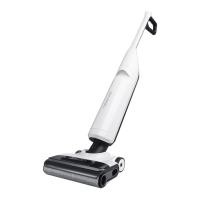
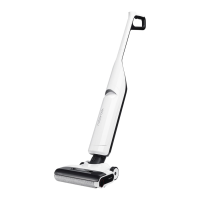
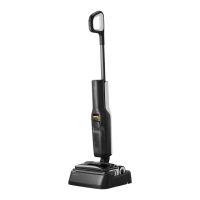
Vacuum Cleaner
•
Press: Start/Pause
•
Press and hold for 2 seconds while
on standby: Power off
•
Press: Switch to AUTO / MAX / ECO /
Sponge mode
•
Press and hold for 2 seconds while
on standby: Turn on/off voice
messages / Adjust volume
•
Press and hold for 2 seconds while
charging: Switch to Quiet Drying /
Fast Drying mode
•
Press while charging: Start/Pause
self-cleaning
•
Press and hold for 2 seconds while
charging: Start/Stop drying
—Power
—Switch Mode
—Self-Clean
A1-1—Speaker
A1-2—Handle
A1-3—Handle Release Hole
A1-4—Roller Release Tab
A1-5—Wheels
A1-6—LED Display
A1-7—Dirty Tank Release
A1-8—Dirty Tank Handle
A1-9—Dirty Tank
A1-10—Clean Tank Refill Port
A2
Charging Dock
A5
Maintenance Brush
A4
Filter
A3
Power Cord
The maintenance brush can be placed in the
groove at the back of the charging dock.
Note:
A2-1—Drying Tray
A2-2—Drying Air Outlets
A2-3—Charging Contacts
A6-1—Sponge Mode
A6-2—ECO Mode
A6-3—Drying Indicator
A6-4—Battery Level
A6-5—AUTO Mode
A6-6—MAX Mode
A6-7—Light Stripe & Error Indicator
A6
LED Display
B2-1—Place the charging dock upside down,
connect the power cord to the socket
of the charging dock, and loop the cord
inside the cord storage slot as required.
B2-2—Place the charging dock on a flat,
hard floor and plug it in.
B2-3—The maintenance brush can be
placed in the groove at the back of
the charging dock.
B1-1—Connect the handle to the main body
until it clicks into place. The buttons
on the handle should face forward.
Do not place the charging dock in humid
locations or near any heat sources, such as bathrooms,
kitchens, and radiators.
Note:
The power cord can exit from either the right or
left cord storage slot opening.
Note:
To stop self-cleaning or drying, press the
button while charging.
Note:
Product Installation
B
B1
Fitting the Handle
B2
Positioning the Charging
Dock
B1-2—To detach the handle, hold it firmly
and pull it out while inserting a hard
object into the handle release hole
on the back of the main body to
press the release button.
A1-11—Clean Tank Release
A1-12—Clean Tank
A1-13—Roller
Instructions for Use
C
Press and hold the and buttons for 3
seconds to start language selection, then
press the button to change language.
To confirm your selection, stay upon your
preferred language for 10 seconds or press
the button.
Language Selection


 To Next Page