Charging
Use
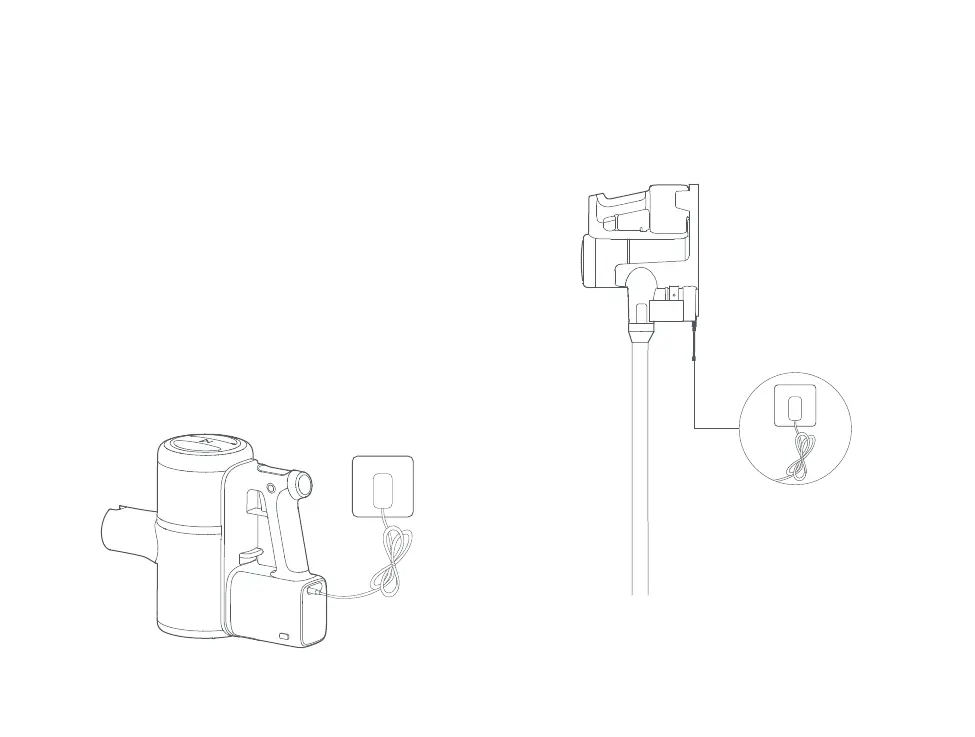
Charge with the Power Supply
Charge with the charging stand
Charging Port
When the battery is charging, a charging animation will
show alongside the current battery level.
The screen will turn off automatically after 1minuteof
inactivity.
Notes:
1. When charging, the screen image faces the user for easy viewing.
2. When charging, the vacuum will enter Charging mode and stop all other functions.
3. The battery temperature will increase after continuous use in MAX mode. As a
result, recharging may take longer.
4. When battery levels are very low, the vacuum screen will only light up after a period
of charging.
Before using the vacuum, read the " Safety Instructions" in
this user manual
Note:
Make sure the Power Supply is firmly inserted into the power socket.


 To Next Page