Front Filter and Multi-Cyclone Assembly Installation
Maintenance
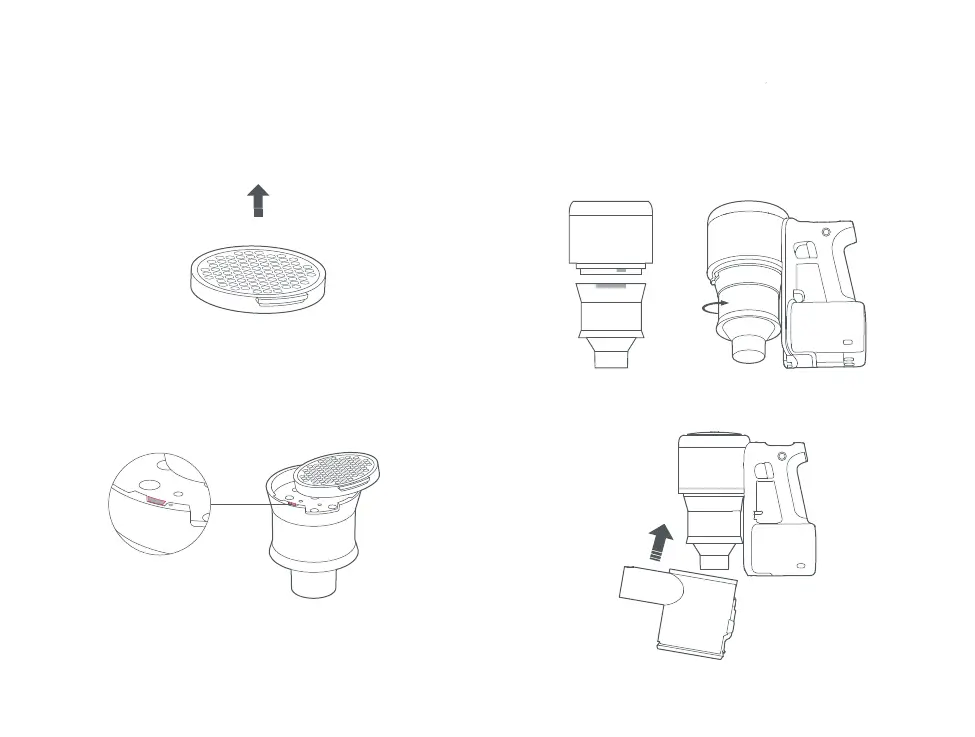
1. Position the Front Filter, as shown.
4. Tilt the dustbin and slot it back onto the vacuum.
2. Place the Front Filter from the right side of the multi-cy-
clone assembly and lightly push it to the left to disengage
the “No Filter Protection Lock”. Once the lock is nested into
its slot, press down on the filter to secure it in place.
3. Align the Multi-Cyclone Array and the vacuum as shown
then turn them clockwise to lock them in place.


 To Next Page