15
Lift the high-speed maintenance brush
latch and remove the brush. Remove
any entangled objects in the high-speed
maintenance brush and rinse it clean.
Reinstall the brush and latch it in place.
*
Clean as required and replace every 6-12 months.
High-Speed Maintenance Brush
D12
*
Replace regularly or when it is full.
Replacing the Disposable
Dust Bag
D15
Remove the dust container cover.D15-1—
Remove the dust bag and discard it.D15-2—
Notes:
•
The dust bag handle seals the bag on removal to
prevent leakage.
•
Always install a dust bag before putting back the dust
container cover to avoid auto-emptying without the
bag. You can also disable auto-emptying in the app.
Remove the cleaning tank.D14-1—
Cleaning Tank of Edgewise
Mopping Module
D14
*
Clean as required.
Pull out the filter. Press the latch on the side
of the filter to flip it downwards open. Rinse
it with water, use a soft, dry cloth to wipe the
cleaning tank, and then reinstall the filter by
locking the latch. Press down the filter until
you hear it lock with a click.
*
Clean as required.
Water Filter
D13
Clean the filter with a dry cloth,
insert a new disposable dust bag
into the slot, and spread it evenly to
ensure it is installed in place.
D15-3—
Note: To prevent the dust container cover from falling
and hitting the robot, remove the cover with both
hands, one on each side.
Unscrew the screw in the middle of
the mop cloth.
D7-1—
*
Clean as required and replace every 3-6 months.
Edgewise Mop Cloth
D7
Purchase an additional filter and alternate if
necessary.
Note:
Allow at least 24 hours for the filter
to dry thoroughly and reinstall it.
D6-3—
Remove the mop cloth from the mop
cloth mount. Clean the mop cloth
and air-dry it.
D8-1—
Slide the mop cloth in from the
opening of the attachment slot, and
then stick it flat in place.
D8-2—
A dirty mop cloth will affect the mopping
performance. Clean it before use.
Note:
Use a soft, dry cloth to wipe and clean all
sensors, including:
*
Clean as required and replace every 3-6 months.
VibraRise Mop Cloth
D8
*
Clean as required.
Robot Sensors
D9
Use a soft, dry cloth to wipe the charging
contacts on the robot and the dock.
*
Clean as required.
Charging Contacts
D10
D9-1—Reactive 3D Obstacle Avoidance
Sensor
D9-2—Dock Locator
D9-3—Carpet Sensor
D9-4—Wall Sensor
D9-5—Communication Sensor
D9-6—Cliff Sensors
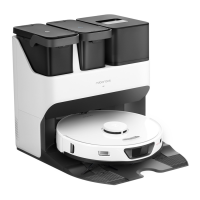
To move the dock, grip the cord storage slot
on the back with one hand and the inner
side of the front board with the other hand.
Do not lift the base directly to prevent the
dock from falling off.
Moving the Dock
D11
Wash the mop cloth and air-dry it.D7-2—
Reinstall the mop cloth and tighten
the screw.
D7-3—
A dirty mop cloth will affect the mopping
performance. Clean it before use.
Note:
Remove the filter.D6-1—
Rinse the filter repeatedly and tap it
to remove as much dirt as possible.
D6-2—
Do not touch the surface of the filter with hands,
brush, or hard objects to avoid potential damage.
Note:
*
Clean every 2 weeks and replace every 6-12 months.
Washable Filter
D6
Reinstall the cleaning tank.D14-3—
Rinse the cleaning tank with water.D14-2—



 To Next Page