16
Empty Wash Fill Dock Auto
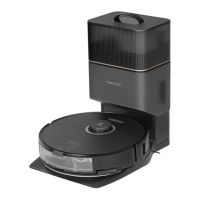
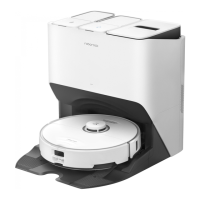
Model EWFD14LRR
Rated Input Voltage 120V~
Rated Frequency 60Hz
Rated Input
(Dust collection)
6A
Rated Input
(Hot water mop
washing)
12A
Rated Input
(Charging & drying)
1.35A
Rated Output 20V
1.5A
Charging Battery
14.4V/5200mAh (TYP)
lithium-ion battery
Maximum Water
Inlet Pressure
0.4Mpa
Minimum Water
Inlet Pressure
0.1Mpa
Basic Parameters
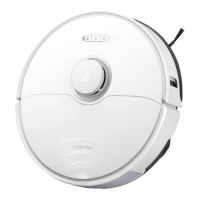
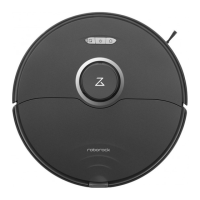
Robot
The serial number is on a sticker on the underside
of the robot.
Note:
Model S83USC
Battery
14.4V/5200mAh (TYP)
lithium-ion battery
Rated Input 20V
1.5A
Charging Time Approx. 4 hours
The chemical substances contained in the built-
in lithium-ion battery of this product can cause
environmental pollution. Remove the battery
before disposing of this product and hand it
to a professional battery recycling facility for
centralized disposal.
1. Operate the robot without connecting to the
dock until it runs out of battery.
2. Turn off the robot.
3. Unscrew the battery cover.
4. Remove the battery cover.
5. Press the latch to pull out the battery
connector and remove the battery.
*
The following information applies only when
disposing of the robot and should not be followed for
day-to-day operations.
Removing the Battery
Environment
Protection Information
Notes:
•
Before removing the battery, make sure it is fully drained. Do not
attempt to remove the battery if the robot is connected to the
dock.
•
Remove the entire battery pack. Avoid damaging the battery pack
casing to avoid short-circuits or leakage of hazardous substances.
•
In the event of accidental contact with battery fluid, rinse
thoroughly with water and seek immediate medical care.
Removing Water Pipes
D16
Disconnect the power and water
supply. Pull out the lock plate at the
connection.
D16-1—
Make sure the disposable dust bag is properly
installed to avoid waste escaping and damaging the
dock.
Note:
Install the dust container cover
in place to make sure the dust
container is securely sealed.
D15-4—
Hold the snap ring at the
connection to remove the two
pipes one by one.
D16-2—
Notes:
•
When disconnecting the water pipes, use a container
to capture the flowing water and avoid wetting the
floor.
•
Avoid forcibly pulling out the water pipes, or the
product may be damaged.
Draining the Remaining Water
D17
To transport or mail the product, empty
the remaining fluid in the dock using the
app. At the same time, empty and rinse the
cleaning solution cartridge, leave it to air
dry completely and then reinstall it.
The robot is equipped with a built-in high-
performance lithium-ion rechargeable
battery pack. To maintain battery
performance, keep the robot charged
during normal use.
If the robot will be left unused for a long period,
turn it off and charge it at least every three months to
avoid battery damage caused by overdischarge.
Note:
Battery
D18



 To Next Page