2) Accessory Controls
A) Pan-Tilt-Zoom (PTZ) Camera Controls
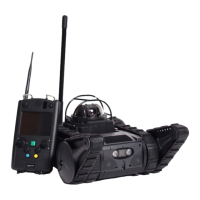
Please refer to Figure 1 on page 10 for controller button diagram and labels for PTZ use.
Camera View Switch (Green Button):
• Switches between the drive camera view, the PTZ Camera view, and the split screen
view (displays both drive camera and PTZ Camera views).
PTZ Camera Control Joystick (Right Joystick):
• The right joystick maneuvers the 360° PTZ Camera’s movement (both side-to-side
and up-and-down). See below for more details.
PTZ Camera Zoom Knob:
• Push up = camera zooms in
• Push down = camera zooms out
Touchscreen PTZ Reset Button:
• Pressing this button (on the touchscreen) resets the PTZ camera focus
and viewing angle (back to a level position).
B) Manipulator Arm Controls
Please refer to Figures 3 and 4 on pages 14-15 for arm diagram and controller button labels
for arm use.
NOTE: Please make sure that the front flippers are flat and the rear robot weight is
attached when operating the arm. This will stabilize the robot’s weight distribution
and help make arm movement and control smoother.
Touchscreen Arm/Drive Mode Switching:
• When this button is displayed in the lower right hand corner of the
screen, the robot is in “Arm Mode.” This means that both joysticks will
control the arm. Full arm control is enabled in this mode only. Driving
and robot movement are disabled in this mode. Press this button
(on the touchscreen) to toggle to drive mode.
• When this is displayed in the lower right hand corner of the screen, the
robot is in “Drive Mode.” Driving and partial arm control is enabled. In
this mode, the left stick controls robot movement and the right stick
controls the arm. Full arm control is disabled.


 To Next Page