In-Depth Controller Overview
1) Basic Avatar® II Controls
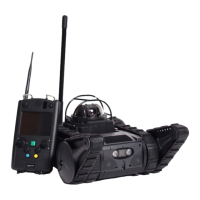
Please refer to Figure 1 on page 10 for controller button diagram and labels.
A) Powering On/Off, Audio Volume, and Robot Movement
Power On/Off Button:
• Powers the controller on and off.
Incoming Volume Control Knob:
• Push up = incoming audio volume increases
• Push down = incoming audio volume decreases (hold to mute)
Robot Control Joystick (Left Joystick):
• The left joystick controls robot movement (left/right and forward/reverse).
• The robot responds to a range of input – the further you push the stick, the faster
the robot will move. For slow movement, push lightly on the joystick.
B) Flipper Control, IR/LED Light, and Push-to-Talk Audio
Flipper Control Knob (Right Knob):
• Push up = flippers go up
• Push down = flippers go down
Note: When pushing the flipper control knob down, the flippers themselves will
stop automatically once they are flat on the ground. To position the flippers below
this position, release the flipper control knob and then push down again.
LED Light Switch (Yellow Button):
• Switches the robot’s camera between three modes: LED Light, IR Light, and No
Light/Off.
Two-Way Audio “Push to Talk” Button (Blue Button):
• Hold down for outgoing audio – to project your voice from the robot.
• Release to hear incoming audio – to hear what the robot hears.
Note: Unless the blue button is pressed, incoming audio is on by default. There is
no incoming audio while the robot is in motion.


 To Next Page