2) Post-Use Maintenance
A) Charging the Robot Battery
Instructions
• After removing the battery from the Avatar® II, align the charger and battery
connectors and plug the adapter into an AC wall outlet.
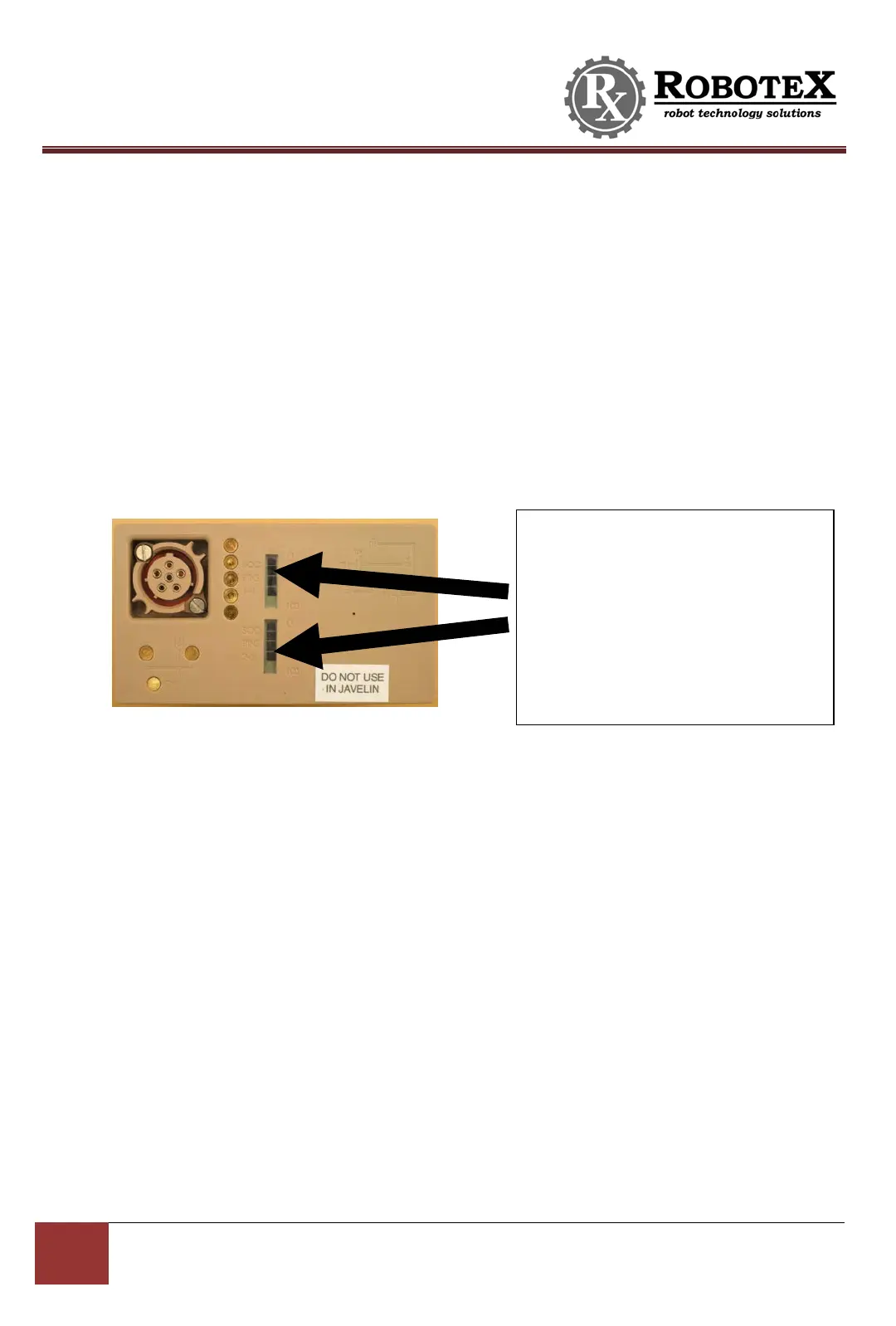
• Battery is fully charged when the indicator on the top of the battery shows 5 full
black bars, or when the indicator light on the top of the charger turns green.
• To check charge levels, you can refer to the charge indicator on the battery itself,
which will tell you how much charge is left. You can also look at the on-screen
controller indicators (see page 18).
B) Charging the Controller Battery
Instructions
• Plug the adapter into an AC wall outlet.
• Plug the round adapter plug into the round charging port on the bottom of the
controller.
• The controller is fully charged when the LED light on the controller turns off or
flashes red. If the LED light is solid red, the controller is charging.
C) Folding the Flippers In
• If you wish you put the robot in its case, you will have to folder its flippers in. To do so, it is
necessary to “smack” the flippers against the ground with some force to disengage them
from their locked position. The recommended method is to grip the robot’s front with one
hand and the back handle with another, holding the robot at an angle to hit the flippers
against the ground. NOTE: Be sure to apply equal pressure to both flippers. Do NOT try to
move them one at a time.
These are the indicator bars. The dark
bars reflect the amount of charge in
the battery. Five black bars mean the
battery is fully charged. When no
black bars are present, the battery is
empty. The battery in this picture
shows a battery with just under a full


 To Next Page