8
Avatar®IIIUserManualRevD12/2015
2)Post‐UseMaintenance
A) ChargingtheRobotBattery
AfterremovingthebatteryfromtheAvatar®III,alignthechargerandbattery
connectorsandplugtheadapterintoanACwalloutlet.
Batteryisfullychargedwhentheindicatoronthetopofthebatteryshows5full
blackbars,orwhentheindicatorlightonthetopofthechargerturnsgreen(ifyou
chooseto,itisalrighttoleavethebatteryonthecharger).
Tocheckchargelevels,youcanrefertothechargeindicatoronthebatteryitself,
whichwilltellyouhowmuchchargeisleft.Youcanalsolookattheon‐screen
controllerindicators(seepage12).
B) ChargingtheControllerBattery
PlugtheadapterintoanACwalloutlet.
Plugtheroundadapterplugintotheroundchargingportonthebottomofthe
controller.
ThecontrollerisfullychargedwhentheLEDlightonthecontrollerturnsoffor
flashesred.IftheLEDlightissolidred,
thecontrollerischarging.Youshouldleave
thecontrolleronthechargerwhennotinuse.
C) FoldingtheFlippersIn
Ifyouwishtoputtherobotinitscase,youwillhavetofolditsfrontandbackflippersin.To
doso,itisnecessaryto“smack”theflippersagainstthegroun dwithsomeforceto
disengagethemfromtheirlockedposition(makesuretheHighAngleStabilizers
havebeen
removedbeforedisengagingbackflippers).Therecommendedmethodistogripthe
robot’sfrontwithonehandandthebackhandlewiththeother, holdingtherobotatan
angletohittheflippersagainsttheground.NOTE:Besuretoapplyequalpressuretoboth
flippers.Do
NOTtrytomovethemoneatatime.
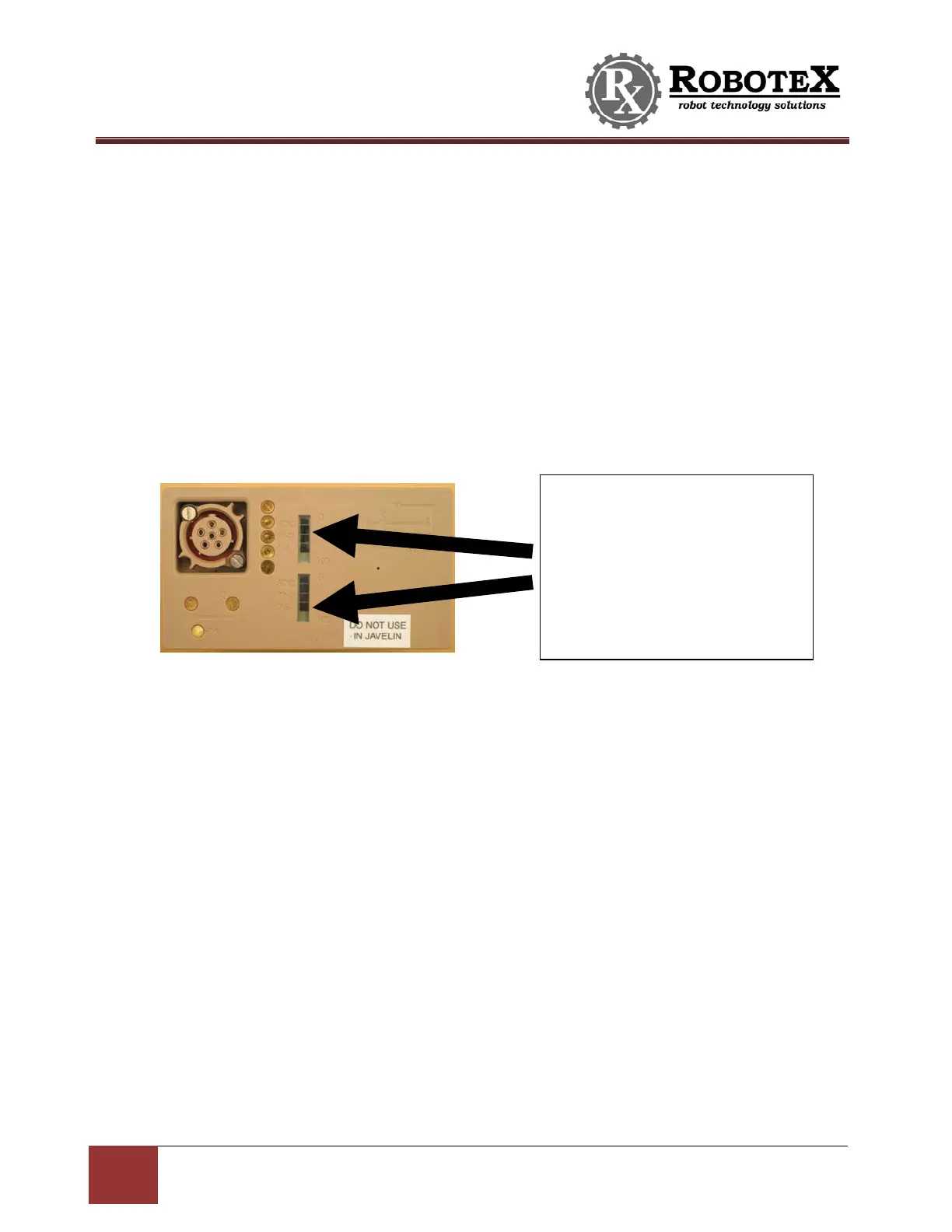
Thesearetheindicatorbars.Thedark
barsreflecttheamountofchargein
thebattery.Fiveblackbarsmeanthe
batteryisfullycharged.Whenno
blackbarsarepresent,thebatteryis
empty.Thebatteryinthispicture
showsabatterywithjustunderafull
charge.


 To Next Page