51
Set-up (I)
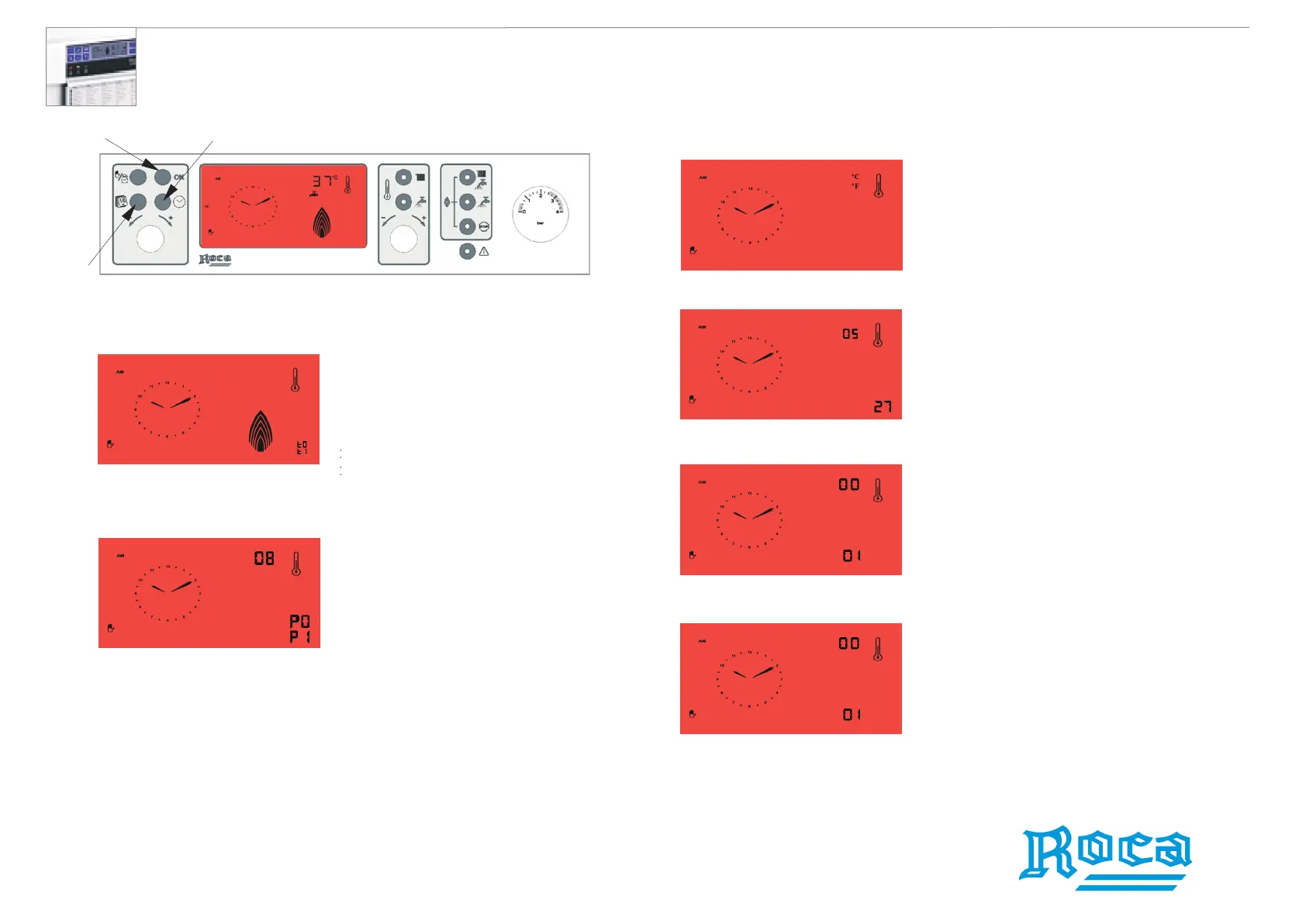
Press the Validate Program button (11) for 10 seconds.
After this 10-sec time-delay you will access the Set-up mode.
The following screen will be
displayed. The flame output can be
adjusted with button (13) and the
pump time-delay with button (10).
Press the Validate Program button (11) to store the change.
The next screen will display
the delta T (hysteresis) between
cutoff and restart of flame.
Change delta T with button (13).
The pump program will be displayed
as well on the same screen and
can be changed with button (10).
PO = Thermostat activated
Press the Validate Program button (11) to store the change
This screen allows for
temperature units (ºC or ºF)
to be changed by pressing
button (13).
Press the Validate Program button (11) to store the change.
This screen displays the DHW
flow rate (litres/h) provided there is
consumption. Open a tap to view.
Example on display: 527 l/h
Press the Validate Program button (11) to store the change.
Press the Validate Program button (11) to store the change.
3
This screen shows the total volume (m )
of DHW usage.
Example on display: 1 m
3
1 m
3
= 264.17 gallons (US liquid)
This screen displays the total
operating hours of the safety
solenoid on the gas valve.
11
10
13
Laura 20/20F wall-hung waterheaters
RECOMMENDED FOR TECHNICIAN ONLY
P1 = continuous operation in CH mode
t1 liter = 0.26 gallons (US liquid)




 To Next Page