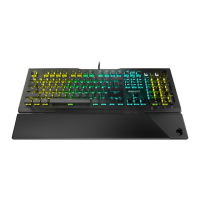
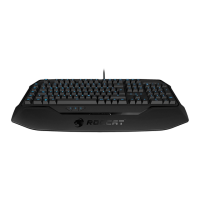
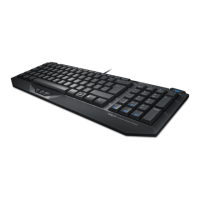
1. Til ergonomisk opstilling klappes fødderne på tastaturets
bund ud.
2. Forbind ROCCAT Vulcan Pro’s USB-stik med et ledigt
USB-interface.
3. Start computeren op, og forbind den med internettet.
4. Navigér til www.roccat.org/roccat-swarm, og download
den nyeste version af Swarm.
5. Start software-installationen, og følg anvisningerne på
skærmen.
INSTRUKTIONER
DK
1. For a more ergonomic position, fold out the stands on the
base of the keyboard.
2. Plug the ROCCAT Vulcan Pro’s USB connector into any free
USB port.
3. Start your computer and connect to the internet.
4. Navigate to www.roccat.org/roccat-swarm and download
the latest version of Swarm.
5. Start the software installation process and follow the on-
screen instructions
INSTRUCTIONS
EN
1. Para un equilibrio más ergonómico, saca las patas que
están debajo del teclado.
2. Enchufa el conector USB del ROCCAT Vulcan Pro a un
puerto libre USB.
3. Inicie el ordenador y conéctese a internet.
4. Acceda a la página www.roccat.org/roccat-swarm y
descárguese la última versión swarm.
5. Inicie el proceso de instalación de software y siga las
instrucciones de la pantalla.
INSTRUCCIONES
ES
تعليمات
ANLEITUNG
AR DE
1. للحصول على وضع أكثر راحة، قم بطي الحوامل الموجودة على قاعدة
لوحة المفاتيح.
2. قم بتوصيل موصل USB الخاص بـ ROCCAT Vulcan Pro بأي
منفذ USB خالٍ.
3. شغل جهازك وتأكد من توصيله بالأنترنت
4. افتح صفحة, وقم بتنزيل احداث اصدار من تطبيق سوارم الخاص
بروكات www.roccat.org/roccat-swarm
5. ابدأ بعملية تنزيل البرنامج واتبع التعليمات الظاهرة على الشاشة
1. Für einen ergonomischeren Stand klappe die Füße an der
Unterseite der Tastatur aus.
2. Verbinde den USB-Stecker der ROCCAT Vulcan Pro mit
einer freien USB-Schnittstelle.
3. Starte deinen Computer und stelle eine Verbindung zum
Internet her.
4. Rufe www.roccat.org/roccat-swarm auf und lade dir die
neueste Swarm Version herunter.
5. Starte die Software-Installation und folge den Anweisungen.
1. Déplie les pieds sur la face inférieure du clavier pour une
plus grande ergonomie.
2. Relie la fiche USB de la souris ROCCAT Vulcan Pro à une
prise USB libre.
3. Allumez votre PC et connectez-vous à internet.
4. Allez sur www.roccat.org/roccat-swarm et téléchargez
la dernière version de Swarm.
5. Débutez l’installation du programme et suivez les
indications.
INSTRUCTIONS
FR
OHJEET
FI
1. Käännä näppäimistön alla olevat jalat ulos ergonomista
asentoa varten.
2. Liitä ROCCAT Vulcan Pro :n USB-pistoke vapaaseen
USB-liitäntään.
3. Käynnistä tietokoneesi ja yhdistä internetiin.
4. Siirry osoitteeseen www.roccat.org/roccat-swarm ja
lataa Swarm-ohjelmiston uusin versio.
5. Käynnistä ohjelmiston asennusprosessi ja seuraa
näyttöruudulla näkyviä ohjeita.
1. キーボード底面のスタンドを立てると人間工学的によりよいポジシ
ョンで使用できます。
2. ROCCAT Vulcan ProのUSBコネクタを空いている USBポートに
差し 込 みま す。
3. コンピュータを起動し、インターネットに接続します。
4. www.roccat.org/roccat-swarm にナビゲート
し、Swarm の最新バージョンをダウンロードします。
5. ソフトウェアインストール処 理を開 始し、画面上の指 示に従います。
使用説明
JP


 To Next Page
 Loading...