
EasyManua.ls Logo

RocketFish RF-WSW312 - User Manual

RocketFish RF-WSW312
22 pages
Print Icon
To Next Page IconTo Next Page
Loading...
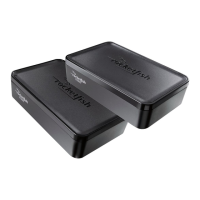
Universal Wireless
Subwoofer Kit
RF-WSW312
User Guide
12-1005_RF-WSW312_MAN_V1_EN.fm Page 1 Friday, October 12, 2012 12:13 PM

Other manuals for RocketFish RF-WSW312

Questions and Answers

  • R
    Ruben CervantesJul 30, 2025
    What to do if my RocketFish RF-WSW312 has no sound?
    • M
      Michael AllenJul 30, 2025
      If your RocketFish Subwoofer has no sound, ensure the AC adapters are connected to both the Wireless Sender and Receiver. Verify all cables are correctly connected and that the LEDs on the front of both units are lit. Try moving the Wireless Sender and Receiver to find the best reception, ensuring they are within 45 feet of each other. Also, check for any radio frequency interference sources nearby and confirm that the power cables are properly connected.
  • V
    vasquezjamesAug 6, 2025
    Why is there sound interference with my RocketFish Subwoofer?
    • J
      Jerry RobinsonAug 6, 2025
      If you are experiencing sound interference with your RocketFish Subwoofer, the most common cause is radio frequency interference. Check your system's surroundings to determine if there are any obvious sources of radio frequency interference.
  • K
    kristenmichaelAug 11, 2025
    What to do if there is no communication between the Wireless Sender and Wireless Receiver of RocketFish RF-WSW312?
    • M
      Mark EscobarAug 12, 2025
      If there is no communication between the Wireless Sender and Receiver of your RocketFish Subwoofer, first check that the front panel LEDs light up when both are connected to power. If the LEDs are flashing on either unit, press and hold the CONNECT button on both the Wireless Sender and Wireless Receiver for two seconds to enter connection mode.
  • S
    Stephanie BurchAug 18, 2025
    How to fix no sound on RocketFish RF-WSW312?
    • W
      wardshirleyAug 18, 2025
      If your RocketFish Subwoofer has no sound, check the following: * Ensure the AC adapters are connected to both the Wireless Sender and Receiver. * Verify all cables are correctly connected. * Confirm the LEDs light up on both units. * Adjust the position of the Sender and Receiver for better reception. * Reduce the distance between the Sender and Receiver (maximum 45 feet). * Check for radio frequency interference. * Make sure the power cables are properly connected. * When connected to power, the LEDs should be solid blue, indicating a successful connection. If flashing, press and hold the CONNECT button on either unit for two seconds, while also pressing the CONNECT button on the other unit.
  • B
    Briana SmithAug 25, 2025
    What to do if RocketFish Subwoofer has sound interference?
    • R
      Rhonda CoxAug 25, 2025
      If you are experiencing sound interference with your RocketFish Subwoofer, check for any nearby sources of radio frequency interference.

Summary

Safety Information

Important Safety Instructions

Key safety instructions for operation and maintenance.

Wireless Sender Overview

Wireless Receiver Overview

Setting Up Your Subwoofer Kit

Connecting the Wireless Sender

Connection to Home Theater Receiver

Connects sender to receiver via Sub Out jack.

Connection to Audio Source

Connects sender to receiver via L/R Line Out jacks.

Sender Power Connection

Details connecting the Wireless Sender to an AC power outlet.

Connecting the Wireless Receiver

Receiver to Subwoofer Connection

Connects the subwoofer to the Wireless Receiver.

Receiver Power Connection

Details connecting the Wireless Receiver to an AC power outlet.

Placement and Mounting

Using the Subwoofer Kit

Pairing Wireless Units

Explains the process of pairing the sender and receiver units.

Troubleshooting Common Issues

One-Year Limited Warranty

RocketFish RF-WSW312 Specifications

General IconGeneral
ModelRF-WSW312
TypeWireless Subwoofer
Power Output100 Watts
Driver Size8 inches
InputsRCA
Wireless RangeUp to 30 feet
Power SourceAC Power