EasyManua.ls Logo

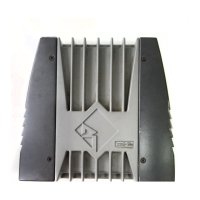
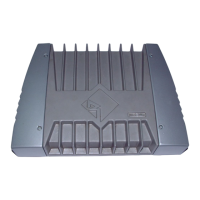
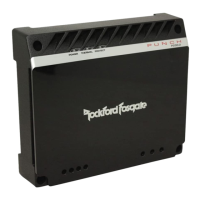
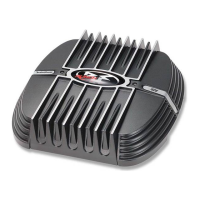
Rockford Fosgate 2.3 - User Manual

Rockford Fosgate 2.3
52 pages
Print Icon
To Next Page IconTo Next Page
Loading...
.6
Installation Installation
Installation
and and
and and
and
OperationOperation
OperationOperation
Operation
.3
.6
® ®
car audio
fanatics
for
100 Watt Amplifier
2-channel
150 Watt Amplifier
2-channel w/crossover
300 Watt Amplifier
4-channel w/crossover

Questions and Answers

  • R
    Ryan WeberAug 8, 2025
    What to do if my Rockford Fosgate 2.3 makes a noise (turn-on pop)?
    • E
      Elizabeth HallAug 8, 2025
      A turn-on pop from your Rockford Fosgate Amplifier can be caused by a voltage spike entering through the input signal. To troubleshoot, disconnect the input signal to the amplifier and turn it on and off. If the noise is eliminated, connect the REM lead of the amplifier to the source unit using a delay turn-on module. Another cause could be a voltage spike from the remote turn-on lead. Try using a different 12 volt source for the amplifier's REM lead, such as directly from the battery. If this resolves the issue, use a relay to isolate the amplifier from the noisy turn-on output.
  • S
    Steven PowellAug 14, 2025
    Why am I getting engine noise with high level inputs on my Rockford Fosgate Amplifier?
    • A
      Ashley JacksonAug 15, 2025
      If you're experiencing engine noise with high-level inputs on your Rockford Fosgate Amplifier, it might be due to the absence of a reference ground. To resolve this, connect the GND terminal of the high-level input to the chassis of the source unit.
  • D
    David SmithAug 23, 2025
    Why is the speaker output low or distorted on my Rockford Fosgate 2.3?
    • N
      nicholaspowellAug 23, 2025
      If you are experiencing low or distorted speaker output from your Rockford Fosgate Amplifier, it might be due to several reasons. First, the input gain signal might be incorrectly set, so readjust it. Also, the source unit output could be too low or have no output; in this case, verify the source and repair or replace it if needed. Another potential cause is a missing or improperly placed XCard, so check its position. Finally, low battery voltage or significant voltage drops to the amplifier under load could be the issue. Inspect the alternator, battery, fuse, and power and ground wiring, and repair as necessary.
  • E
    Erin DodsonOct 30, 2025
    How to eliminate engine noise from my Rockford Fosgate 2.3?
    • J
      Jacob ZimmermanOct 30, 2025
      If you're hearing engine noise through your Rockford Fosgate Amplifier, start by checking the connections and rerouting the RCA cables away from high current sources, as the noise might be radiating into them. Also, a bad component in the signal chain can cause this, so bypass additional components like crossovers and equalizers to identify the culprit. Noise radiating into speaker cables can also be the issue. Disconnect existing speakers and connect a test speaker to the amplifier's output terminals; if the noise disappears, reroute the speaker cables away from high voltage sources. Multiple grounds in the audio system can also introduce noise. Check ground connections and connect amplifiers, signal processors, and other components to a central location or try a different grounding point...

Summary

Introduction

Accessory Pack

Lists items included in the amplifier's accessory package.

Technical Design Features

Details core technologies like TOPAZ, MOSFET, DSM, NOMAD, High Level Inputs, and XCard.

2.3, 2.6 x, 4.6 x Design Features

Amplifier Design Features and Controls

Describes physical features and user-adjustable controls of the amplifiers.

Installation Considerations

Mounting Locations

Provides guidance on optimal mounting positions for effective cooling and performance.

Battery and Charging

Wiring the System

Using Passive Crossovers

Table of Crossover Component Values

Using the XCard

Customizing the XCard

Details how to modify the XCard for specific crossover frequency settings using resistors.

Resistor Chart

XCard Access

2.3 & 2.6 x Installation

High Level Input Types

Explains connections for "Single Ended" and "B.T.L." speaker output types.

Power Connections

Basic Operation Modes

Covers stereo, mono, and stereo/mono configurations with wiring diagrams.

4.6 x Installation

High Level Input Types

Details connections for "Single Ended" and "B.T.L." speaker outputs for the 4.6x model.

Connection Examples

Multi-Channel Operation Modes

Wiring diagrams for 2, 3, and 4-channel stereo and mono configurations.

System Diagrams

Troubleshooting

Common Amplifier Issues

Addresses problems like no power, no sound, and distorted output.

Noise Issues

Details diagnosis and remedies for amplifier noise, turn-on pop, and engine noise.

Dynamic Power Measurements

Specifications

Warranty Information

Warranty Details

Covers warranty length, what is covered, exclusions, and limitations.

Service Procedures

Provides instructions for obtaining service and returning products for repair.

International Information

Rockford Fosgate 2.3 Specifications

General IconGeneral
Channels2
Fuse Rating20A
Rated Power (4 Ohms)75W x 2
Rated Power (2 Ohms)115W x 2
Bridged Power (4 Ohms)230W x 1
Frequency Response20Hz - 20kHz
Crossover12dB/Octave

Related product manuals