• Make sure the iPod/iPhone/MP3 player is connected properly and that a song is playing.
• Adjust the volume on the audio device.
No sound from the microphone
• Make sure the microphone is firmly connected to the MIC socket.
• Make sure the ON/OFF switch on the microphone is set to the ON position.
• Make sure the MIC Volume control setting is not set too low.
• The Volume could be set to minimum; raise the volume.
Bluetooth device pairing problems
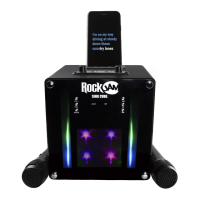
Mobile phone or Tablet etc. cannot be paired or connected with the SingCube
• You may not have not activated the Bluetooth function of your mobile device; refer to
the Bluetooth device user guide.
• The SingCube is not in pairing mode; switch the SingCube off and then on to restart pairing.
• Another Bluetooth device may be connected; disconnect that device before trying to connect a
new Bluetooth device.
Other Bluetooth problems
The music does not play on the SingCube after successfully connecting with Bluetooth
• Ensure your Bluetooth device can support the A2DP Bluetooth profile.
• The volume on the external Bluetooth device is set to low or muted; raise the volume of the
Bluetooth device as required.
• The Bluetooth audio breaks up. Move the Bluetooth device closer to the SingCube or switch
off the ‘Wi-Fi’ on the Bluetooth device as that can sometimes improve the audio playback
quality.


 To Next Page