20
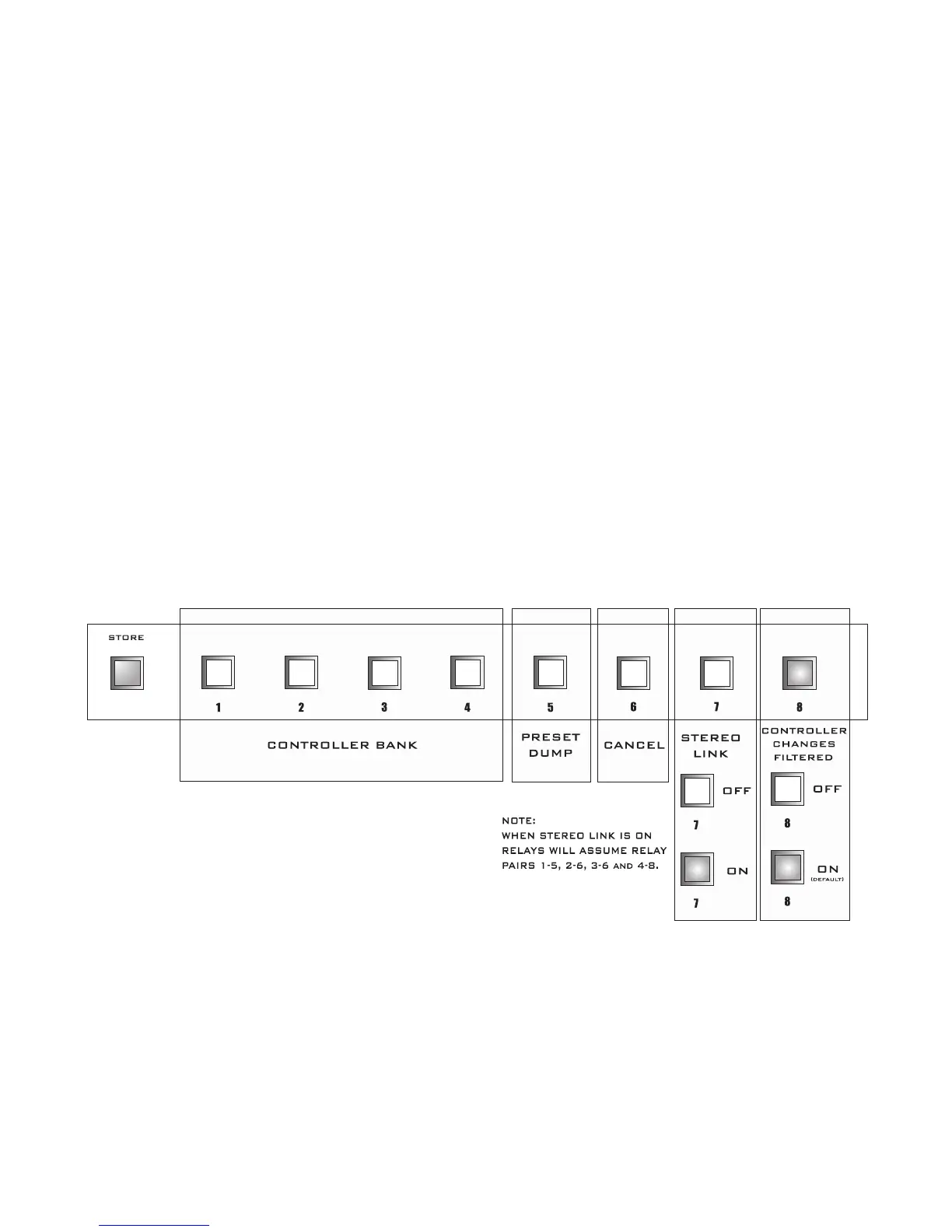
3. The FRONT PANEL BUTTONS [ 1 thru 8 ] will blink twice and the STORE BUTTON will start
blinking faster signifying that the MIDI CONTROLLER information is now being displayed.
4. You may now make your selections or you may PRESS CANCEL [ 6 ] ON then PRESS and RE
-
LEASE the STORE BUTTON .
5. When you are ready to store the information simply PRESS and RELEASE the STORE BUTTON.
The STORE BUTTON will blink slowly followed by the recall of preset 1.
Programming is now completed.
MIDI CONTROLLER PROGRAMMING (DEFAULT)
MIDI Controller Setup


 To Next Page