18
Setup your PatchMate:
To setup your PatchMate please follow these instructions.
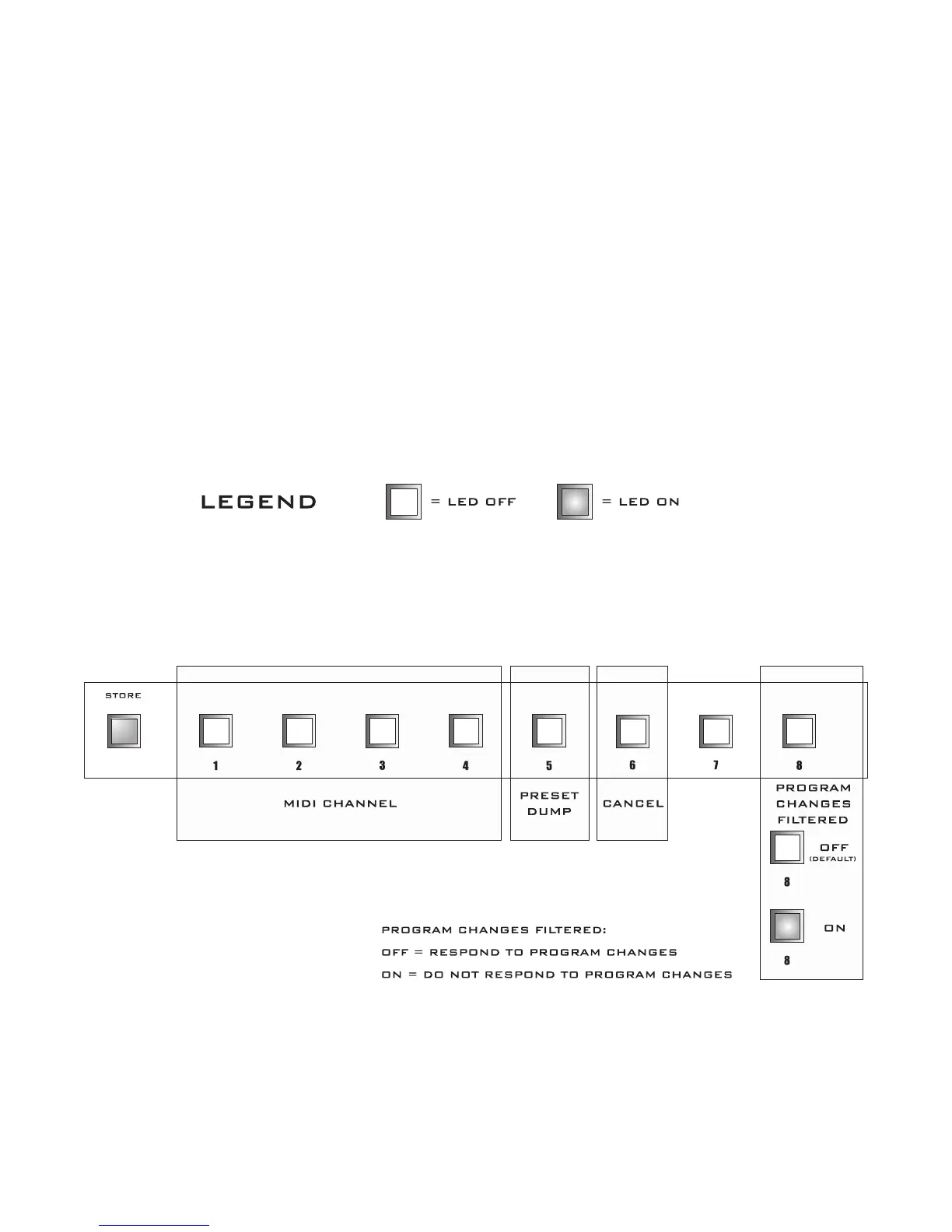
1. Press and hold the STORE BUTTON until it begins blinking then release it to enter the MIDI CON
-
FIGURATION PROGRAMMING MODE.
2. The Front panel will be displaying the current MIDI CHANNEL configuration information.
To modify the MIDI CHANNEL information press the desired button combination.
Once you have made your selections PRESS and RELEASE the STORE BUTTON .
*You may PRESS CANCEL[ 6 ] ON then PRESS STORE and release if no changes are needed
MIDI CONFIGURATION PROGRAMMING (DEFAULT)


 To Next Page