22
Preset Dump
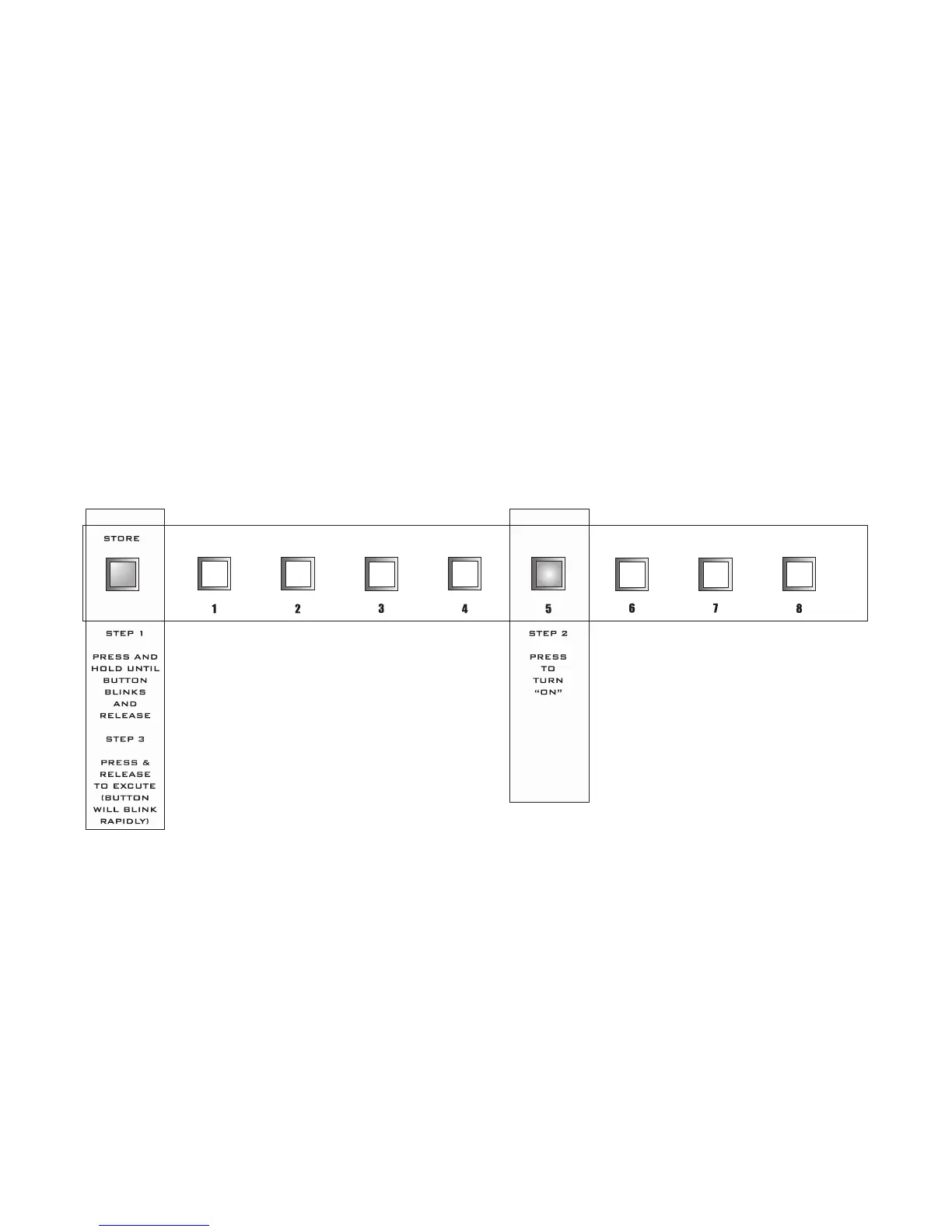
MIDI PRESET DUMP PROCEDURE:
1. Press and hold the STORE BUTTON until it begins blinking then release it to enter the MIDI CON
-
FIGURATION PROGRAMMING MODE.
2. PRESS SWITCH [5] TO ILLUMINATE IT [ PRESET DUMP ].
3) PRESS and RELEASE the STORE BUTTON to execute a dump of all user preset data via MIDI. The
STORE BUTTON will blink rapidly during this process.
After the PatchMate LOOP 8 has finished the Midi Preset Dump process the PROGRAMMING MODE
will be canceled and the PatchMate LOOP 8 will return to the current PRESET.


 To Next Page