EasyManua.ls Logo

Rockwell Automation 22A-D6P0N104 - User Manual

Rockwell Automation 22A-D6P0N104
94 pages
Print Icon
To Next Page IconTo Next Page
Loading...
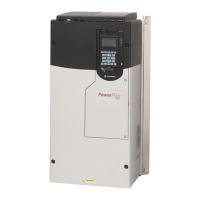
Adjustable
Frequency AC
Drive
FRN 2.xx
User Manual
www.abpowerflex.com
userman.book Page 1 Friday, June 21, 2002 2:48 PM

Other manuals for Rockwell Automation 22A-D6P0N104

Questions and Answers

  • P
    Philip BlakeJul 26, 2025
    How to manually clear faults on Rockwell Automation DC Drives?
    • C
      Cody LewisJul 26, 2025
      To manually clear faults on Rockwell Automation DC Drives, you can press the Esc key to acknowledge the fault, cycle the drive power, set A100 [Fault Clear] to '1' or '2', or cycle the digital input if A051 - A052 [Digital Inx Sel] is set to option 7 'Clear Fault'.
  • P
    patricialewisAug 10, 2025
    How to automatically clear faults on Rockwell Automation 22A-D6P0N104 DC Drives?
    • J
      john69Aug 10, 2025
      To automatically clear faults on Rockwell Automation DC Drives, set A092 [Auto Rstrt Tries] and A093 [Auto Rstrt Delay] to a value other than '0'. Alternatively, you can set A093 [Auto Rstrt Delay] to '0'.

Summary

Overview

General Precautions

Highlights critical safety warnings and precautions for handling and installing the drive.

Chapter 1 Installation;Wiring

Fuses and Circuit Breakers

Specifies recommended fuses and circuit breakers for branch circuit protection.

Chapter 2 Start Up

Prepare For Drive Start-Up

Steps to take before applying power, including input confirmation and DIP switch settings.

Before Applying Power to the Drive

Crucial checks and verifications required prior to energizing the drive.

Applying Power to the Drive

Procedures for applying AC power and control voltages, and initial familiarization with the keypad.

Viewing and Editing Parameters

Step-by-step guide on navigating and modifying drive parameters using the integral keypad.

Chapter 3 Programming and Parameters

Basic Program Group

Details commonly used parameters for basic drive configuration and setup.

Advanced Program Group

Covers the remaining parameters for advanced configuration, features, and diagnostics.

Chapter 4 Troubleshooting

Faults

Defines what a fault is and categorizes the two main types of faults encountered.

Manually Clearing Faults

Steps for acknowledging and clearing drive faults after addressing the cause.

Automatically Clearing Faults

Methods for automatic fault clearing, including Type 1 faults and specific overvoltage faults.

Fault Descriptions

Lists specific fault codes, their descriptions, and recommended corrective actions.

Common Symptoms and Corrective Actions

Provides solutions for common operational issues and symptoms observed with the drive.

Appendix C RS485 (DSI) Protocol

Parameter Configuration

Lists parameters required to configure the drive for RS485 network operation.

Rockwell Automation 22A-D6P0N104 Specifications

General IconGeneral
Model22A-D6P0N104
Product TypeDC Drive
Horsepower3 HP
Power Rating2.2 kW
Enclosure TypeNEMA 1
BrakingDynamic Braking
Cooling MethodFan Cooled
Amperage6 A
Output Current6 A
Control MethodV/f Control
Frame SizeA
Input Voltage480V AC

Related product manuals