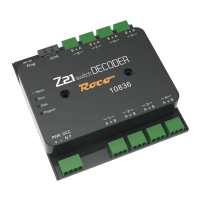
WWW.Z21.EU
Model Railway Control Unit
24
Table of Contents
Welcome to the Z21 ................................................................................................................................................................................23
Technical data ......................................................................................................................................................................................... 23
Included .................................................................................................................................................................................................. 23
Important information ............................................................................................................................................................................ 23
1. Quick guide ......................................................................................................................................................................................... 25
2. Determination of use and function ..................................................................................................................................................... 26
3. Installing the Z21 switch DECODER .................................................................................................................................................... 29
4. Connecting the Z21 switch DECODER ................................................................................................................................................ 29
5. Operation on control centres from other manufacturers .................................................................................................................... 32
6. Conguration ......................................................................................................................................................................................33
6.1 Conguration via the programming button ...................................................................................................................................... 33
6.1.1 Option 1 – Program addresses for outputs 1 to 8 .......................................................................................................................... 33
6.1.2 Option 2 – Program address for outputs 5 to 8 ............................................................................................................................. 34
6.1.3 Option 3 – Set addressing mode .................................................................................................................................................... 34
6.2 Conguration via POM ..................................................................................................................................................................... 35
6.2.1 Conguration via POM programming commands for accessory decoders .................................................................................... 35
6.2.2 Conguration via POM programming commands for loco decoders ............................................................................................. 36
6.2.3 CV list ............................................................................................................................................................................................ 37
6.3 Resetting to factory status ............................................................................................................................................................... 42
7. Meaning of the LEDs ........................................................................................................................................................................... 42
8. Troubleshooting ..................................................................................................................................................................................43
RailCom
®
is a technology developed by Lenz Elektronik GmbH for transmitting data from the decoder to the digital control centre.


 To Next Page
 Loading...