8
Helpful tips & usage notes
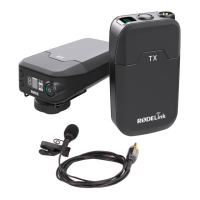
i. Pay attention to the volume meter and volume line on the receiver’s
screen: they should always be green and in the middle third. The volume
meter and volume line turn yellow or even red when they’re in the last third
of the screen. These colours and positions indicate that the source volume
is too loud.
ii. Adjust the gain level (volume boost) on the receiver as needed: test
before recording. The receiver dB button toggles among three levels of
volume-adjustment.
iii. Position the transmitter as needed: test before recording. In general,
place the transmitter a hand-length (several inches) from a speaker’s
mouth.
iv. Consider using a lapel/lavalier mic with the transmitter. You can insert a
lapel mic into the transmitter (port on top). This setup lets you place the
transmitter in a more hidden and stable position, like on a waistband.


 To Next Page