7
5. Recording to an Android device with a headphone port
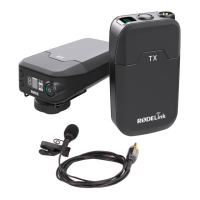
1. Connect the Go receiver to your Android device using the TRS-to-TRRS
cable:
1.1. Insert the TRS plug (black cover) into the receiver’s 3.5 mm port (left
side).
1.2. Insert the TRRS plug (grey cover) into the Android device’s 3.5 mm
port.
2. (Recommended) Adjust the gain level (volume boost) by pressing the
receiver’s dB button (bottom side).
3. Open any audio-/video-recording app and record.
6. Recharging the transmitter and receiver
You can re-charge the transmitter and receiver at the same time using
different cables. They don’t need to be powered on to recharge.
1. Connect the Go transmitter to your power source using the USB cable:
1.1. Insert the
U
S
B
-
C
plug (flat
,
oval shape) into the transmitter’s
U
S
B
-
C
port (right side).
1.2. Insert the
U
S
B
-A plug (rectangle shape) into the power source’s
U
S
B
-A
port. The transmitter’s second indicator-light will turn blue and flash
while the transmitter charges.
2. Connect the Go receiver to your power source using the USB cable:
2.1. Insert the
U
S
B
-
C
plug (flat
,
oval shape) into the receiver’s
U
S
B
-
C
port
(left side).
2.2. Insert the
U
S
B
-A plug (rectangle shape) into the power source’s
U
S
B
-A
port. The receiver’s screen will show an battery-charging icon while
the receiver charges.


 To Next Page