
 Need help?
Do you have a question about the ROE EVISON HD101 and is the answer not in the manual?
Describes danger levels (DANGER, WARNING, CAUTION, NOTICE) and their implications for hazards.
Lists safety warnings and advice on personal protective equipment use.
Specifies requirements for authorized and qualified installation staff.
Outlines general safety practices for product installation and use.
Provides an overview of the manual's purpose and content.
Explains the EVISION system's function and user experience.
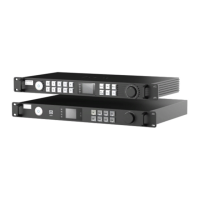
Provides technical specifications and front/rear panel details for the HD101.
Provides technical specifications and front/rear panel details for the HD102.
Compares features and specifications of the HD101 and HD102 models.
Illustrates the typical system wiring connections for the processors.
Connects the PC to the processor using USB or Ethernet for control.
Connects the processor output ports to the LED tiles using Ethernet.
Connects the video source to the processor via DVI or HDMI.
Instructions for connecting power and turning on the processor and LED tiles.
Detects connected sender cards and receiver cards within the EVISION software.
Chooses the correct output port on the processor based on physical cabling.
Loads the appropriate configuration file for the connected LED tiles.
Sets the number and relative position of LED tiles on the canvas.
Establishes the connections and layout of tiles for display.
Checks if the total resolution of tiles exceeds the output port capacity.
Utilizes integrated test patterns to verify performance and make adjustments.
Previews the configuration and saves mapping and settings to the processor.
Safely disconnects the PC after setup is complete and configurations are saved.
Explains video looping capabilities and the use of the multi-function box.
Interprets tile status indicators and uses OSD/Beacon for identification.
Covers exporting/importing settings, importing tile types, and EDID setup.
Includes current gain, tile reset, advanced settings, grayscale, and color adjustment.
Details Genlock, Low Latency, Fiber Output, Mapping from Sender, and DMX.
Covers video input selection and redundant output configurations.
Manages multiple processors in a daisy-chain and different tile types.
Fine-tunes panel edges for smooth transitions and adjusts color display.
Sets original color/brightness, matches batches, and performs fine adjustments.
Selects color space modules (sRGB, NTSC, etc.) for output.
Step-by-step guide for configuring hot backup on the HD101.
Step-by-step guide for configuring hot backup on the HD102.
Manages multiple processors connected in a daisy-chain.
Recommends connecting different tile types to different output ports.
Retrieves LED screen setup data from processors.
Adjusts the overlay of screens from multiple processors on different layers.
Selects edges and fine-tunes the brightness of edge pixels for smooth transitions.
Retrieves LED screen setup data from processors.
Activates the Gamut Adjustment function for color display tuning.
Sets initial color and brightness data using a spectrometer.
Initiates automatic calculation to match color space across panels.
Manually applies adjustments to cover tolerances from calculations or measurements.
Steps to upgrade the firmware for the HD102 processor.
Steps to upgrade the firmware for connected LED panels.
Addresses issues where no sender is detected via Ethernet control cable.
Fixes issues where LED screens do not reflect changes made in EVISION.
Lists optional accessories for the HD102, including fiber modules and converters.
Lists useful keyboard commands for navigating and operating EVISION.
Guides on configuring static IP addresses for processors and PCs.
 General
| Resolution | 1920 x 1080 |
|---|---|
| Processor | Intel Atom x5-Z8350 |
| RAM | 4GB |
| Display Size | 10.1 inches |
| Storage | 64GB |
| Operating System | Windows 10 |

 To Next Page
