EasyManua.ls Logo

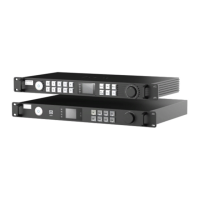
ROE EVISON HD102 - User Manual

Default Icon
41 pages
Print Icon
To Next Page IconTo Next Page
Loading...
EVISON User Manual
for Processor HD101 & HD102
Version: 1.13
Update Date: 2020-05-20

Table of Contents

Question and Answer IconNeed help?

Do you have a question about the ROE EVISON HD102 and is the answer not in the manual?

Summary

Safety Procedures

Level of Danger Definitions

Defines different hazard levels (DANGER, WARNING, CAUTION, NOTICE) used in the manual.

Personal Protection Measures

Safety warnings and precautions for electric shock, flammables, and vision hazards.

Installation Personnel Requirements

Specifies that installation must be performed by authorized and qualified technical personnel.

General Safety Performance Guidelines

Practices for safe operation, environment suitability, and grounding against electric shock.

HD101 Product Information

HD102 Product Information

Product Comparison and System Cabling

Quick Start Guide

Initial Configuration Steps

Detecting cards, selecting output ports, and loading configuration files.

Tile Adjustment and Mapping

Adjusting tile quantity, position, and mapping for the LED wall setup.

EVISION Settings Management and Positioning

EVISION Tile Control and Gain Adjustment

EVISION Display Settings and Extra Functions

EVISION Hot Backup Configuration

Setting Up Hot Backup

Procedures for configuring backup ports for redundancy and failover.

EVISION Hot Backup Implementation Steps

HD101 Hot Backup Steps

Detailed steps for implementing hot backup on the HD101.

HD102 Hot Backup Steps

Detailed steps for implementing hot backup on the HD102.

EVISION Multi-Device Control and Management

EVISION Edge Correction Overview

Edge Correction Overview

Explains the technology for smoothing panel transitions using edge calibration.

EVISION Edge Brightness and Screen Offset Adjustment

EVISION Edge Brightness and Gamut Adjustment

Gamut Adjustment Overview and Enabling

Adjusting color display and activating the gamut adjustment mode.

EVISION Color Calibration Procedures

Setting Original Color and Brightness

Using a spectrometer for initial color and brightness setup.

Batches Matching for Color Space

Automatic matching of color space across panels for consistency.

Fine Adjustment for Color and Brightness

Manual adjustments for color and brightness to correct tolerances.

Firmware Upgrade Procedures Overview

HD102 Processor Firmware Upgrade

Steps to upgrade the processor's firmware using the LEDUpgrade software.

HD102 Processor Firmware Upgrade Steps

Selecting Processor and Firmware File

Choosing the target processor and the firmware file for the upgrade.

Panel Firmware Upgrade Steps

Selecting Receiver Card and Panels

Identifying receiver cards and specific panels for firmware update.

Troubleshooting Common Issues

Sender Detection and IP Setup Problems

Resolving issues with sender detection and IP configuration.

Appendix: Configuration and Shortcuts

ROE EVISON HD102 Specifications

General IconGeneral
BrandROE
ModelEVISON HD102
CategoryComputer Hardware
LanguageEnglish

Related product manuals