EVISION - HD101 & HD102 www.roevisual.com
V1.13, 2020-05-20 | Copyright © 2020 ROE Visual Co., Ltd. All Rights Reserved.
28 / 41
6.14 Multiple Processors Control
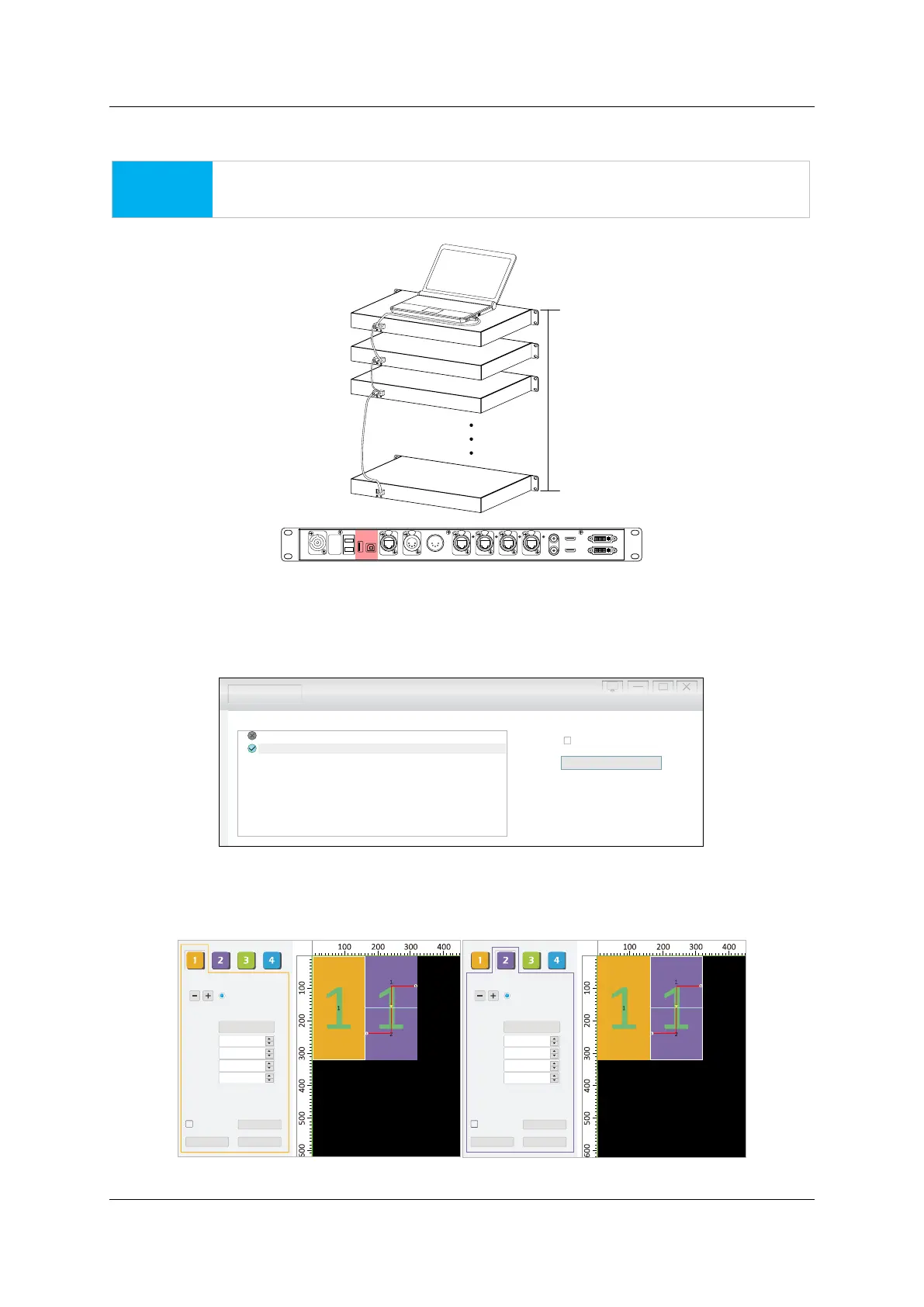
Use USB In and USB Out to conduct processors/senders in a daisy-chain.
NOTICE
Maximum 15 processors in daisy-chain supported.
Figure 6-18. Processor cascade cabling
Specify the processor (sender card) you want to set up in Hardware Connection page, then apply
adjustments in the LED Display Setup page.
In the Testing and Adjusting page, options will be provided for multiple processors control.
Figure 6-19. Multiple processors control
6.15 Multiple Tile Types Control
Recommend to connect different types of tiles to different output ports.
Figure 6-20. Different tiles on different ports
HDMI IN
USB
OUT P ORT1 PO RT2 P ORT3 POR T4INPUT 100-240V AC 50/60 Hz DV I IN
DVI LOOPHDM I LOOP
RE F IN
RE F OUT
DMX INDMX OUTNE T
USB
INFIBER 2
F IBE R1
15 pcs
Hardware Connection LED Display Setup Testing and Adjusting Evision Edge
By Net (Wired only and LAN only)
Sender Card 1: HD102 1.02
Detect Sender Card
Sender Card : HD102 1.022
Mapping Save Setting
Preview
160
320
1
CB3-MBI5252.rcvb
Tile Type
H Count
V Count
H Position
V Position
H Size
V Size
Hybird (port1)
1
0
0
1
Mapping Save Setting
Preview
160
320
1
3-Half-MBI5252.rcv
Tile Type
H Count
V Count
H Position
V Position
H Size
V Size
Hybird (port )2
1
160
0
2



 To Next Page