EVISION - HD101 & HD102 www.roevisual.com
V1.13, 2020-05-20 | Copyright © 2020 ROE Visual Co., Ltd. All Rights Reserved.
25 / 41
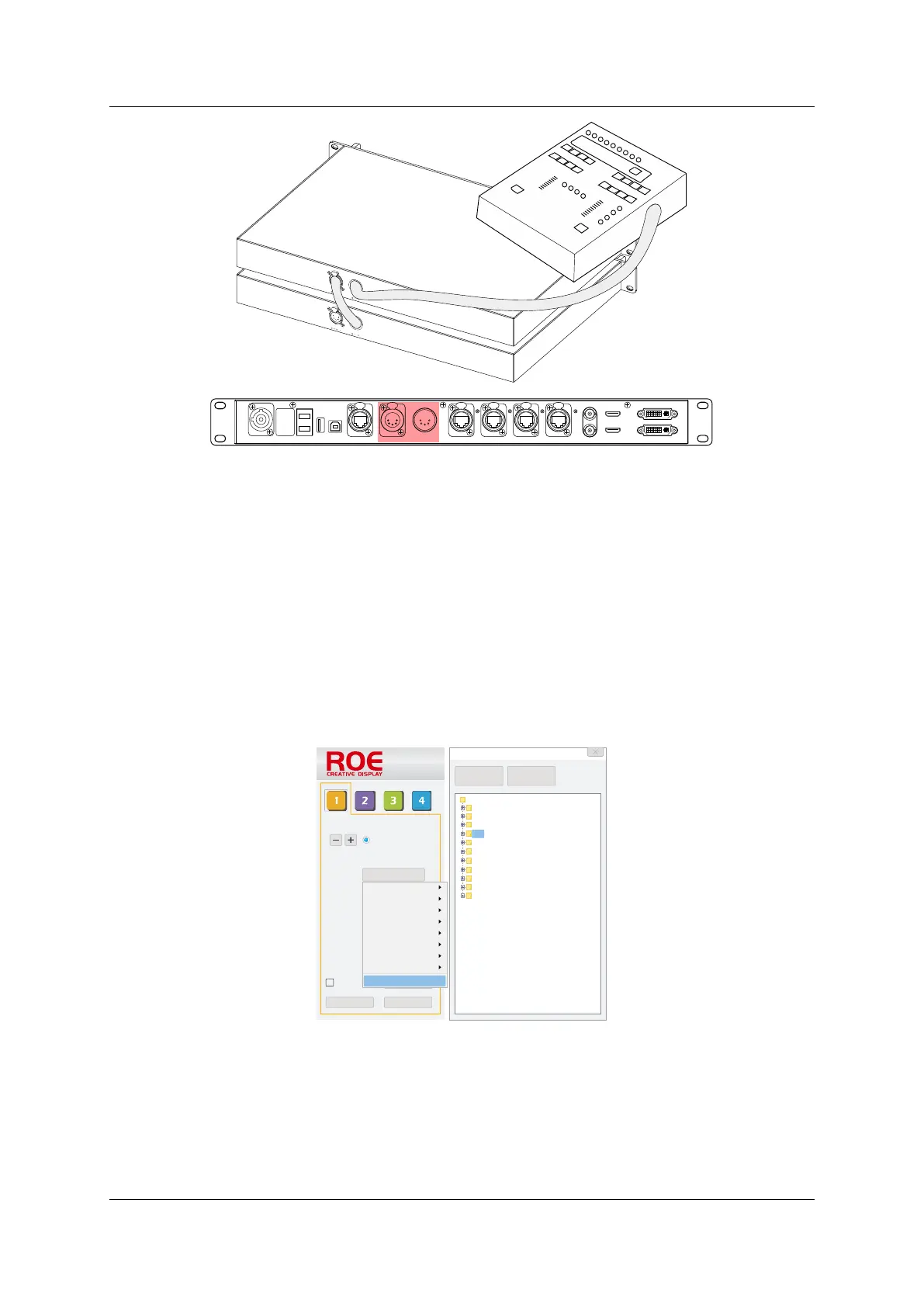
Figure 6-14. HD102 DMX cabling
6.10 HDMI/DVI
Video source switch. Only for HD101.
6.11 EDID Set
EDID setup for standard and custom resolutions.
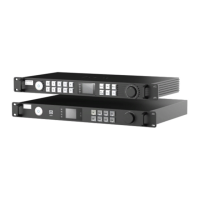
6.12 Import New Tile types
Click Tile Type -> Tiles Management -> Add (Select a series or the root path for import) -> Select *.rcvp
or *.rcvbp files.
*.rcvp is specified as the default config file format for import. If trying to import *.rcvbp files, please
specify file type to *.rcvbp before the file can be selected.
Figure 6-15. Tile import
HDMI IN
USB
OUT
P ORT1
PO RT2
P ORT3
P ORT4
INPUT 100-240V A C 50/60 Hz
DV I IN
DVI L OOPHD M I LO OP
RE F IN
RE F OUT
DMX I N
DMX OUT
NE T
USB
IN
FIBER 2
F IBE R1
Mapping Save Setting
Preview
0
0
1
Select Tile Type
Tile Type
H Count
V Count
H Position
V Position
H Size
V Size
Hybird (port1)
4.0
0
0
0
0
BO-I6
VANISH
Tiles Managment
BP
CB
BO-I5
HYBRID
LINX
MC
Par ame ter file man age r
Par ame ter file
BM
BO- i5
BO- i6
BP
BP3 .91 Qu arter
CB
DM
HYBRID
LINX
MC
VANIS H
Add
Delete



 To Next Page