EVISION - HD101 & HD102 www.roevisual.com
V1.13, 2020-05-20 | Copyright © 2020 ROE Visual Co., Ltd. All Rights Reserved.
16 / 41
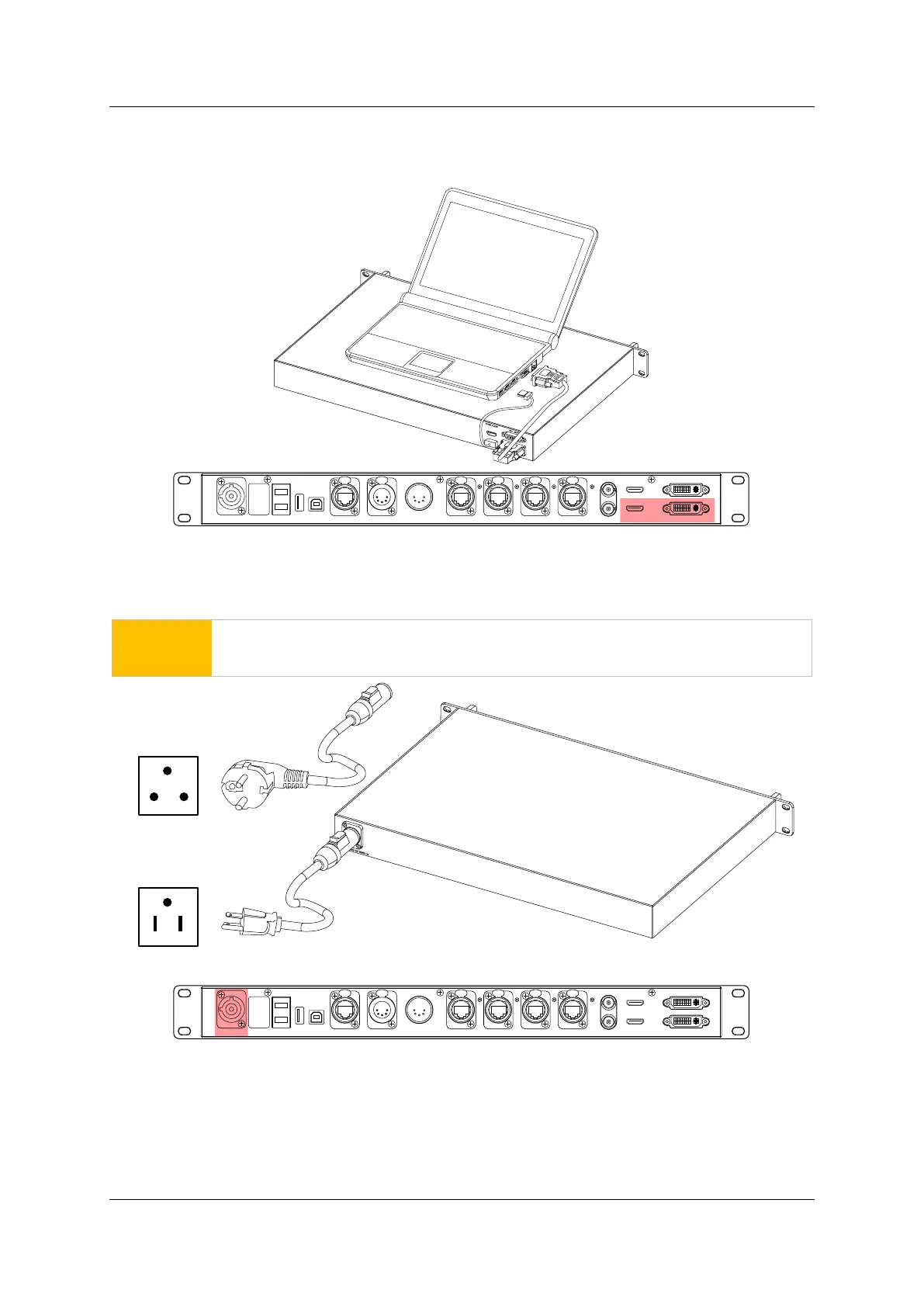
5.3 Video Input Cabling
Connect the processor with the video source, using DVI cable (DVI-I, Dual Link, Female) or HDMI cable
(HDMI type A, female).
Figure 5-3. Processor video input
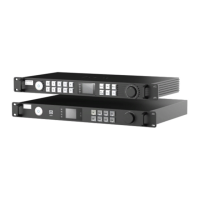
5.4 Power Cabling and Power On
Connect the processor with the power source, and turn on the processor, LED tiles.
WARNING
Make sure the power cable is correctly connected before turning the power on.
Figure 5-4. Processor power cabling
HD MI IN
USB
OUT P OR T1 PO RT2 PORT 3 P OR T4INPUT 100-240V A C 50/60 Hz DV I IN
DVI L OOPHDM I LO OP
RE F IN
RE F OUT
DMX I NDMX OUTNE T
USB
IN
FIBER 2
F IBE R1
HD M I IN
USB
OUT
PORT1
P ORT2
P OR T3
PORT4
INPUT 100-240V AC 50/60 Hz
DVI IN
DVI L OOPHDMI LOOP
RE F IN
RE F OUT
DMX I N
DMX O UT
NE T
US B
IN
FIB ER2
FIBER 1
EU Stand ard Plug
US Stand ard Plug



 To Next Page