EVISION - HD101 & HD102 www.roevisual.com
V1.13, 2020-05-20 | Copyright © 2020 ROE Visual Co., Ltd. All Rights Reserved.
22 / 41
6.5.5 Beacon (No Border)
Enabling Beacon (No Border) function will only enable the indicators to blink, in high frequency, of the
selected tiles.
6.6 Current Gain
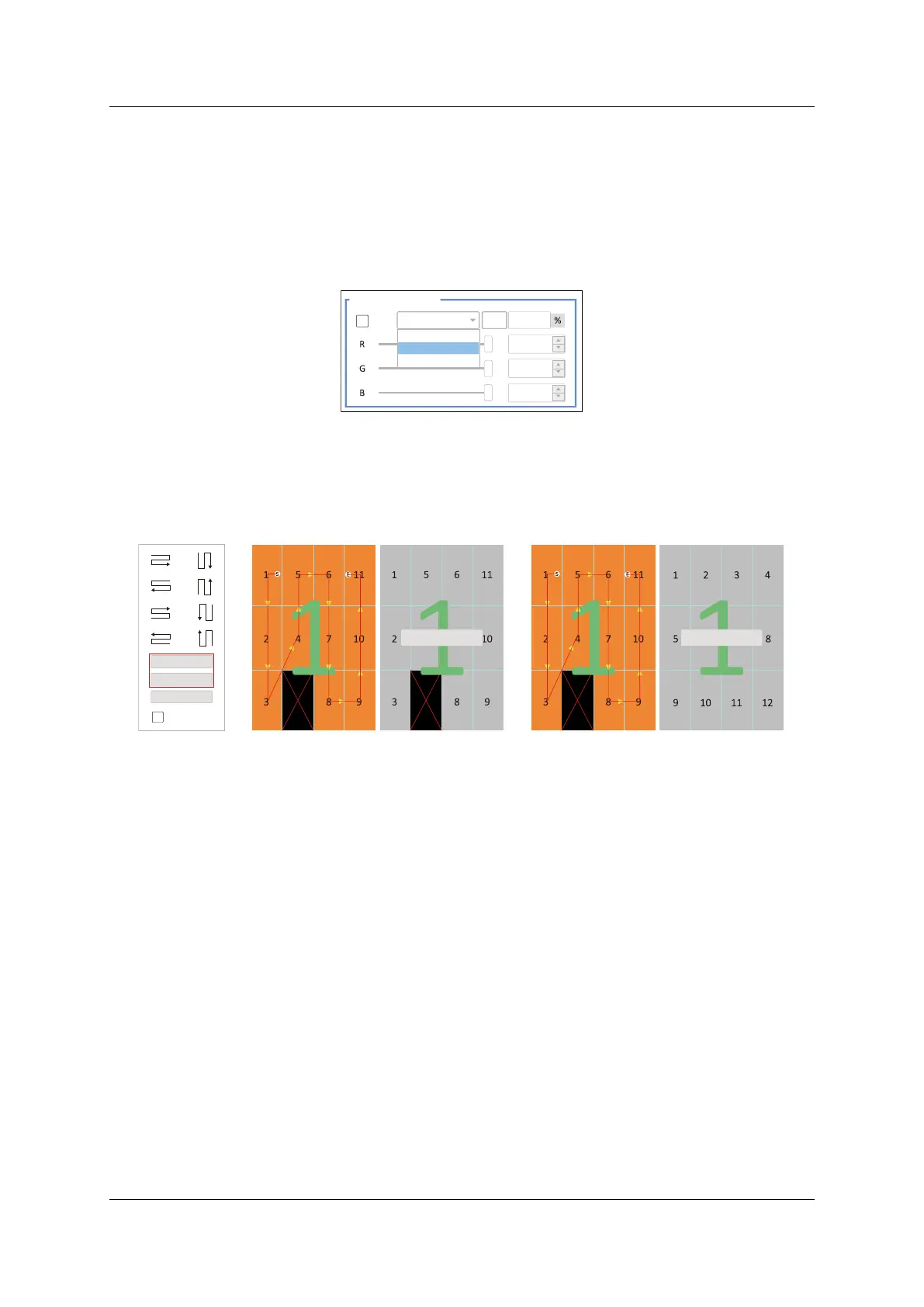
6.6.1 Light output/contrast
Figure 6-7. Light output profiles and adjustment
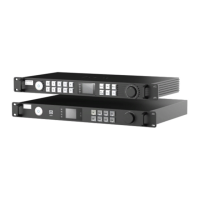
6.7 Tile Reset
Click Rest Mapping button to discard current mapping topology.
Click Rest All Tile button to discard all settings/configurations of the tiles, mapping included.
Figure 6-8. Tile mapping reset and tile reset
Current Level 2
Light output/contrast
100
100
Current Level 1
Current Level 2
Current Level 3
Hotkey List
Reset All Tile
Reset Mapping
Indicator Off
Reset Mapping
Reset All Tile



 To Next Page