EVISION - HD101 & HD102 www.roevisual.com
V1.13, 2020-05-20 | Copyright © 2020 ROE Visual Co., Ltd. All Rights Reserved.
24 / 41
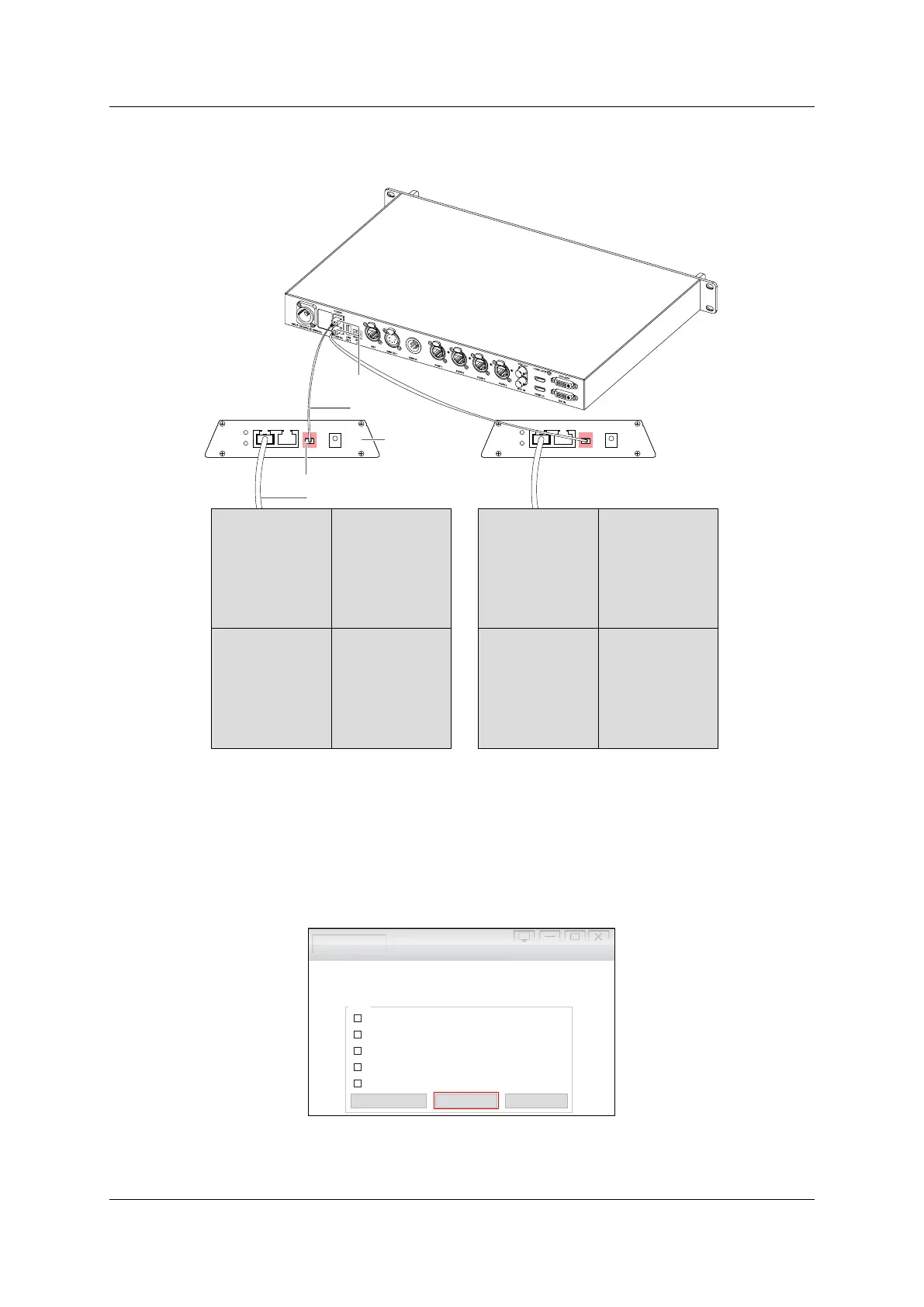
6.9.4 Fiber Output
Enabling the Fiber Output function will access output via fiber output ports. Please be noted that
transceiver modules needed.
Figure 6-12. HD102 fiber module cabling
6.9.5 Mapping from Sender
Enabling Mapping from Sender will access mapping data in senders. This will allow no need for re-
mapping after swapping tiles on the project side.
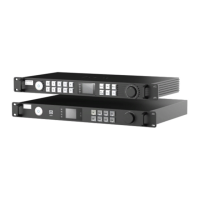
6.9.6 DMX
Click DMX Set to access DMX related settings.
Figure 6-13. DMX setup
Fiber Cable
Fiber Convert
Fiber Optic Transceiver Module
Ethernet Cable
DC5 V2AFIBERL AN1L AN2
LED DISPLAYPWR
STAT DC5 V2AFIBERL AN1L AN2
LED DISPLAYPWR
STAT
LED Wall LED Wall
Fiber Optic Transceiver Module
Testing and Adjusting Evision Edge
Picture Adjustment...
DMX Set...
IP Setting...
Low Latency
Gen Lock
Fiber Output
Mapping from Sender
Setup
High rayscale under low brightness i6 Only g ( )



 To Next Page