EasyManua.ls Logo

Roger BE20 Series - User Manual

Roger BE20 Series
24 pages
Print Icon
To Next Page IconTo Next Page
Loading...
USE AND
MAINTENANCE MANUAL
Swing gates
Rev.02 30/03/2020

Questions and Answers

Summary

1 ATTENTION: IMPORTANT SAFETY INSTRUCTIONS

General Safety Instructions

Key safety guidelines for the user and installation of the automated gate system.

2 Important information for risk analysis

Hazard Symbols and Descriptions

Explanation of warning symbols and areas related to automated swing gates.

3 Responsibility for product

Periodical maintenance by user

Tasks for users to perform to maintain the automation system.

Periodical maintenance by installer

Tasks for qualified installers to perform for system maintenance.

5 Unlock instructions

BE20 - BR20 - R20 Series Unlock;Lock

Instructions for manual unlocking and locking the gate for BE20, BR20, and R20 series.

BM20 - M20 - H20 - SMARTY Series Unlock;Lock

Instructions for manual unlocking and locking the gate for BM20, M20, H20, and SMARTY series.

BH23 - H23 Series Unlock;Lock

Instructions for manual unlocking and locking the gate for BH23 and H23 series.

R23 Series Unlock;Lock

Instructions for manual unlocking and locking the gate for R23 series.

BR21 - R21 Series Unlock;Lock

RL650 Unlock;Lock Procedures

Manual unlocking and locking procedures for the RL650 model.

RL651 Unlock;Lock Procedures

Manual unlocking and locking procedures for the RL651 model.

H21 Series Unlock;Lock

RL750 Unlock;Lock Procedures

Manual unlocking and locking procedures for the RL750 model.

RL751 Unlock;Lock Procedures

Manual unlocking and locking procedures for the RL751 model.

6 Environmental requisites

7 Troubleshooting

Gate Operation Failures

Common issues and solutions when the gate fails to open or close.

Indicator Light Malfunction

Procedure for fixing a non-functional flashing light indicator.

8 Installation details

Installer and Customer Information

Fields for recording installer and customer contact and address details.

Installation Application and Specifics

Categorization of installation environment and physical gate details.

PRODUCTS INSTALLED

Motor and Control Unit Models

List of available motor models, kits, and control units.

Radio Receivers, Remotes, and Photocells

Catalog of compatible radio receivers, remote controls, and photocell sensors.

ACCESSORIES

Accessory and Supplementary Item Overview

Overview of various accessories, keypads, lights, antennas, and supplementary items.

TABLE OF TAG DATA

Mechanical and Electromechanical Data Entry

Form to record motor tag data for mechanical and electromechanical systems.

Initial test report

Report Identification and Preliminary Checks

Fields for report identification and initial product/component verification.

Assembly Checks, Functional, and Performance Tests

Verification steps after assembly and system performance testing.

Test Completion and Customer Acceptance

Confirmation of product suitability, delivery, and user responsibilities.

CE Plate and System Identification

Information regarding the CE plate and automatic system identification.

Installer Copy - Report Identification and Checks

Installer's fields for report identification and initial product/component verification.

Installer Copy - Assembly and Test Verifications

Installer's verification of assembly, functionality, and performance.

Installer Copy - Test Completion and User Guidance

Installer's confirmation of product delivery and user responsibilities.

Installer Copy - System Identification Details

Installer's record of CE plate and automatic system identification.

9 Maintenance log

Maintenance Log Entry Details

Recording of work description, replacement status, and materials used.

Corrective Action Log Entry 2

Second entry form for documenting corrective maintenance actions.

Corrective Action Log Entry 3

Third entry form for documenting corrective maintenance actions.

Corrective Action Log Entry 4

Fourth entry form for documenting corrective maintenance actions.

Corrective Action Log Entry 5

Fifth entry form for documenting corrective maintenance actions.

10 Monthly maintenance checks

Monthly Maintenance Check Summary

Summary table for recording monthly maintenance checks on automation components.

11 Force test measurements

Force Measurement Procedures and Compliance

Explanation of force testing procedures and importance for compliance.

12 Force measurement technical sheet

Force Test Data Recording Template

Template for recording technical force measurement test results.

13 EC Declaration of Conformity

Declaration of Conformity Details

Company and product information for the EC Declaration of Conformity.

Compliance Standards and Representative Information

Listing of directives, standards, and signatory details for the declaration.

Company Information and Online Resources

B2 B Customer Area and Contact Details

Details about Roger Technology's B2B customer area, registration, and contact information.

Summary

1 ATTENTION: IMPORTANT SAFETY INSTRUCTIONS

General Safety Instructions

Key safety guidelines for the user and installation of the automated gate system.

2 Important information for risk analysis

Hazard Symbols and Descriptions

Explanation of warning symbols and areas related to automated swing gates.

3 Responsibility for product

Periodical maintenance by user

Tasks for users to perform to maintain the automation system.

Periodical maintenance by installer

Tasks for qualified installers to perform for system maintenance.

5 Unlock instructions

BE20 - BR20 - R20 Series Unlock;Lock

Instructions for manual unlocking and locking the gate for BE20, BR20, and R20 series.

BM20 - M20 - H20 - SMARTY Series Unlock;Lock

Instructions for manual unlocking and locking the gate for BM20, M20, H20, and SMARTY series.

BH23 - H23 Series Unlock;Lock

Instructions for manual unlocking and locking the gate for BH23 and H23 series.

R23 Series Unlock;Lock

Instructions for manual unlocking and locking the gate for R23 series.

BR21 - R21 Series Unlock;Lock

RL650 Unlock;Lock Procedures

Manual unlocking and locking procedures for the RL650 model.

RL651 Unlock;Lock Procedures

Manual unlocking and locking procedures for the RL651 model.

H21 Series Unlock;Lock

RL750 Unlock;Lock Procedures

Manual unlocking and locking procedures for the RL750 model.

RL751 Unlock;Lock Procedures

Manual unlocking and locking procedures for the RL751 model.

6 Environmental requisites

7 Troubleshooting

Gate Operation Failures

Common issues and solutions when the gate fails to open or close.

Indicator Light Malfunction

Procedure for fixing a non-functional flashing light indicator.

8 Installation details

Installer and Customer Information

Fields for recording installer and customer contact and address details.

Installation Application and Specifics

Categorization of installation environment and physical gate details.

PRODUCTS INSTALLED

Motor and Control Unit Models

List of available motor models, kits, and control units.

Radio Receivers, Remotes, and Photocells

Catalog of compatible radio receivers, remote controls, and photocell sensors.

ACCESSORIES

Accessory and Supplementary Item Overview

Overview of various accessories, keypads, lights, antennas, and supplementary items.

TABLE OF TAG DATA

Mechanical and Electromechanical Data Entry

Form to record motor tag data for mechanical and electromechanical systems.

Initial test report

Report Identification and Preliminary Checks

Fields for report identification and initial product/component verification.

Assembly Checks, Functional, and Performance Tests

Verification steps after assembly and system performance testing.

Test Completion and Customer Acceptance

Confirmation of product suitability, delivery, and user responsibilities.

CE Plate and System Identification

Information regarding the CE plate and automatic system identification.

Installer Copy - Report Identification and Checks

Installer's fields for report identification and initial product/component verification.

Installer Copy - Assembly and Test Verifications

Installer's verification of assembly, functionality, and performance.

Installer Copy - Test Completion and User Guidance

Installer's confirmation of product delivery and user responsibilities.

Installer Copy - System Identification Details

Installer's record of CE plate and automatic system identification.

9 Maintenance log

Maintenance Log Entry Details

Recording of work description, replacement status, and materials used.

Corrective Action Log Entry 2

Second entry form for documenting corrective maintenance actions.

Corrective Action Log Entry 3

Third entry form for documenting corrective maintenance actions.

Corrective Action Log Entry 4

Fourth entry form for documenting corrective maintenance actions.

Corrective Action Log Entry 5

Fifth entry form for documenting corrective maintenance actions.

10 Monthly maintenance checks

Monthly Maintenance Check Summary

Summary table for recording monthly maintenance checks on automation components.

11 Force test measurements

Force Measurement Procedures and Compliance

Explanation of force testing procedures and importance for compliance.

12 Force measurement technical sheet

Force Test Data Recording Template

Template for recording technical force measurement test results.

13 EC Declaration of Conformity

Declaration of Conformity Details

Company and product information for the EC Declaration of Conformity.

Compliance Standards and Representative Information

Listing of directives, standards, and signatory details for the declaration.

Company Information and Online Resources

B2 B Customer Area and Contact Details

Details about Roger Technology's B2B customer area, registration, and contact information.

Overview

This document is a comprehensive "USE AND MAINTENANCE MANUAL" for Roger Technology swing gates, identified as Rev.02, dated 30/03/2020. It provides essential information for the safe operation, installation, and upkeep of various swing gate automation systems.

Function Description

The Roger Technology swing gates are automated systems designed for controlling access through gates. These systems allow for remote operation, enhancing convenience and security for residential, condominium, industrial, commercial, and parking applications. The manual covers several series of swing gate motors, including BE20, BR20, R20, BM20, M20, H20, SMARTY, BH23, H23, BR21, R21, and H21, each with specific unlocking and locking mechanisms. The system integrates various components such as control units, radio receivers, remote controls, and photocells to ensure safe and efficient operation.

Important Technical Specifications

The manual includes a "TABLE OF TAG DATA" for recording specific motor details, which are found inside the release hatch. Key data points include:

  • P.CODE: Product code (e.g., BE20/200 v.3)
  • V: Voltage (e.g., 230AC)
  • Hz: Frequency (e.g., 50)
  • IP: Ingress Protection rating (e.g., 43)
  • W: Power (e.g., 200)
  • N: Force (e.g., 2500)
  • LOTTO/BC: Batch/production code (e.g., QD14)
  • IN: Current (e.g., 0001)
  • PM: Production month and year (e.g., APR 2015)
  • MADE IN ITALY: Country of manufacture

The "Force test measurements" section highlights critical safety parameters:

  • Dynamic force (IMPACT): Maximum 1400 N
  • Static force (CRUSHING): Maximum 400 N, with a recommended operating range of 150 N to 25 N.
  • Impact duration: 0.75 s for static force, 5 s for dynamic force. These measurements are crucial for certification in compliance with the EC Directive, ensuring forces exerted by the automatic gate remain within permitted values.

The manual also lists various products installed, categorized by motor type (BRUSHLESS, R20, M20, H20, SMARTY, H23, R23, BR21, R21, H21), control units (ROGER, OTHER COMPANY), radio receivers and remote controls (SYNUS/2, T80/TX2, E80/TX52R/2, E80/TX54R/2, E80/TX2R/RC, E80/TX4R/RC, M80/TX44R, H93/RX22A/I, H93/RX2RC/I, H93/RX20/1, R93/RX12A/I, R93/RX2RC/U, R93/RX20/U), photocells (R90/F2ES, R90/F4ES, G90/F2ES, G90/F2ESI, G90/F4ES, G90/F4ESI, G90/F2ES/TRIX/TX, G90/F2ES/TRIX/RX, G90/F4ES/TRIX/TX, G90/F4ES/TRIX/RX, M90/F2ES, M90/F4ES, M90/F2ESO, M90/F4ESO, T90/F2S, T90/F4S), and accessories (R85/60ES, H85/TDS/E, H85/TTD/E, FIFTHY/24, R92/LED230, R91/ANI/LR1, CFT500, TRIX50, CRA50).

Usage Features

The swing gates are designed for user-friendly operation, primarily through remote controls and other control devices. The manual emphasizes safety, instructing users to keep children away from the gate's area of action and out of reach of control devices. It also advises against tampering with settings and attempting to stop the gate manually while it is moving. The unlocking instructions detail how to manually open the gate in case of power failure or malfunction, which typically involves using a key to disengage the motor. This process varies slightly depending on the specific gate series (BE20/BR20/R20, BM20/M20/H20/SMARTY, BH23/H23, R23, BR21/R21, H21).

Maintenance Features

The manual outlines both user and installer-level maintenance to ensure the longevity and safe operation of the swing gates.

Periodical maintenance by user (monthly checks recommended):

  • Clean photocell lenses with a soft, damp cloth.
  • Clean guide rails to remove obstructions.
  • Trim any plants encroaching on photocell areas or gate movement paths.
  • Release the motorized door or gate (as per unlocking instructions).
  • Lubricate pins, hinges, and other moving parts.
  • Check the functioning of sensitive edges.

Periodical maintenance by installer (every 3 to 12 months recommended):

  • Disconnect from mains electricity and unlock the gate.
  • Check all parts for wear, deterioration, and corrosion, replacing any inadequate components.
  • Check the condition and tightness of all fastener screws.
  • Clean the guide rails, rack, and pinion of the gear motor.
  • Lightly lubricate the rack and pinion.
  • Manually check that the gate slides smoothly.
  • Lock the gate and reconnect to mains electricity.
  • Check all control devices, safety devices, and limit switches.
  • Check the force settings.

The manual includes a "Maintenance log" (sections 9 and 10) for recording corrective actions and monthly checks, ensuring a documented history of maintenance. This log covers details such as the date of work, description of work, replacement of parts (yes/no), reason for replacement, and material replaced. Monthly checks include verifying photocell operation (opening and closing), cleaning photocells, eliminating vegetation, releasing the motor, lubricating moving parts, and checking sensitive edges.

Environmental requisites are also highlighted, instructing users to disconnect from mains electricity before removing electronic components and batteries, and to dispose of used materials and packaging according to local regulations, delivering them to specialized differentiated refuse collection centers. This commitment to proper disposal helps prevent harm to the environment and human health.

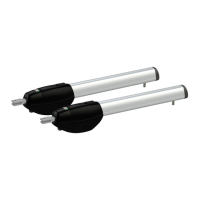
Roger BE20 Series Specifications

General IconGeneral
BrandRoger
ModelBE20 Series
CategoryFencing & Gates
LanguageEnglish

Related product manuals