28
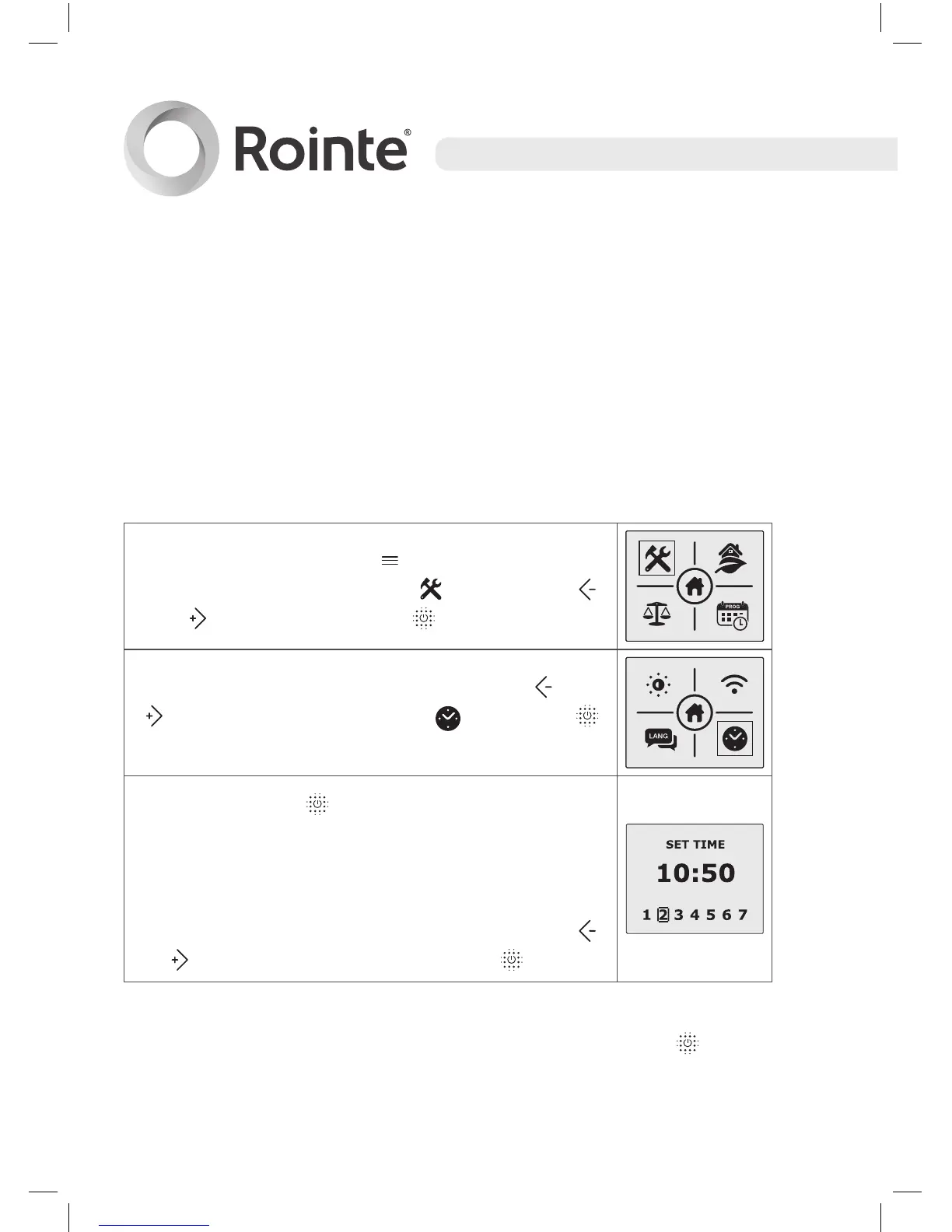
7.5 Adjusting time and date
It is possible to change the time on the water heater from the control
panel. However it is better to wait for the automatic synchronization
once the product has been paired with the Rointe Connect app
and the product is connected to the E-Life technology servers.
Here we explain how to change the time from the water heater
control panel.
Press the menu button to access the main
menu. Select the sub-menu
by using the
and buttons then press to access.
In the configuration sub-menu, use the and
buttons to select the clock then press
to access.
By pressing the button, the hours, minutes
and days will flash depending on the number of
times the button is pressed (1 for hours, 2 for
minutes and 3 for the day of the week).
We can change any of these by pressing the
or buttons. To confirm, press the button.
To exit the time/day mode wait 30 seconds or press the button
after selecting the day of the week.





 To Next Page