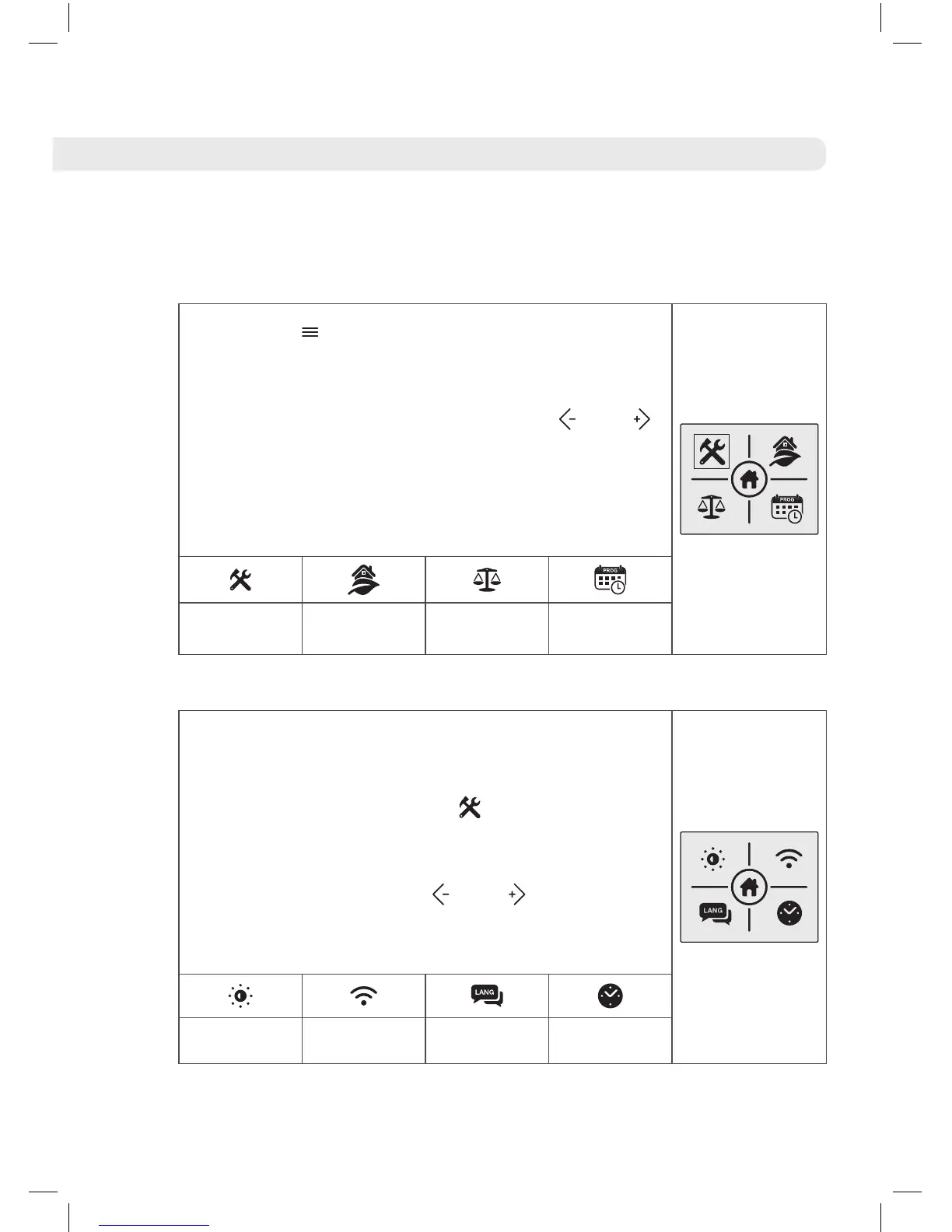
7.6 Main menu
Press the button to access the main menu
of your D Series with DELTA Ultimate technology
water heater. You can move between the different
options on the menu by pressing the and
buttons. The sub-menu which you have selected
will be highlighted with a frame. The following
icons allow you to access different sub-menus
which we will now explain:
Configuration
Sub-Menu
Energy
Sub-Menu
Balance
Function
Programming
Sub-Menu
7.6 .1 Configuration Sub-menu
The configuration sub-menu consists of 4
technical parameters of the product.
To access this menu, press
on the main menu
screen. The screen on the right will appear and
we can move between the various options of the
sub-menu by using the and buttons. We
can access the various sub-menus, which we
can now explain, using the following icons:
Screen
backlight
Internet
settings
Language
Adjust
day / time





 To Next Page