What to do Step 2
Power up key components
In this step, we’ll make sure all systems are GO!
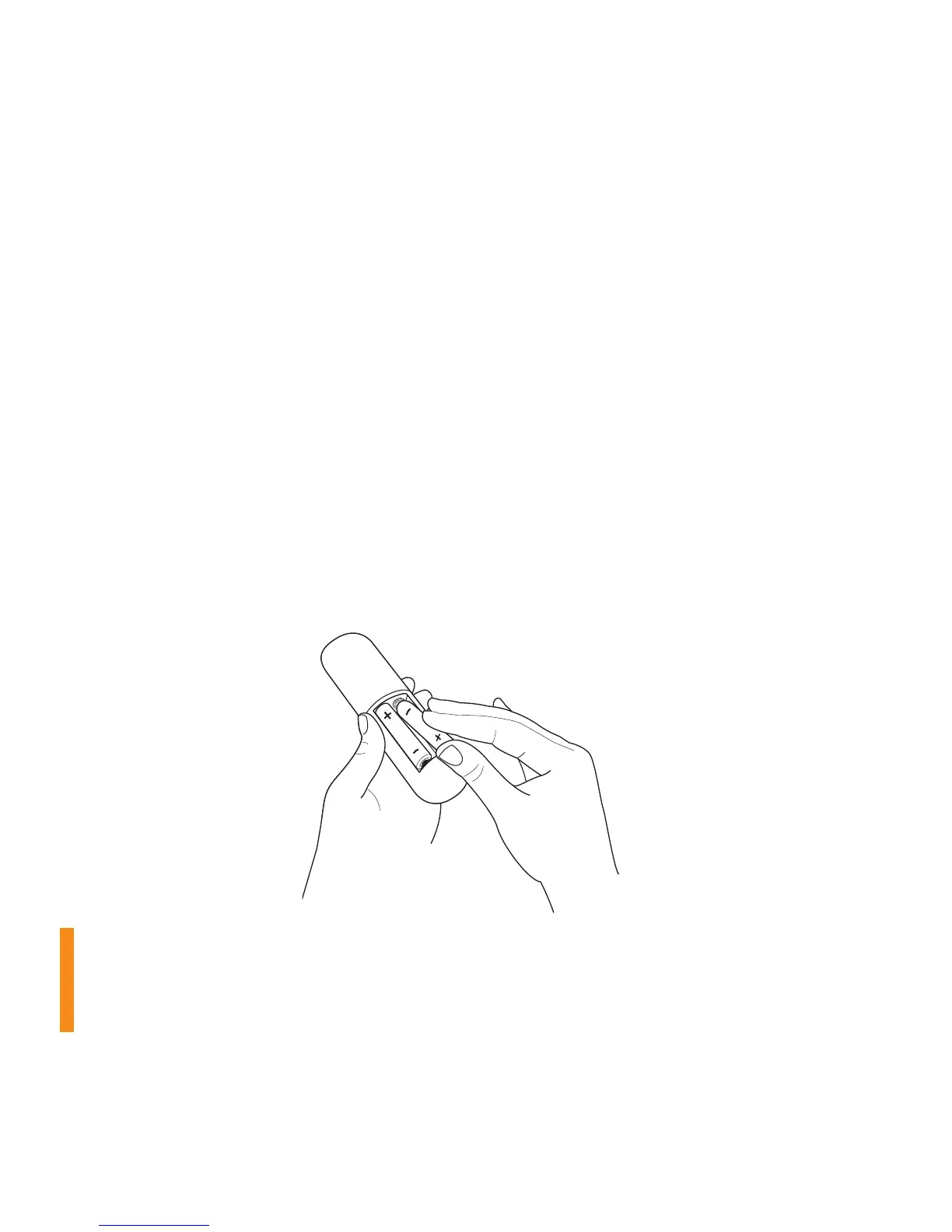
First, power your Roku remote by inserting the included batteries:
• Turn the remote control over and locate the rectangular battery door on the
rear of the unit.
• Press the latch at the top of the battery door down while simultaneously
removing the battery door.
• Insert each battery negative (-) side first, pushing it into the coil and then into
the compartment. Do NOT insert batteries positive (+) side first. Place the
battery door back over the compartment and press it gently down until the
latch snaps securely into place.
Please note: Always replace dead batteries with two brand-new batteries
from the same manufacturer. Never use damaged batteries. If your remote
gets warm/hot during use, discontinue use and contact Roku Customer
Support immediately at support.roku.com



 To Next Page