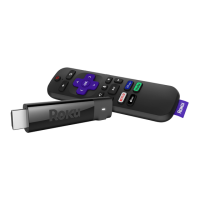
Cool: Because your enhanced remote uses radio
frequency instead of infrared, you don’t need to have a
direct line of sight to your Roku!
[BACK] Return to previous screen
[HOME] Return to Roku home screen
[INSTANT REPLAY] Replay last 7 seconds of video
[UP] or [DOWN] Move up or down;
[LEFT] or [RIGHT] Move left or right
[PLAY/PAUSE] Start or pause playback
[A & B] Action buttons for gaming
[FWD SCAN] Fast forward, scroll right one
page at a time
[OK] Select an option from a menu
[REV SCAN] Rewind, scroll left one page at a time
[OPTIONS] View more options
[STATUS LED] Displays remote usage information
[VOLUME +/-] Increase/Decrease the volume of your
TV when using your Roku Streaming Stick
L
















 To Next Page