WHAT TO DO STEP 2
POWER UP KEY COMPONENTS
In this step, we’ll make sure all systems are GO!
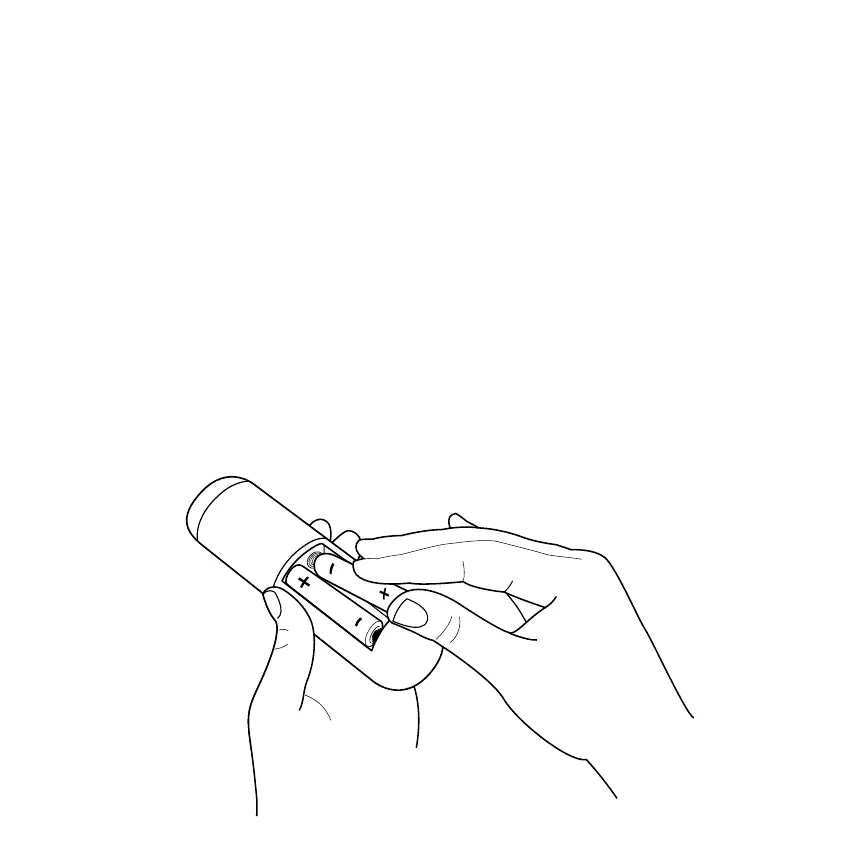
First, power your Roku remote by inserting the included batteries:
• Turn the remote control over and locate the rectangular battery door on the
rear of the unit.
• Press the latch at the top of the battery door down while simultaneously
removing the battery door.
• Insert the batteries into their slots, making sure to match the positive (+) and
negative (-) signs.
• Place the battery door back over the compartment and press it gently down
until the latch snaps securely into place.



 To Next Page