EasyManua.ls Logo

Roland 3000s - Piano Operation - Basics; Basic Operation and Tone Selection

Roland 3000s
22 pages
Print Icon
To Next Page IconTo Next Page
To Previous Page IconTo Previous Page
Loading...
[2]
OPERATION
1.
Basic
Operation
@
Turn
the
piano
on.
*
For
about
2
seconds
after
turned
on,
the
piano
cannot
be
played
because
of
the
muting
circuit.
Adjust
the
volume
with
the
Volume
Knob
©.
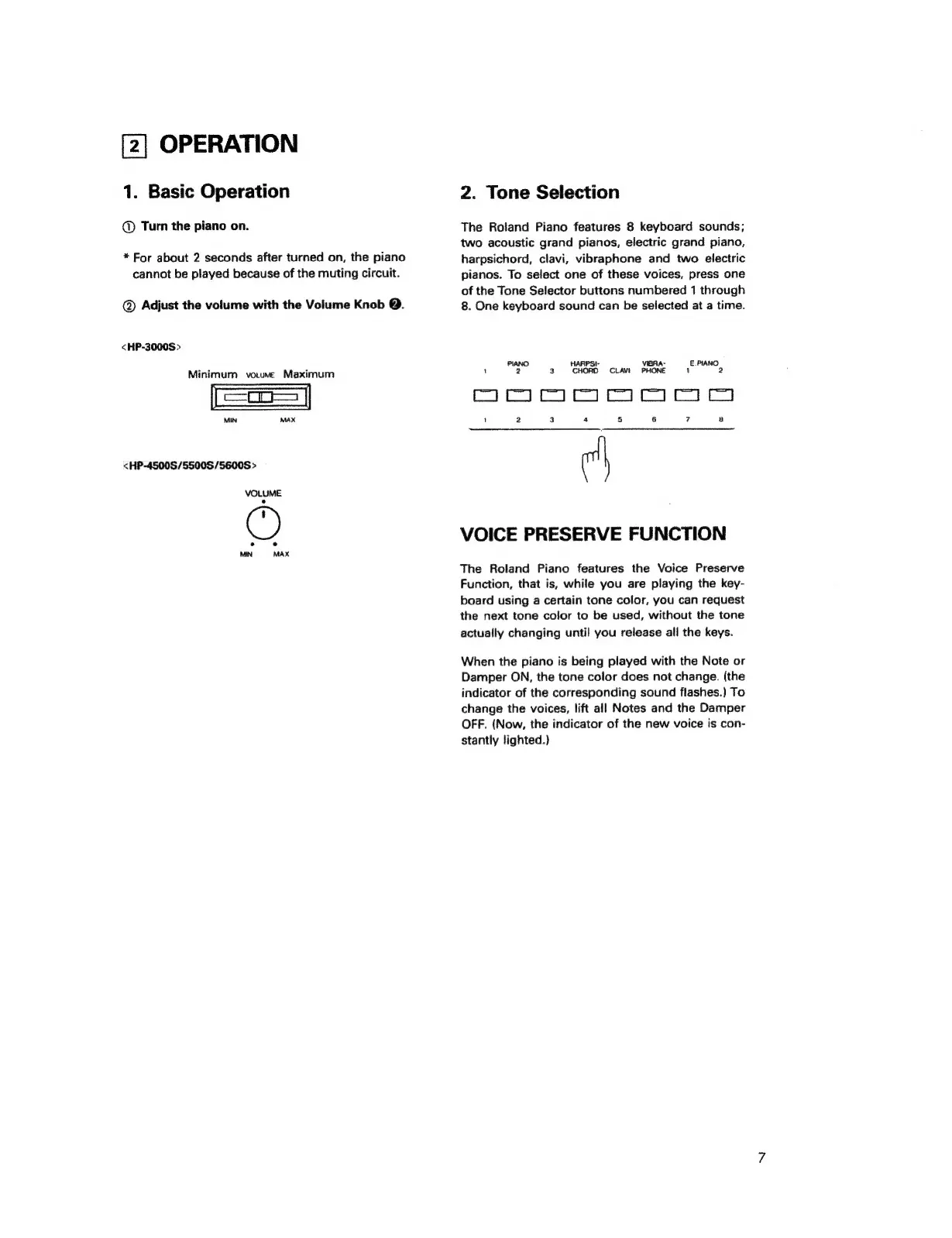
<HP-3000S>
Minimum
volume
Maximum
MIN
MAX
<HP-4500S/5500S/5600S
>
VOLUME
e
e
MN
MAX
2.
Tone
Selection
The
Roland
Piano
features
8
keyboard
sounds;
two
acoustic
grand
pianos,
electric
grand
piano,
harpsichord,
clavi,
vibraphone
and
two
electric
pianos.
To
select
one
of
these
voices,
press
one
of
the
Tone
Selector
buttons
numbered
1
through
8.
One
keyboard
sound
can
be
selected
at
a
time.
PIANO.
HARPSI-
VIBRA-
E.PIANO
1
2 3
CHORD
CLAVE
PHONE
1
2
ЕЕРЕЕ
ЕЕЕ
1
2 3
4
5
6
7
B
VOICE
PRESERVE
FUNCTION
The
Roland
Piano
features
the
Voice
Preserve
Function,
that
is,
while
you
are
playing
the
key-
board
using
a
certain
tone
color,
you
can
request
the
next
tone
color
to
be
used,
without
the
tone
actually
changing
until
you
release
all
the
keys.
When
the
piano
is
being
played
with
the
Note
or
Damper
ON,
the
tone
color
does
not
change.
(the
indicator
of
the
corresponding
sound
flashes.)
To
change
the
voices,
lift
all
Notes
and
the
Damper
OFF.
(Now,
the
indicator
of
the
new
voice
is
con-
stantly
lighted.)