EasyManua.ls Logo

Roland fp-30 - User Manual

Roland fp-30
18 pages
Print Icon
To Next Page IconTo Next Page
Loading...
Before using this unit, carefully read “USING THE UNIT SAFELY” and “IMPORTANT NOTES” (leaet “USING THE UNIT SAFELY” and Owner’s Manual (p. 10)). After
reading, keep the document(s) including those sections where it will be available for immediate reference.
Copyright © 2015 ROLAND CORPORATION
DIGITAL PIANO
°
Contents
°
Environmentally Friendly Energy-Ecient Design
When 30 minutes have elapsed since you last played or operated the FP-30, the power will turn o automatically.
* If you don’t want the power to turn o automatically, change the Auto O” setting (p. 5).
°
Main Specications
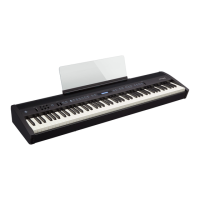
Roland FP-30: digital piano
Key 88 keys (PHA-4 Standard Keyboard: with Escapement and Ivory Feel)
Power Supply AC adaptor
Power
Consumption
8 W (3–22 W)
8 W: Average power consumption while piano is played with volume at center
position
3 W: Power consumption immediately after power-up; nothing being played
22 W: Rated power consumption
Dimensions
With music rest detached:
1,300 (W) x 284 (D) x 150 (H) mm
51-3/16 (W) x 11-7/8 (D) x 5-7/8 (H) inches
With music rest and dedicated stand KSC-70:
1,300 (W) x 324 (D) x 925 (H) mm
51-3/16 (W) x 12-13/16 (D) x 36-3/8 (H) inches
Weight
With music rest detached: 14.1 kg/31 lbs 2 oz
With music rest and dedicated stand KSC-70: 23 kg/50 lbs 12 oz
Accessories
Owners Manual, Leaet “USING THE UNIT SAFELY, Music Rest, AC Adaptor,
Power Cord (for connecting AC Adaptor), Damper pedal
Options (Sold
Separately)
Dedicated Stand (KSC-70), Dedicated Pedal Board (KPD-70), Keyboard Stand
(KS-12), Headphones, USB Flash Memory (*)
*: Use USB Flash Memory sold by Roland. We cannot guarantee operation if
other products are used.
* In the interest of product improvement, the specications and/or appearance of this
unit are subject to change without prior notice.
Easy Operation Guide (Front Panel) . . . . . . . . . . . . . . . . . . . . . . . . . 2
Selecting a Sound . . . . . . . . . . . . . . . . . . . . . . . . . . . . . . . . . . . . . . . . . . 2
Adjusting the Volume . . . . . . . . . . . . . . . . . . . . . . . . . . . . . . . . . . . . . . . 2
Making Settings for Each Function (FUNCTION) . . . . . . . . . . . . . . . . 2
Playing Dierent Sounds with Left and Right Hands (Split) . . . . . . 2
Using the Metronome . . . . . . . . . . . . . . . . . . . . . . . . . . . . . . . . . . . . . . 3
Recording Your Performance . . . . . . . . . . . . . . . . . . . . . . . . . . . . . . . . 3
Playing Back Internal Songs . . . . . . . . . . . . . . . . . . . . . . . . . . . . . . . . . 3
Before You Play . . . . . . . . . . . . . . . . . . . . . . . . . . . . . . . . . . . . . . . . . . . . . . 4
Placing the FP-30 on a Stand . . . . . . . . . . . . . . . . . . . . . . . . . . . . . . . . 4
Connecting Equipment (Phones Jacks) . . . . . . . . . . . . . . . . . . . . . . . . 4
Connecting Equipment (Rear Panel) . . . . . . . . . . . . . . . . . . . . . . . . . . 5
Turning On/O the Power . . . . . . . . . . . . . . . . . . . . . . . . . . . . . . . . . . . 5
Making the Power Automatically Turn O After a Time (Auto O) 5
Advanced Features . . . . . . . . . . . . . . . . . . . . . . . . . . . . . . . . . . . . . . . . . . 6
Adjusting the Brilliance (Brilliance) . . . . . . . . . . . . . . . . . . . . . . . . . . . 6
Adjusting the Reverberation (Ambience) . . . . . . . . . . . . . . . . . . . . . . 6
Dividing the Keyboard in Two (Twin Piano) . . . . . . . . . . . . . . . . . . . . 6
Changing the Pitch of the Tone in Octave Steps (Octave Shift) . . . 6
Disabling the Buttons (Panel Lock) . . . . . . . . . . . . . . . . . . . . . . . . . . . 6
Saving the Settings (Memory Backup) . . . . . . . . . . . . . . . . . . . . . . . . 6
Formatting a USB Flash Drive . . . . . . . . . . . . . . . . . . . . . . . . . . . . . . . . 6
Restoring the Factory Settings (Factory Reset) . . . . . . . . . . . . . . . . . 6
Various Function Settings (Function Mode) . . . . . . . . . . . . . . . . . . . . 7
Playing Songs from a USB Flash Drive . . . . . . . . . . . . . . . . . . . 7
Matching the Pitch with Other Instruments (Master Tuning) 7
Changing the Keyboard Playing Feel (Key Touch) . . . . . . . . . 7
Changing the Key of the Keyboard (Transpose) . . . . . . . . . . . 7
Settings for Bluetooth® . . . . . . . . . . . . . . . . . . . . . . . . . . . . . . . . 7
Using the Bluetooth® Functionality . . . . . . . . . . . . . . . . . . . . . . . . . . 8
Heres What You Can Do . . . . . . . . . . . . . . . . . . . . . . . . . . . . . . . . . . . . . 8
Transferring MIDI Data . . . . . . . . . . . . . . . . . . . . . . . . . . . . . . . . . . . . . . 8
Using the Pedal to Turn Pages on a Music Score App . . . . . . . . . . . . 8
Connecting an Already-Paired Mobile Device . . . . . . . . . . . . 8
Turning Pages . . . . . . . . . . . . . . . . . . . . . . . . . . . . . . . . . . . . . . . . 8
Changing the Operating Keys of the Page Turning Function 8
Problems with Bluetooth Functionality . . . . . . . . . . . . . . . . . . . . . . . 8
Troubleshooting . . . . . . . . . . . . . . . . . . . . . . . . . . . . . . . . . . . . . . . . . . . . . 9
Internal Song List . . . . . . . . . . . . . . . . . . . . . . . . . . . . . . . . . . . . . . . . . . . . 9
Drum Pattern List . . . . . . . . . . . . . . . . . . . . . . . . . . . . . . . . . . . . . . . . . . . . 9
USING THE UNIT SAFELY . . . . . . . . . . . . . . . . . . . . . . . . . . . . . . . . . . . . . 10
IMPORTANT NOTES . . . . . . . . . . . . . . . . . . . . . . . . . . . . . . . . . . . . . . . . . . 10
Formats Playable from a USB Flash Drive . . . . . . . . . . . . . . . . . . . . 11
List of Operations (Button and Key Combinations) . . . . . . . . . . 12

Table of Contents

Other manuals for Roland fp-30

Questions and Answers

  • O
    Oscar BoydAug 15, 2025
    Why are the sounds doubled when I play my Roland Musical Instrument?
    • J
      Justin SmithAug 15, 2025
      You may have selected a dual tone. Check your settings to see if this is the case.

  • B
    brucepaulaAug 18, 2025
    Why is the pitch of my Roland Musical Instrument keyboard or song incorrect?
    • H
      heather31Aug 18, 2025
      Pianos use a unique tuning method called stretched tuning, where upper-range notes are slightly higher and lower-range notes are slightly lower in pitch. This may cause you to perceive the pitch as incorrect, but it's how an acoustic piano should sound.
  • M
    Mrs. Michele JoyceAug 21, 2025
    What to do if there is no sound when playing a song on my Roland Musical Instrument?
    • J
      Jeffery MccallAug 21, 2025
      If you're not hearing any sound when playing back a song, first check if headphones are connected, as the speakers will be disabled when headphones are plugged into the PHONES jack. Also, verify your Transpose settings and ensure the Master Tune setting is appropriate.
  • S
    Samuel FisherAug 25, 2025
    Why does my Roland Musical Instrument power off automatically?
    • M
      Michael MartinezAug 25, 2025
      By default, your instrument is set to automatically power off 30 minutes after you stop playing or using it. If you want to disable this feature, you can turn the “Auto Off” setting to 'OFF'.
  • B
    Bianca SalazarAug 27, 2025
    What to do if all LEDs are blinking on my Roland Musical Instrument?
    • S
      Shari JonesAug 28, 2025
      If all the LEDs except the power button LED are blinking, it indicates excessive current flow at the USB MEMORY port. Check the USB flash drive for any issues. Then, switch the power off and back on.
  • V
    Veronica AliAug 31, 2025
    Why is my Roland Musical Instrument pedal not working or stuck?
    • R
      Robert DouglasAug 31, 2025
      Check if the pedal is correctly connected. Ensure the cord is firmly plugged into the PEDAL jack.
  • A
    Ashley MillerSep 3, 2025
    Why can I hear a high-pitched ringing sound from my Roland Musical Instrument?
    • J
      Jacqueline ParkerSep 3, 2025
      Piano sounds with a brilliant and crisp character have high-frequency components that can sound like metallic ringing. This is a faithful reproduction of an actual piano's characteristics and is not a malfunction. If the reverb effect makes the ringing too noticeable, try decreasing the reverb.
  • J
    Justin MoralesSep 7, 2025
    Why does the sound of higher notes change suddenly on my Roland Musical Instrument?
    • M
      Mary RodriguezSep 7, 2025
      Like an acoustic piano, the notes at the upper end of the keyboard continue sounding regardless of the damper pedal and have a different tonal character. This unit simulates this characteristic. The range unaffected by the damper pedal changes according to the transpose setting.
  • J
    Janet RangelSep 12, 2025
    What to do if my Roland Musical Instrument turns off when playing high-volume data?
    • A
      Adam ParsonsSep 12, 2025
      If the power turns off when playing back extremely high-volume SMF or WAV data from a USB flash drive, reduce the volume.

Summary

Easy Operation Guide (Front Panel)

Basic Sound and Volume Operations

Covers selecting sounds, adjusting volume, and accessing function settings.

Keyboard Split and Layering

Explains how to divide the keyboard for dual sounds or layer sounds for richer tones.

Recording and Saving Performances

Saving Recorded Songs to USB

Instructions for saving recorded musical performances onto a USB flash drive.

Playing Songs from USB Drive

Connecting Equipment (Rear Panel)

Power Management

Advanced Features

Various Function Settings

Bluetooth Function Settings

Manages Bluetooth on/off, MIDI communication, and page-turning modes.

Using Bluetooth Functionality

Page-Turning and Pedal Control

Controls music score apps via pedals, including page turning and key mapping.

Bluetooth MIDI and Data Transfer

Enables wireless MIDI data exchange and transmission between devices.

Troubleshooting Bluetooth Issues

Provides solutions for common problems encountered with Bluetooth connectivity.

Troubleshooting

Using the Unit Safely

Power, Stand, and Adaptor Safety

Covers essential safety measures for power disconnection, stand stability, and adaptor usage.

Formats Playable from USB Drive

List of Operations (Button and Key Combinations)

Roland fp-30 Specifications

General IconGeneral
CertificationFCC, CE
Sound effectsAmbience, Brilliance
Tones quantity35
Pedals quantity1
RMS rated power24 W
Speaker diameter120 mm
Number of speakers2
Metronome tempo range20 - 250 bpm
Metronome beats per bar0, 2, 3, 4, 5
Maximum polyphony (notes)128
Bluetooth version4.0
USB connector typeUSB Type-A, USB Type-B
Headphone connectivity3.5 mm
AC input voltage100 - 240 V
Power source typeAC
AC input frequency50 - 60 Hz
Power consumption (max)22 W
Power consumption (min)3 W
Built-in displayNo
Country of originMalaysia
Tuning frequency415.3 - 466.2 Hz
Demo songs quantity30
Transposition range-6 - 5 octave(s)
Sound pressure level120 dB
Product colorWhite
Keys quantity88 keys
Number of keyboard sensitivity levels5
Weight and Dimensions IconWeight and Dimensions
Depth284 mm
Width1300 mm
Height150 mm
Weight14100 g

Related product manuals