EasyManua.ls Logo

Roland FP-4F - User Manual

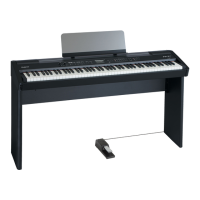
Roland FP-4F
92 pages
Print Icon
To Next Page IconTo Next Page
Loading...
* 5 1 0 0 0 1 9 7 4 6 - 0 2 *

Table of Contents

Questions and Answers

  • R
    Robert GouldAug 17, 2025
    Why is there no sound coming from my Roland FP-4F Musical Instrument?
    • L
      Leslie RodriguezAug 17, 2025
      First, ensure that the FP-4F's volume and the volume of any connected devices are not minimized. Check if headphones are connected or if a plug is left in the headphone jack, as this will prevent sound from the speakers. Also, verify that the [BALANCE] knob is not turned entirely towards 'ACCOMP' or 'KEYBOARD'. Lastly, confirm that the Local Control setting is 'ON'; if it's off, you won't hear any sound when playing the keyboard. Turn Local Control 'ON'.
  • T
    Theodore DavenportAug 19, 2025
    Why is there no sound when I play back a song on my Roland Musical Instrument?
    • M
      morrisonlarryAug 20, 2025
      The Local Control setting might be 'OFF'. If Local Control is turned off, no sound will be heard when you play back a song. Turn Local Control 'ON'.
  • M
    Michael MoralesAug 22, 2025
    Why is there no sound from the left-hand zone of the keyboard on my Roland FP-4F Musical Instrument?
    • T
      taylorchristineAug 22, 2025
      If V-LINK is on, the lowest twelve keys are used to control images and will not produce sound.
  • A
    Angela StephensAug 26, 2025
    What to do if my Roland Musical Instrument pedal does not work or remains stuck?
    • J
      Jeffrey BurchAug 26, 2025
      Check if the pedal is connected correctly by ensuring the plug is fully inserted into the pedal jack. Verify that you are using the included pedal or the RPU-3 (sold separately), as pedals from other manufacturers may not be compatible. Note that disconnecting the pedal cord while the power is on can cause the pedal effect to remain stuck; always switch off the FP-4F’s power before connecting or disconnecting the pedal cord. Finally, ensure that the RGST PDL setting of each pedal is set to 'OFF', especially if you've assigned the soft pedal or sostenuto pedal as a registration select switch or to another function.
  • W
    walkeramyAug 28, 2025
    What to do if Roland FP-4F Musical Instrument buttons don’t work?
    • C
      Cynthia BarberAug 28, 2025
      Check if Panel Lock is activated. If it is, deactivate Panel Lock.
  • S
    Sarah LawrenceAug 31, 2025
    What to do if my Roland FP-4F volume level is too low when connected to the INPUT jacks?
    • F
      Francisco SchroederAug 31, 2025
      If the volume level of equipment connected to the inputs (INPUT jacks) is low, you might be using a connection cable that contains a resistor. Use a connection cable that does not contain a resistor.
  • J
    Jennifer JonesSep 2, 2025
    How to fix a buzzing sound from an external device connected to my Roland Musical Instrument?
    • J
      Jason ZamoraSep 2, 2025
      If you hear a buzzing sound from an external device, make sure that if external equipment is connected, it must be powered from the same electrical outlet. Avoid powering your external equipment from two or more electrical outlets.
  • R
    Robert LewisSep 5, 2025
    What to do if my Roland FP-4F can’t read or write USB memory?
    • E
      Erik HicksSep 5, 2025
      Ensure you are using Roland USB memory (sold separately), as operation cannot be guaranteed with other USB memory. If you still cannot correctly write to or read from the USB memory, try changing the setting for 'EXT MODE'.
  • J
    Jordan DoyleSep 8, 2025
    What to do if I can’t play a song on my Roland FP-4F Musical Instrument?
    • J
      Jasmine GallegosSep 8, 2025
      If the screen indicates 'DEL. SONG', it means recorded performance data remains in internal memory. Delete the performance data before you play back the song.
  • M
    Mr. Shane SmithSep 12, 2025
    What to do if I can’t play an audio file on my Roland Musical Instrument?
    • P
      Patrick JohnsonSep 12, 2025
      Verify that the audio file is in a format supported by the FP-4F. Audio files must have a '.wav' extension, be 16-bit linear sampling, and have a sampling rate of 44.1 kHz.

Summary

Introduction

Using the Unit Safely: General Precautions

Essential Safety Instructions

Provides essential safety precautions for preventing fire, electric shock, and injury.

Understanding Warning and Caution Symbols

Explains the meaning of WARNING and CAUTION symbols and their importance.

Using the Unit Safely: Handling and Environment

Safe Operation Guidelines

Covers safe practices like avoiding strong impact, proper cord usage, and ventilation.

Handling and Placement Precautions

Details safe handling, placement, and environmental factors.

Important Notes: Power, Placement, and Maintenance

Power Supply and Placement Considerations

Notes on connecting power, placement, and avoiding interference.

Maintenance, Repairs, and Data Safety

Guidance on cleaning, data backup before repairs, and general maintenance.

Additional Precautions and Handling

Notes on temperature extremes, condensation, controls, and cable connections.

Panel Descriptions: Front Panel Overview

Front Panel Controls Layout

Identifies and explains the functions of the front panel controls and buttons.

Panel Descriptions: Front Panel Functions

Panel Descriptions: Rear Panel Connections

Getting Started: Initial Setup and Power

Connecting the AC Adaptor

Steps to connect the AC adaptor and prepare the unit.

Turning the Power On and Off

Instructions for safely powering the instrument on and off.

Getting Started: Pedal Functions

Connecting and Assigning Pedal Functions

Details on connecting pedals and their functions.

Performing: Sound Exploration

Performing: Dual Play

Performing: Split Play

Performing: Transpose Function

Listening to Songs: Basic Playback

Performing with Rhythm: Session Partner Introduction

What is Session Partner?

Explains the Session Partner function for automatic accompaniment.

Performing with Session Partner

Steps to start and play along with the Session Partner.

Performing with Rhythm: Rhythm Selection

Performing with Rhythm: Custom Chord Progressions

Registering Favorite Settings: Overview

Understanding Registrations

Defines a Registration as a saved set of performance settings.

Saving and Loading Registrations

Overview of saving and loading registrations.

Registering Favorite Settings: Storing

Storing Performance Settings (Registration)

Step-by-step guide on how to save current settings.

Registering Favorite Settings: Recalling

Recalling a Registration

How to load and activate previously saved registrations.

Recording Your Performance: Keyboard

Recording Keyboard Performance

Instructions for recording keyboard performances.

Preparing and Starting Keyboard Recording

Steps to prepare and begin the recording process.

Recording Your Performance: Playback

Listening to Recorded Performance

How to play back recorded performances and save them.

Recording Your Performance: Session Partner

Recording Performance with Session Partner

How to record performances with Session Partner accompaniment.

Recording Your Performance: Saving

Saving Recorded Song (SONG SAV)

Step-by-step guide for saving recorded performances.

Recording Your Performance: Deleting Songs

Deleting a Saved Song (SONG DEL)

How to delete recorded songs.

Detailed Settings: Function Mode Operation

Basic Operation in Function Mode

Explains how to enter and navigate Function mode.

Detailed Settings: List of Adjustable Parameters

Detailed Settings: Keyboard and Tuning Options

Adjusting Keyboard Sensitivity (KEYTOUCH)

How to change the touch response of the keyboard keys.

Detailed Settings: Session Partner Parameters

Detailed Settings: Muting and Saving Registrations

Saving Registration Set (RGST SAV)

Saving all 20 registrations as a single set.

Detailed Settings: Registration Management and Volume

Loading Registration Set (RGST LD)

Loading a saved registration set.

Detailed Settings: Memory Backup and Factory Reset

Restoring Factory Settings (FCT RSET)

Resetting all settings to their original factory defaults.

Connections: External Media

Connecting External Media (CD Drive;USB Memory)

Connecting CD drives and USB memory for playback and storage.

Connections: Media Management and Playback

Formatting Memory (FORMAT)

How to format internal memory or USB memory.

Connections: Audio Output and Power Management

Connecting to Audio Equipment

Connecting the FP-4F to external audio devices or speakers.

Connections: MIDI Devices and Sequencers

Connecting to MIDI Devices

Connecting external MIDI devices for performance data exchange.

Connecting MIDI Sequencer;Sound Module

How to connect a MIDI sequencer or sound module.

Connections: MIDI Data and Sequencer Control

Preventing Doubled Notes with Sequencer (LOCAL.CTL)

Setting Local Control to OFF to avoid note doubling.

Connections: MIDI Tone Data and Computer Interface

Connecting to a Computer via USB

Connecting the FP-4F to a computer for music file playback and data exchange.

Connections: V-LINK Functionality

Using the V-LINK Function

Connecting to V-LINK compatible devices to control images with music.

Troubleshooting: General Issues

Power, Buttons, Display, and Pedal Problems

Troubleshooting power, buttons, display irregularities, and pedal problems.

Resolving No Sound Scenarios

Diagnosing and resolving situations where no sound is produced.

Troubleshooting: Sound Quality Problems

Sound Playback and Pitch Issues

Addressing notes not sounding, incorrect pitch, or multiple sounds.

Troubleshooting: Song and Audio File Issues

Song Playback and Recording Errors

Solving problems with songs not playing, missing instruments, or recording errors.

Error Messages

Understanding Error Codes and Solutions

Explains various error codes and their meanings, providing solutions.

Stored Items Overview

Rhythm List (Session Partner)

Chord Progression Pattern List

Chord Fingering List: C, C#;Db, D

Registration List: Factory Presets

Factory Preset Registrations

Lists the recommended settings stored from the factory.

Main Specifications: Keyboard and Sound Generator

Keyboard and Sound Generator Details

Comprehensive specs on keyboard, sound engine, effects, and tones.

Roland FP-4F Specifications

General IconGeneral
TypeDigital Piano
Number of Keys88
Sound EngineSuperNATURAL Piano Sound
Polyphony128 voices
MetronomeYes
TransposeYes
Power SupplyAC Adapter
Key ActionPiano-type keys with Escapement
EffectsReverb, Chorus
RecorderYes
Tuning415.3 Hz to 466.2 Hz (adjustable in increments of 0.1 Hz)
Speakers12 cm x 2
ConnectivityUSB, MIDI
DisplayLCD
Included AccessoriesMusic Rest, AC Adaptor, Power Cord

Related product manuals