Music Assistant functions
E-60/E-50 Music Workstation
r
101
See “Entering names” on p. 44. The [A/a] field allows
you to switch between uppercase and lowercase
characters.
(3) Enter names for the remaining entries, if you like.
(4) Press the [EXECUTE] field to save the settings.
If you are saving your Music Assistant registration
under a new name, the operation is confirmed and
the E-60/E-50 returns to the MUSIC ASSISTANT LIST
page. (A new User Program is created along with your
Music Assistant registration.)
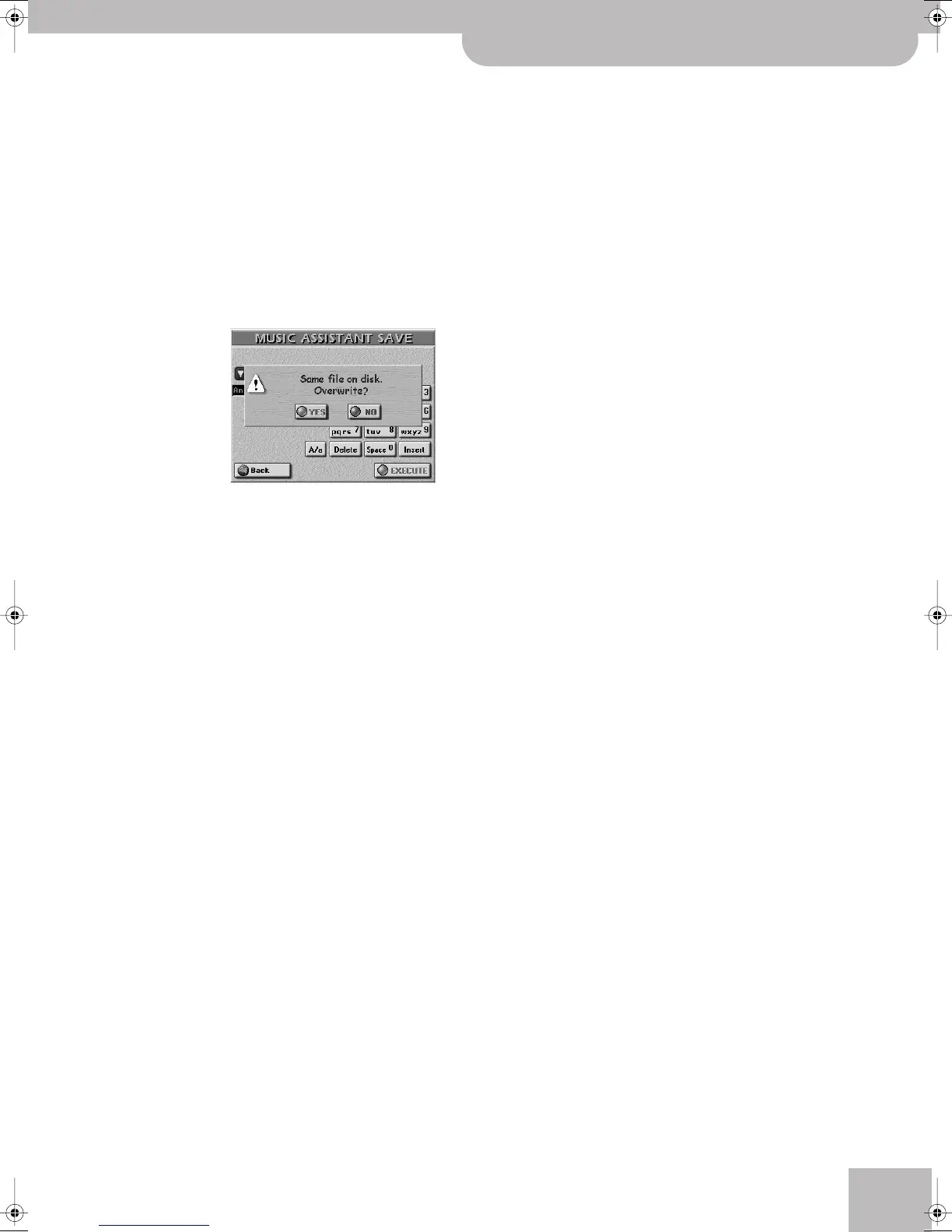
If the Music Assistant database already contains a
registration of the name displayed for NAME, the fol-
lowing warning appears:
[YES] means that both the original Music Assistant
registration and the underlying User Program are
overwritten and replaced with the new versions.
[NO] leaves the entry intact and takes you back to the
SAVE page where you can enter a different name.
Continue with step (2) above.
(5) Press the [EXIT] button to return to the main page.
E-60_50_OM_UK.book Page 101 Thursday, June 22, 2006 10:06 AM



 To Next Page