14
Playing the Keyboard
Layering Two Instrument Sounds
(Dual Play)
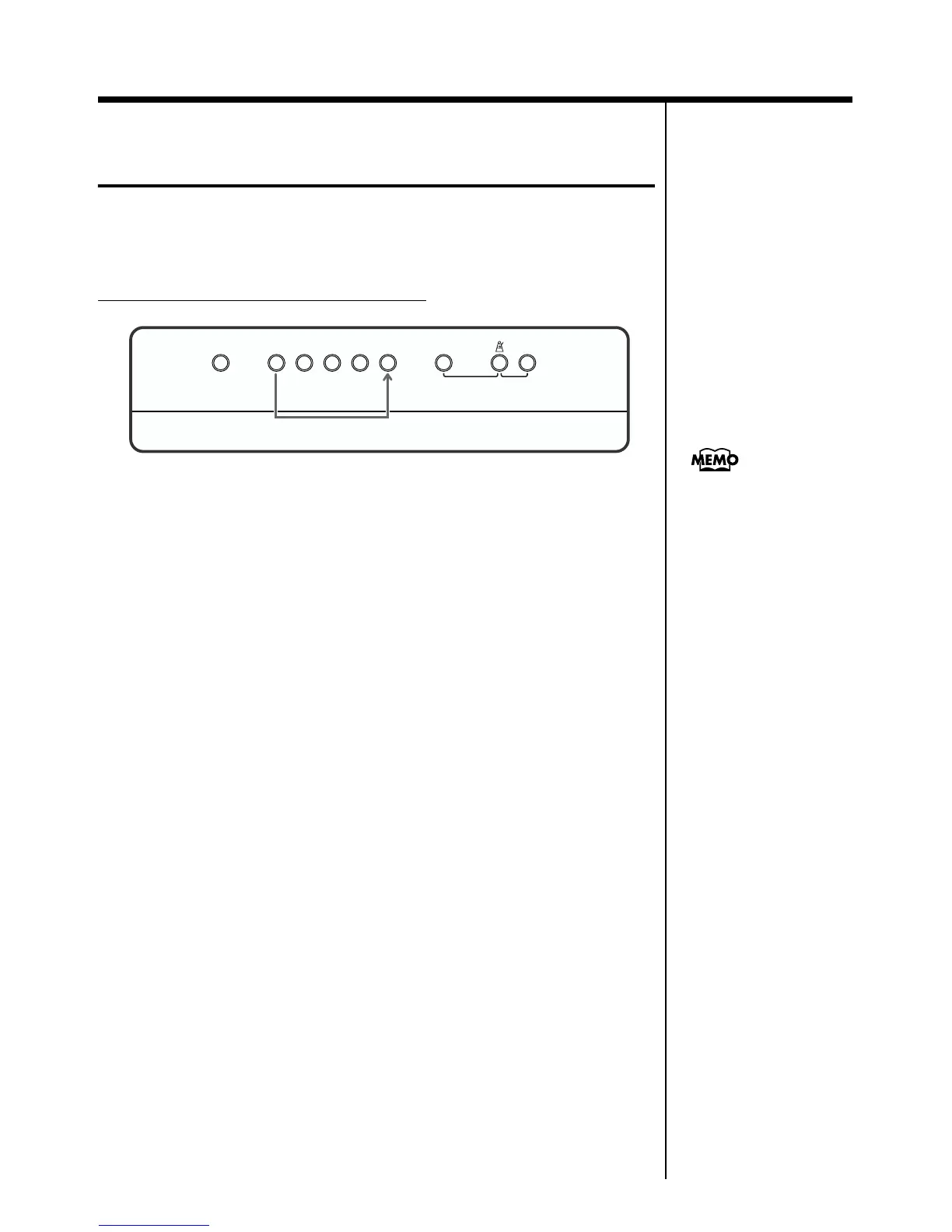
You can hold down one Tone button and press another Tone button to layer
two sounds for playing together.
This function is called “Dual Play.”
Example: Combining Piano and Strings
fig.02-02
1. While pressing the [Piano] button, also press the [Strings]
button.
The indicators for both buttons light.
When you then play the keyboard, the layered sounds of the piano and
strings will play.
The [Variation] button indicator now indicates the selected tone button’s
right tone.
Switching the [Variation] button on and off switches the right tone button
tone.
2. To exit Dual Play, press either Tone button.
When you play the keyboard, only the sound of the button you pressed will
be heard.
Reverb DemoStringsOrganE.Piano
Harpsi-
chord
Key Touch
Dual Balance
Piano Variation
1
You can adjust the volume
alance between the two
selected tones in Dual Play.
For details, refer to
“Changing the Volume
Balance in Dual Play” (p.
20).
When the power is turned
on, the sound of the left
tone button is set to be
louder.


 To Next Page