EasyManua.ls Logo

Roland f-20 - User Manual

Roland f-20
76 pages
Print Icon
To Next Page IconTo Next Page
Loading...
Digital Piano
Deutsch Français Italiano Español Português NederlandsEnglish

Table of Contents

Questions and Answers

  • C
    Christine IbarraAug 18, 2025
    What to do if my Roland f-20 Musical Instrument has no sound when I play a song?
    • T
      Thomas MeyerAug 18, 2025
      If you are experiencing a lack of sound when playing back a song on your Roland Musical Instrument, there might be a few reasons: * The unit's volume might be turned down. In this case, increase the unit's volume. * Headphones might be connected. If so, disconnect headphones from the PHONES jack.
  • A
    Ashley CookAug 20, 2025
    What to do if my Roland f-20 Musical Instrument sounds wrong or buzzy?
    • A
      Alexis NewtonAug 20, 2025
      If your Roland Musical Instrument sounds wrong or buzzy, here are a few things to check: * If the volume is at the maximum, it may be distorted depending on your performance. Try turning down the volume. * Performing at high volumes may cause the speakers or objects near the unit to resonate. Locate the unit 30 cm (12 inches) away from walls or other surfaces. Keep the volume down. Move away from the objects that are resonating. * If you hear this in headphones, please contact your dealer or a nearby Roland service center.
  • S
    Shawn SampsonAug 22, 2025
    Why is the pitch of my Roland f-20 Musical Instrument keyboard or song incorrect?
    • K
      Karen ThompsonAug 23, 2025
      If the pitch of your Roland Musical Instrument keyboard or song is incorrect, consider the following: * Check the Transpose settings. * Check the Master Tune setting. * The notes of a piano are tuned using a unique method (stretched tuning). This is the way an acoustic piano should sound.
  • B
    Brandi LunaAug 26, 2025
    Why does my Roland f-20 Musical Instrument power turn off on its own?
    • R
      Richard WilliamsAug 26, 2025
      Your Roland Musical Instrument is equipped with an auto-off feature. When 30 minutes have passed since you last played or operated the unit, the power will turn off automatically. If you don’t want the power to turn off automatically, turn the “Auto Off” setting to “OFF”.
  • L
    Lisa GlennAug 28, 2025
    Why are all the LEDs blinking on my Roland f-20 Musical Instrument?
    • L
      Laura JenkinsAug 28, 2025
      If all the LEDs other than the POWER button are blinking on your Roland Musical Instrument, excessive current flow occurred at the USB MEMORY port. Check whether there might be a problem with the USB flash drive. Next, turn the power off, then back on again.
  • A
    Anthony MoyerAug 30, 2025
    Why do the speakers on my Roland Musical Instrument produce sound even though headphones are connected?
    • L
      Lauren HoodAug 30, 2025
      If the speakers on your Roland Musical Instrument are producing sound even when headphones are connected, ensure the headphones are connected to the PHONES jack and not the OUTPUT jack.
  • E
    Erika Gould DVMSep 1, 2025
    Why are sounds heard twice when the Roland f-20 Musical Instrument keyboard is played?
    • T
      thuntSep 1, 2025
      If sounds are heard twice (doubled) when the Roland Musical Instrument keyboard is played, you may have selected a dual tone. Try deselecting dual tone.
  • R
    Ruben PerrySep 4, 2025
    Why does the sound of the higher notes suddenly change from a certain key on my Roland f-20?
    • J
      James JonesSep 4, 2025
      On an acoustic piano, the approximately one and a half octaves of notes at the upper end of the keyboard will continue sounding regardless of the damper pedal. This unit faithfully simulates this characteristic of acoustic pianos.
  • S
    Steven MillerSep 7, 2025
    Why is a high-pitched ringing heard from my Roland Musical Instrument?
    • T
      Tina PerrySep 7, 2025
      If you hear a high-pitched ringing from your Roland Musical Instrument, it could be due to piano sounds that have a brilliant and crisp character containing substantial high-frequency components. You may be able to minimize it by decreasing the reverb. If you don’t hear this in headphones, please contact your dealer or the nearest Roland service center.
  • O
    Olivia WebbSep 12, 2025
    Why is communication unstable on my Roland f-20?
    • M
      Matthew WilliamsSep 12, 2025
      Communication may be unstable depending on the usage of the radio frequency spectrum. Move the wireless LAN access point and the F-20 closer to each other. Change the channel setting of the wireless LAN access point.

Summary

Easy Operation Guide

Turning the Power On;Off

How to turn the unit on and off.

Adjusting the Volume

How to control the sound volume.

Selecting a Sound

Choosing different instrument sounds.

Layering Two Sounds (Dual)

Combining two sounds simultaneously.

Playing Different Sounds with Left and Right Hands (Split)

Using different sounds for left and right sections.

Changing the Keyboard Response (Key Touch)

Adjusting key sensitivity for playing.

Using the Metronome

How to use the built-in metronome.

Playing Back Songs and Rhythms

Using songs and automatic accompaniment.

Recording Your Performance

How to record your playing.

Saving and Playing Recorded Songs

Managing recorded songs via USB.

Before You Play

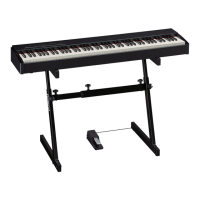
Placing the F-20 on a Stand

Instructions for setting up the piano on a stand.

Rear Panel Connections

Details of all input/output ports on the rear.

Attaching the Music Rest

How to attach the included music rest.

Power Control and Auto Off

Guide to turning power on/off and auto-off settings.

Listening to Demo Songs

How to play the built-in demo songs.

Advanced Features

Sound Customization

Adjusting brilliance, ambience, and twin piano modes.

Operational Management

Panel lock, memory backup, and factory reset.

USB Flash Drive Operations

Formatting and managing USB flash drives.

Various Function Settings

Configuring Auto Off, Tuning, Transpose, MIDI, and Wireless LAN.

About the Wireless LAN Function

Wireless LAN Function Overview

Explanation of wireless connectivity and requirements.

Connecting via WPS

Step-by-step guide for WPS wireless connection.

Connecting in Ad-Hoc Mode

How to connect directly without an access point.

Troubleshooting

General Operation Issues

Solutions for common problems like no sound or power issues.

Wireless LAN Connectivity Issues

Troubleshooting wireless connection and discovery problems.

Safety and Important Notes

General Safety Warnings

Crucial warnings for safe operation and handling.

Important Usage Precautions

Guidelines for placement, maintenance, and data care.

Roland f-20 Specifications

General IconGeneral
BrandRoland
Modelf-20
CategoryMusical Instrument
LanguageEnglish

Related product manuals