Editing the Eects
6868
Editing Eects Shared by All Zones
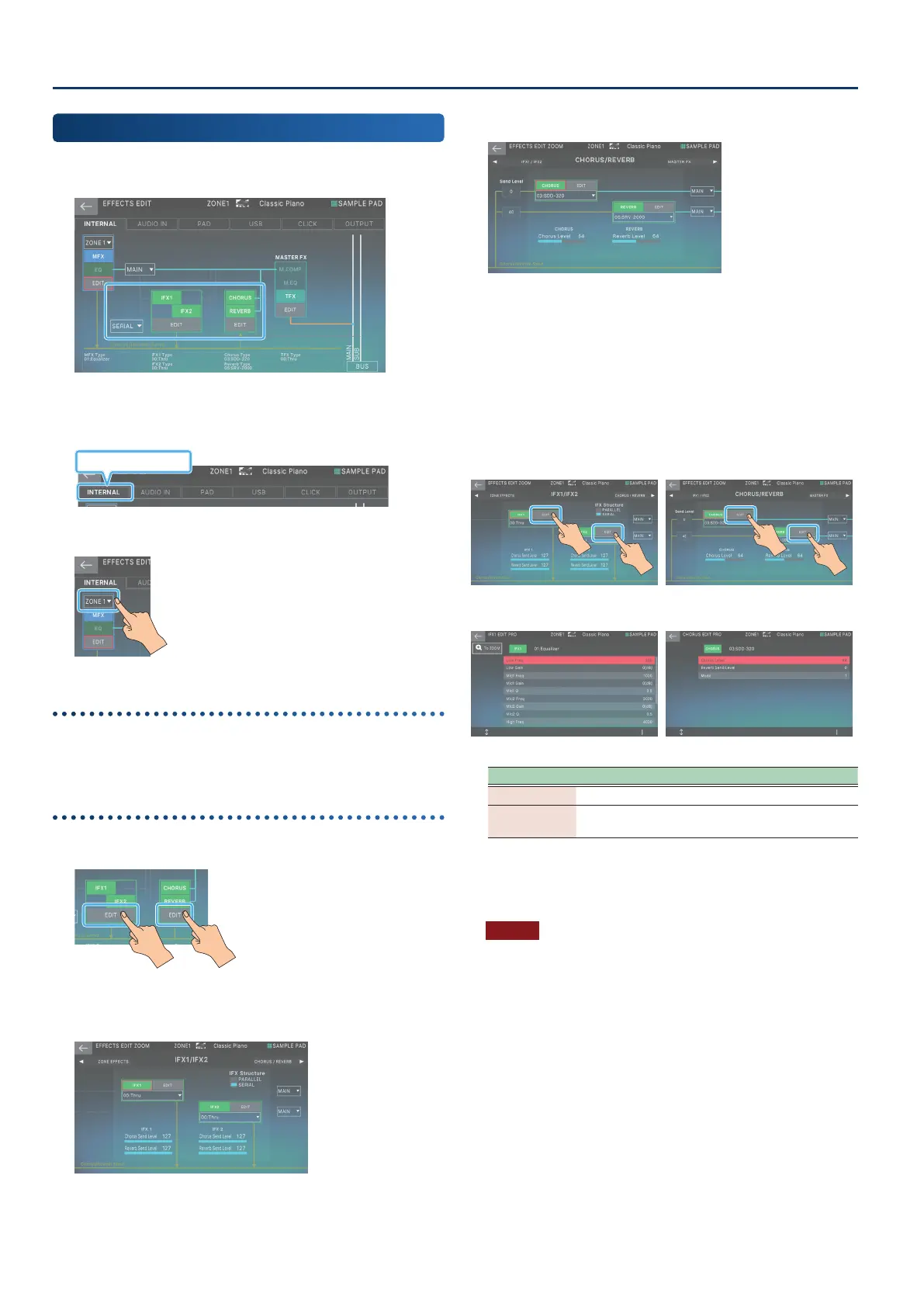
Here’s how to edit the eect units that are shared by all zones, such
as IFX 1–2, CHORUS, and REVERB.
1. On the EFFECTS EDIT screen, touch the
<INTERNAL> tab.
INTERNAL tab
2. Select a zone.
Turning each eect on/o
3. In the screen, touch <IFX1>, <IFX2>, <CHORUS>,
or <REVERB> to turn each eect on/o.
Editing the parameters
3. In the section that you want to edit, touch <EDIT>.
The EFFECTS EDIT ZOOM screen appears.
IFX1/IFX2
In this screen you can edit major parameters such as the IFX
on/o status, the IFX connection order, the eect type, and
the send level and output destination from the IFX.
CHORUS/REVERB
In this screen, you can edit major parameters such as
the CHORUS/REVERB on/o status, the send levels from
the zone, the eect type, the eect level, and the output
destination.
4. Move the cursor to the desired parameter, and
edit the value.
5. If you want to make detailed edits, touch <EDIT>
in the section that you want to edit.
The EFFECT PRO EDIT screen appears.
Menu Explanation
[E1] Scrolls the cursor up or down.
[E6]
Edits the value of the parameter selected by the
cursor.
6. Move the cursor to the desired parameter, and
edit the value.
NOTE
The edited eect settings are temporary. They will be lost if you
turn o the power, or if you select another scene. If you want to
keep the settings, save the scene.



 To Next Page
 Loading...