EasyManua.ls Logo

Roland GR-55 - User Manual

Roland GR-55
96 pages
Print Icon
To Next Page IconTo Next Page
Loading...

Table of Contents

Other manuals for Roland GR-55

Questions and Answers

  • R
    Robert WhiteSep 12, 2025
    Why does only one string sound on the external sound module connected to my Roland Synthesizer?
    • C
      Christopher SweeneySep 12, 2025
      If only one string sounds on the external sound module connected to your Roland Synthesizer, and some strings do not produce sound, you might be using Mono mode to transmit from the GR-55 to a sound module that cannot receive six MIDI channels simultaneously. Use a sound module that supports multitimbral operation or use the GR-55 in Poly mode.
  • J
    Jeffrey CobbSep 13, 2025
    Why is the USB memory not detected or song files not displayed on my Roland GR-55?
    • Q
      qandrewsSep 14, 2025
      Ensure that your USB memory is formatted in FAT format. Use your computer to format the USB memory in FAT format. (Formatting is not possible using the GR-55.) In Computer (or My Computer), right-click the USB drive, choose 'Format,' and then choose 'FAT' as the file system. Note that formatting the USB memory will erase all of its contents.
  • M
    Marcus TaylorSep 16, 2025
    What to do if I can't back up to USB memory on my Roland Synthesizer?
    • E
      Elizabeth FrederickSep 16, 2025
      If you can't back up to USB memory with your Roland Synthesizer, check if the USB memory is write-protected and disable write protection. Also, make sure there is sufficient free space on the USB memory.
  • B
    Benjamin WolfNov 20, 2025
    How to troubleshoot no sound or low volume on my Roland GR-55 Synthesizer?
    • R
      rbairdNov 20, 2025
      If you are experiencing no sound or low volume with your Roland Synthesizer, consider the following: * Ensure the [OUTPUT LEVEL] knob is appropriately adjusted. * Check the volume of the GK pickup and raise it if needed. * Verify the select switch of the GK pickup is set to GK (or SYNTH) or MIX. * Depress the expression pedal if it's released. * Increase the PATCH LEVEL in the EZ EDIT or another screen. * Replace the connecting cable to rule out any shorts. * Confirm that the GR-55 and other devices are connected correctly. * Check the power and volume settings of the connected amp or mixer. * If the tuner is on, direct sound may be muted if the volume setting during tuning is set to 'MUTE ON.' * For USB connections, ensure the [SYSTEM] - USB settings are correct and t...

Summary

USING THE UNIT SAFELY

IMPORTANT NOTES

Main Features

Sound Generation Capabilities

Describes the fusion of PCM and COSM sound generation for versatile tones.

Settings

First, get your guitar;bass ready

Essential first steps to prepare your guitar or bass for use with the GR-55.

Preparations for Using the GR-55

Connections and Power

Diagrams and instructions for connecting the GR-55 and turning it on/off.

Selecting Guitar or Bass (GUITAR<->BASS)

How to set the GR-55 mode for guitar or bass input.

Adjusting Pickups (GK SETTING)

Essential settings for the GK pickup to ensure optimal performance.

Adjusting Your Guitar Pickup

Adjusting Your Bass Pickup

Specifying the Output System (OUTPUT SELECT)

Tuning Your Instrument (Tuner Function)

Quick Guide

Selecting and Playing Sounds

Guide to choosing and playing sounds (patches) on the GR-55.

Creating an Original Sound

Saving the Sound You Created

Steps for saving edited sounds as user patches.

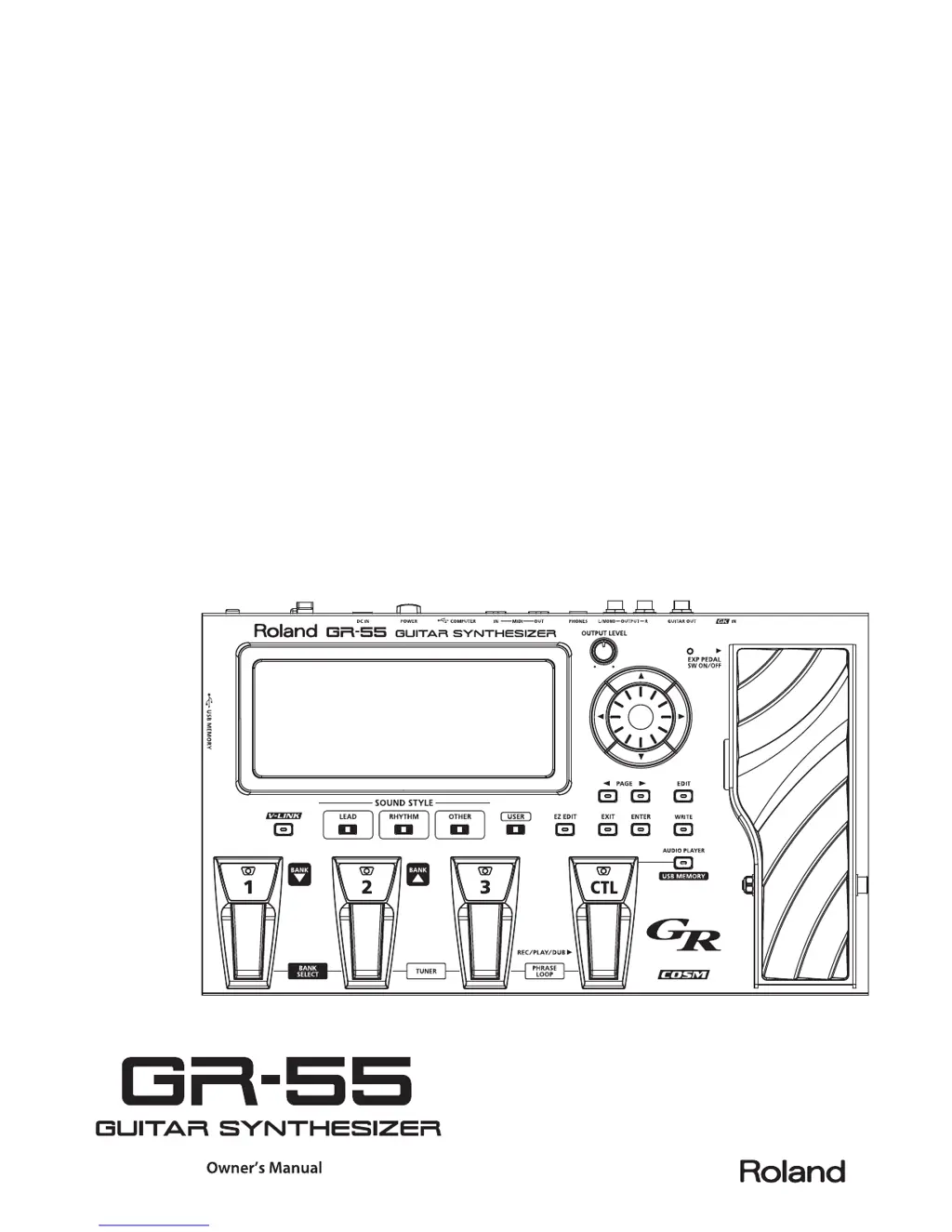
Panel Descriptions

Front Panel

Detailed description of the controls and indicators on the front panel.

Rear Panel

Description of the connectors and ports on the rear panel of the GR-55.

How the GR-55 Works

Editing the Tones (TONE)

Parameter Lists (PCM, FILTER, TVA, LFO, MODELING)

Detailed lists and explanations of tone editing parameters.

Effect Settings (EFFECT)

Changing the Structure;Connection Destination

How to change the effect chain structure and connection destinations.

Parameter List (EFFECT)

Patch Settings (MASTER)

GK Pickup Settings for Each Patch (GK SET)

Storing and recalling GK pickup settings for different guitars.

Saving a Patch (PATCH WRITE)

Controller Assignments

Connecting External Equipment

Settings for the Entire GR-55 (SYSTEM)

Setting the GK Pickups (GK SETTING)

Crucial settings for the divided pickup to optimize playing performance.

Pedal Calibration and Factory Reset

Procedures for calibrating the pedal sensitivity and restoring factory settings.

Parameter List (SYSTEM)

GK SETTING

Detailed list and explanation of GK pickup settings.

OUTPUT SELECT

List of output system settings and their descriptions.

Troubleshooting

No Sound;Low Volume

Common problems and solutions for lack of sound or low volume.

Error Messages

Roland GR-55 Specifications

General IconGeneral
Bit rate24 bit
Best usesGuitar
Sample rate44.1 kHz
Product typeFootswitch/controller
Sound effectsChorus, Delay, Modulation, Reverberation
Delay effects quantity7
Number of footswitches-
Sound effects quantity93
Chorus effects quantity4
Reverberation effects quantity5
Modulation (MOD) effects quantity14
Display typeLCD
Power source typeAC
Weight and Dimensions IconWeight and Dimensions
Depth244 mm
Width405 mm
Height78 mm
Weight3300 g

Related product manuals