34
Playing R&B
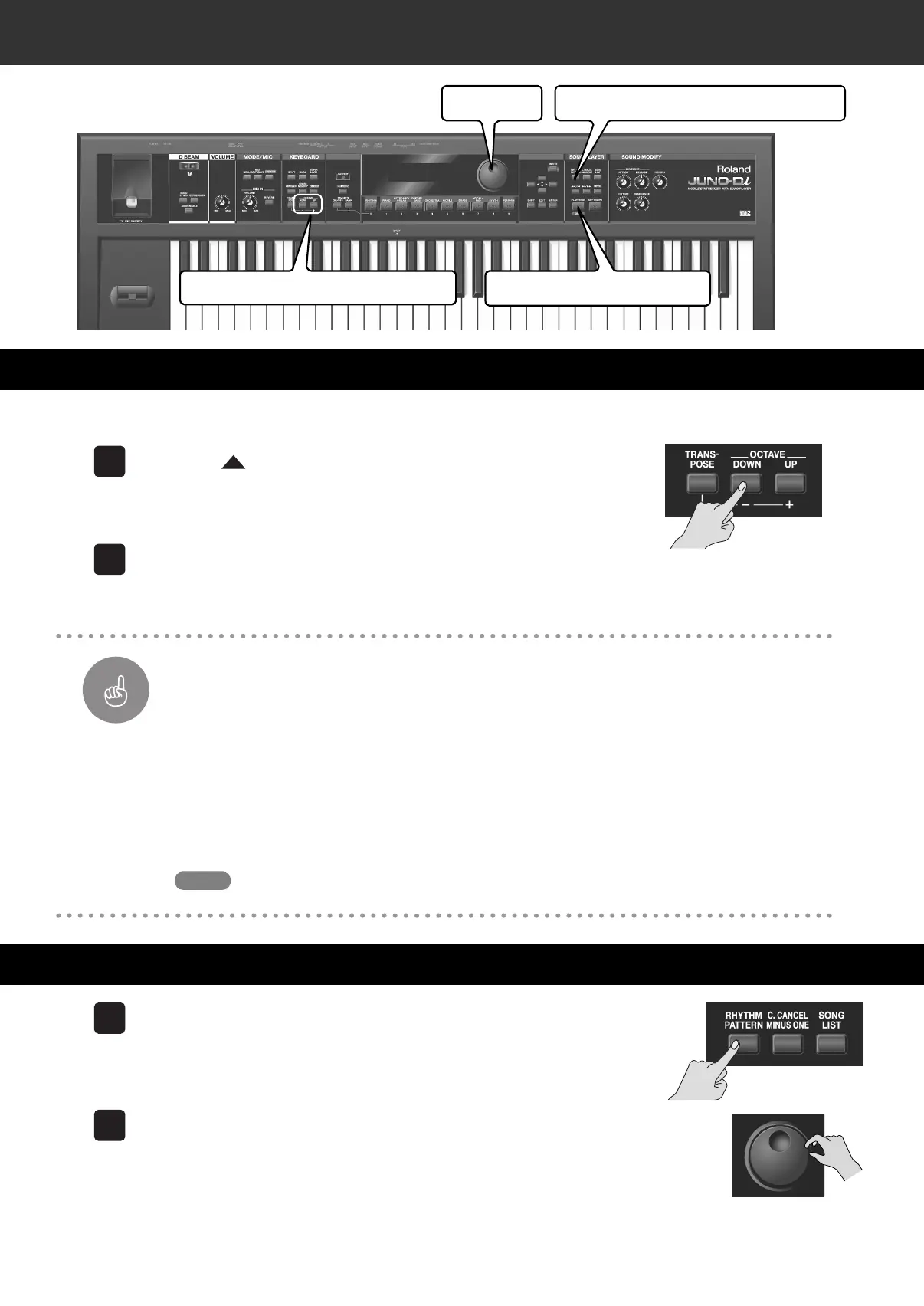
Lower the pitch of the Upper tone, which you play with your right hand, by an octave.
Press the [
] button to move the cursor to the number of
the upper tone.
The Upper tone is selected.
Press the OCTAVE [DOWN] button.
The UPPER pitch is shifted down one octave.
Changing the Pitch in One Octave Steps—OCTAVE [DOWN]/[UP] Buttons
You can change the pitch in steps of one octave. This is called the “Octave Shift” function.
If you are playing a low part such as a bass line with your right hand, you will find it easier if you shift the
keyboard down one or two octaves.
Use the OCTAVE [DOWN] or [UP] buttons to adjust the Octave Shift.
Press the [DOWN] button to shift the pitch of the currently selected tone down an octave, or press the
[UP] button to shift it up at an octave.
You can shift the pitch as much as three octaves down (-3) or three octaves up (+3).
For further information about the octave shift function, see “Octave Shift Settings” (p. 67).
Press the [RHYTHM PATTERN] button. The button is lit.
The Rhythm Pattern is turned on and the “RHYTHM PATTERN” screen is
displayed.
Use the dial to select “017: R&B.”
Shifting the Right Hand down One Octave
Playing Rhythm Patterns
Dial
[RHYTHM PATTERN] Button
OCTAVE [DOWN]/[UP] Buttons
[PLAY/STOP] Button
1
2
Important
Function
Memo
1
2
JUNO-Di_e.book 34 ページ 2009年6月22日 月曜日 午前9時23分


 To Next Page